





Create a Personalized, Organized, and Shareable Shopping List
Docket - WooCommerce Collections, Wishlist, & Watchlist Plugin
Build, organize, and share custom product lists on your store using The Docket - WooCommerce Collections, Wishlist, and Watchlist plugin to boost product discovery, increase customer engagement, and improve conversion rates.
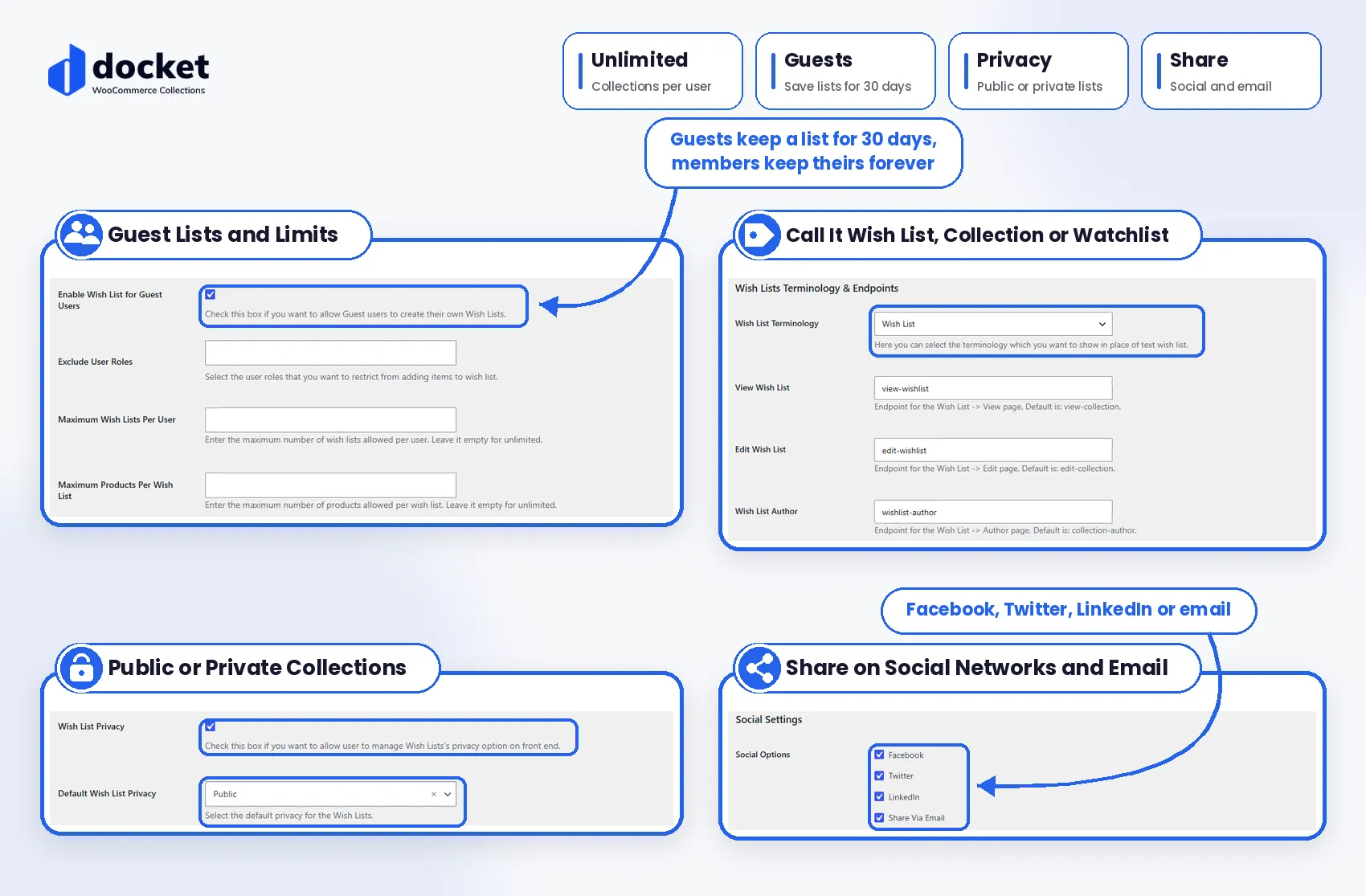


Key Features
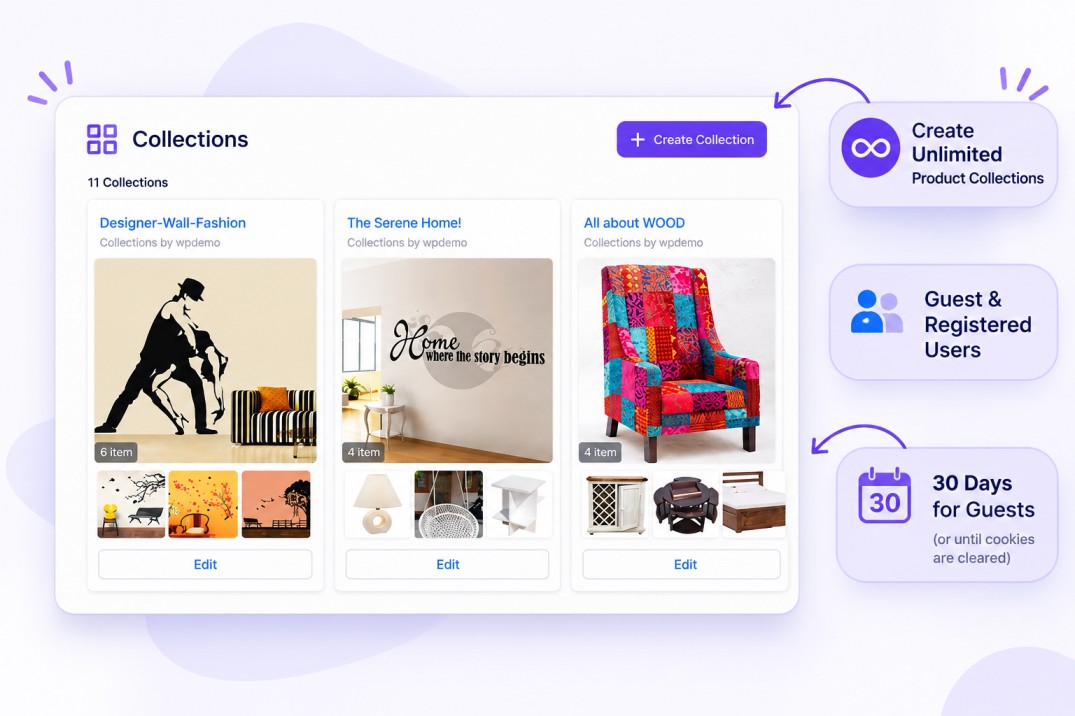
Create Unlimited Product Collections
WooCommerce collection plugin lets shoppers create multiple product collections, wishlists, or watchlists to save their favorite items. Users can create and manage multiple collections based on a particular occasion, interest, or shopping need, while store owners can set collection limits as needed.
Guest users can store a collection for 30 days (or until cookies are cleared), while registered users can store saved collections as much as they want.
Sort Collections & Products Easily
Shoppers can sort their collections and the products saved within them using the WooCommerce Collections plugin. They can configure default sorting preferences and enable drag-and-drop ordering to help shoppers organize their saved items the way they prefer. Shoppers can use a drag-and-drop interface on the front end, while admins can use it in the back end to set the order of the saved items.
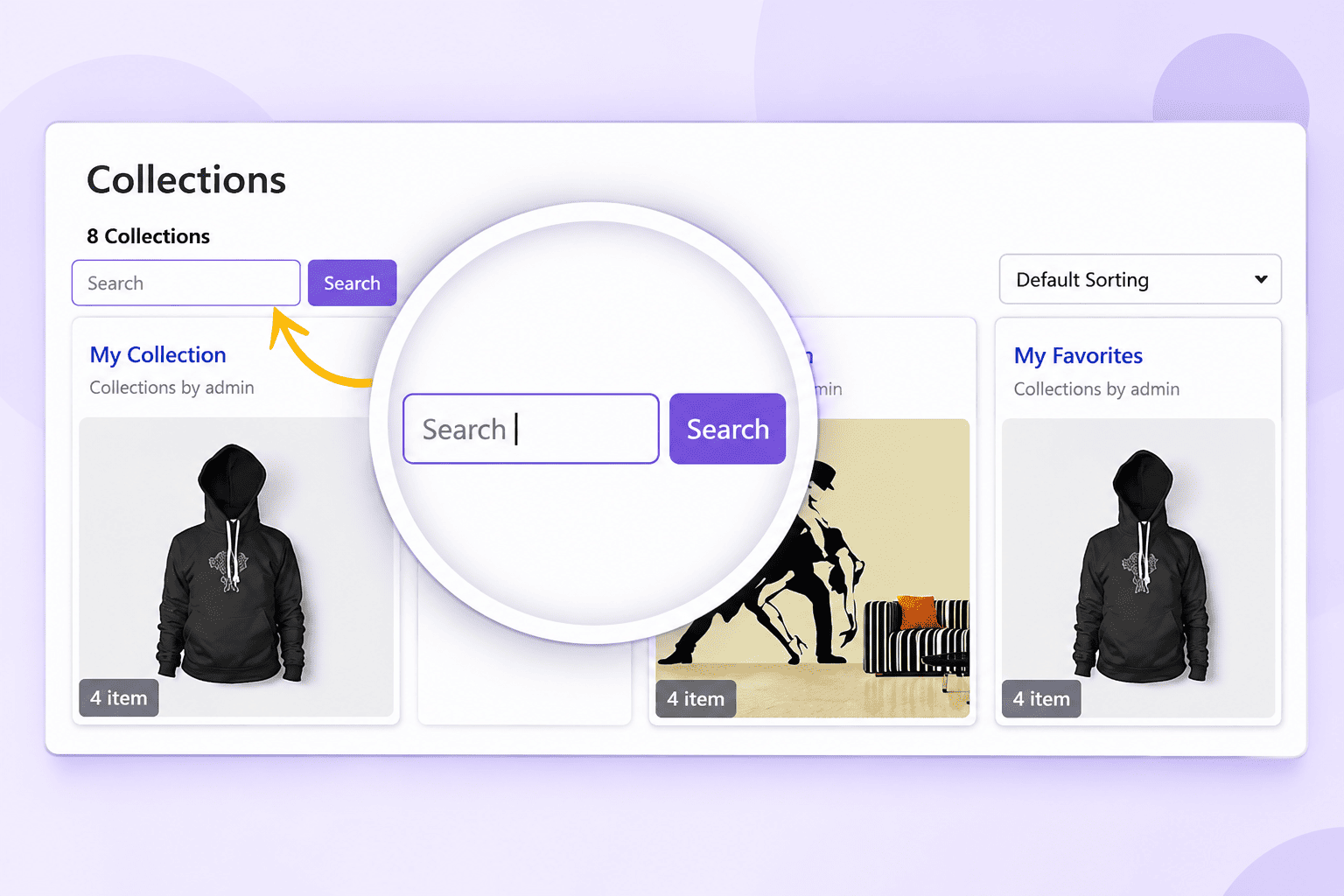
Search Through Saved Collections
The WooCommerce product collection plugin makes it easy to search within saved lists. You must need to enable search functionality for both collections and individual collection items, so they can quickly find products without browsing through saved items. Shoppers can search on public lists also. The public list will automatically allow search functionality to find items from that particular wishlist.
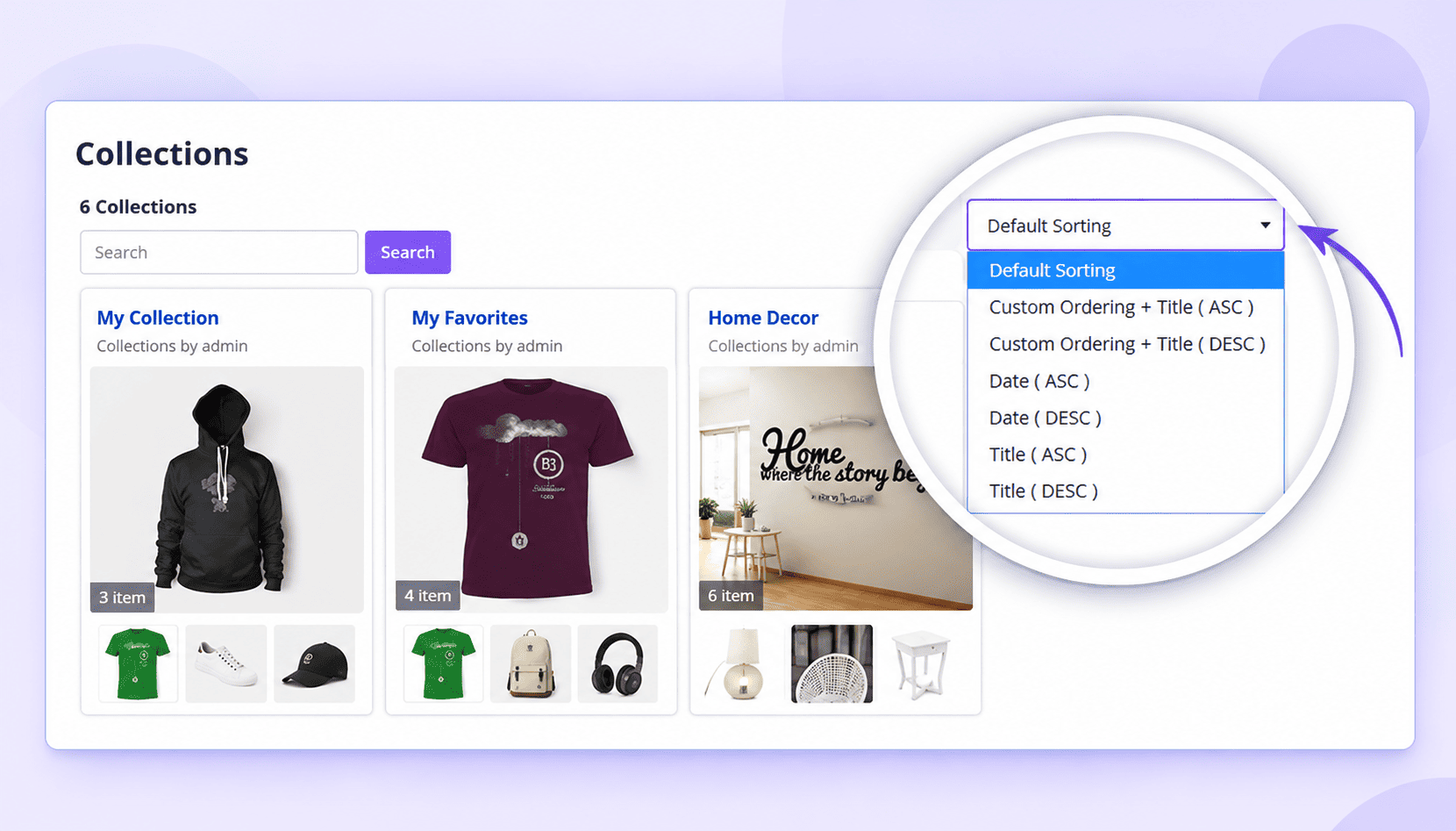
Allow Sorting of User Collections
Shoppers will have greater control over how their collections are displayed using the WooCommerce Wishlist plugin. Enable collection sorting options, choose the default order, and let users arrange their saved collections for easier access.
Users can easily change the display order of their custom collections using drag-and-drop; store admins can manage, reorder, and override custom collections from the backend; and, with configurable settings, you can enable, disable, or adjust these capabilities through the primary plugin settings.
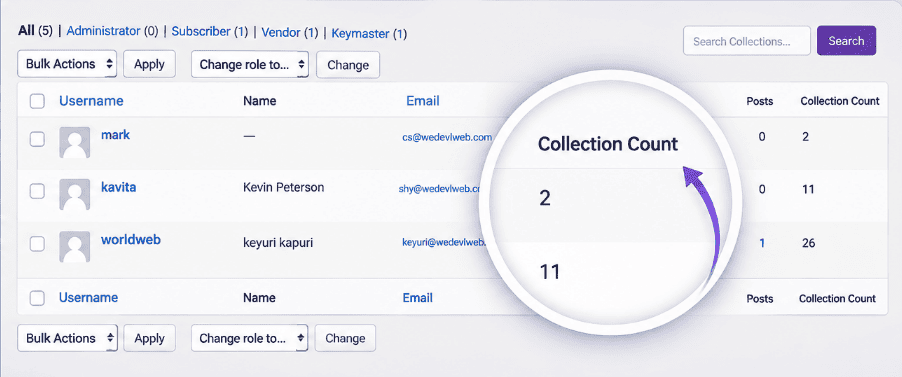
Observe User Collections to Understand Their Needs
Using the WooCommerce Wishlist plugin, you can view and manage collections directly from your WordPress dashboard. You can see which products shoppers save most, review collection details, and manage collections without needing access to individual customer accounts. The dashboard will show statistics to help you understand your shoppers’ preferences and create targeted discounts and promotions for the most-liked products.
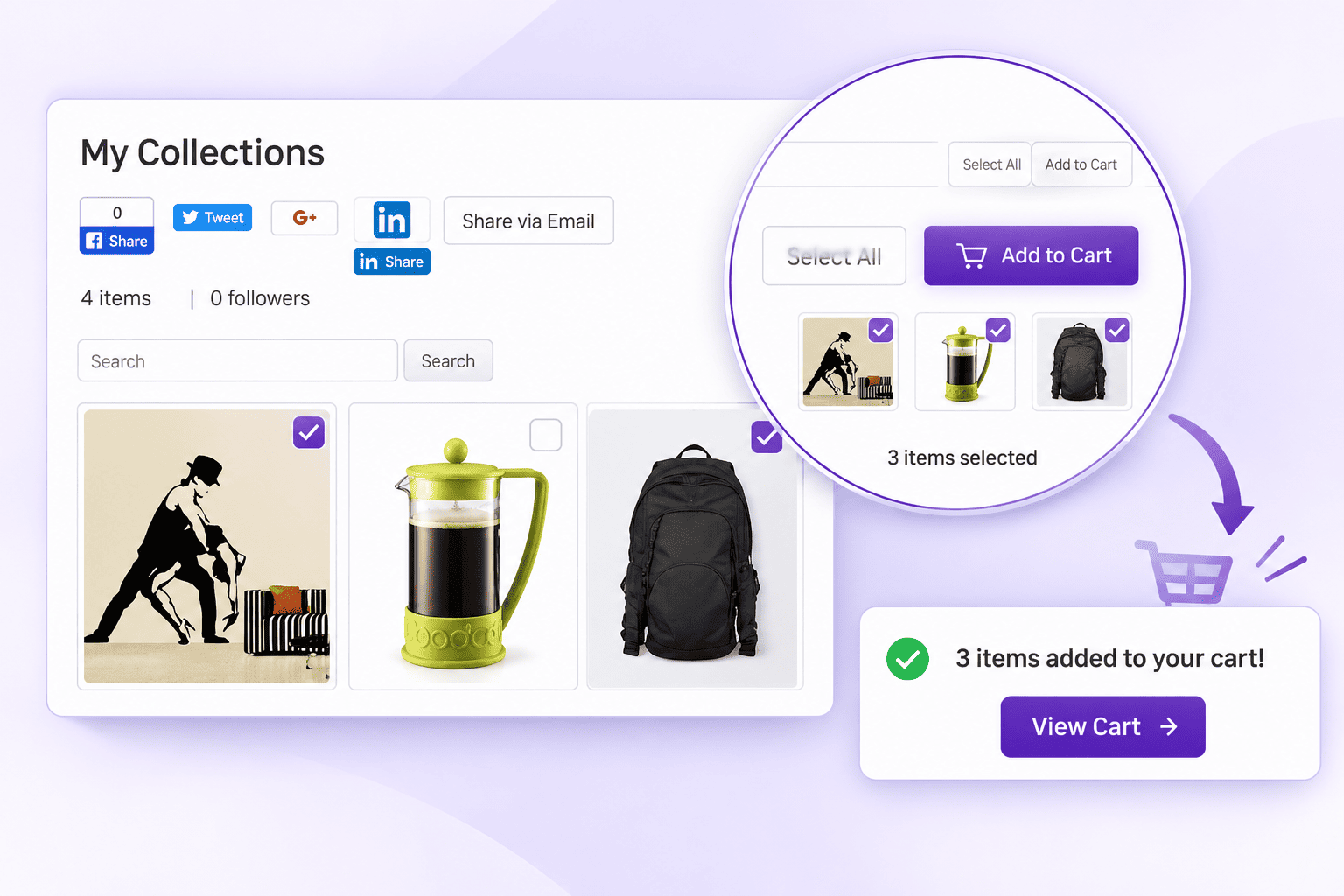
Add Some or All Products in a Collection to Cart
WooCommerce collections let shoppers save products without opening every product page separately. They can select individual items or add multiple products from a collection to their WooCommerce cart in one click. You have to activate bulk add to cart, configure the action element, view the saved products, select specific products (single, bulk, or all), and click add-to-cart to transfer the chosen items into the WooCommerce cart in a single request.
Create Public & Private Wishlists
Shoppers can set limits on public or private collections using the WooCommerce Collections plugin. Public collections can be viewed and shared with others, while the private collections remain accessible only to the customer who created them. Public wishlists can be shared via short URLs and email.
Unregistered guests can store items temporarily (up to 30 days), while logged-in users keep their collections indefinitely. Store owners can configure display styles, such as text links, buttons, or custom icon choices, and enable drag-and-drop sorting.
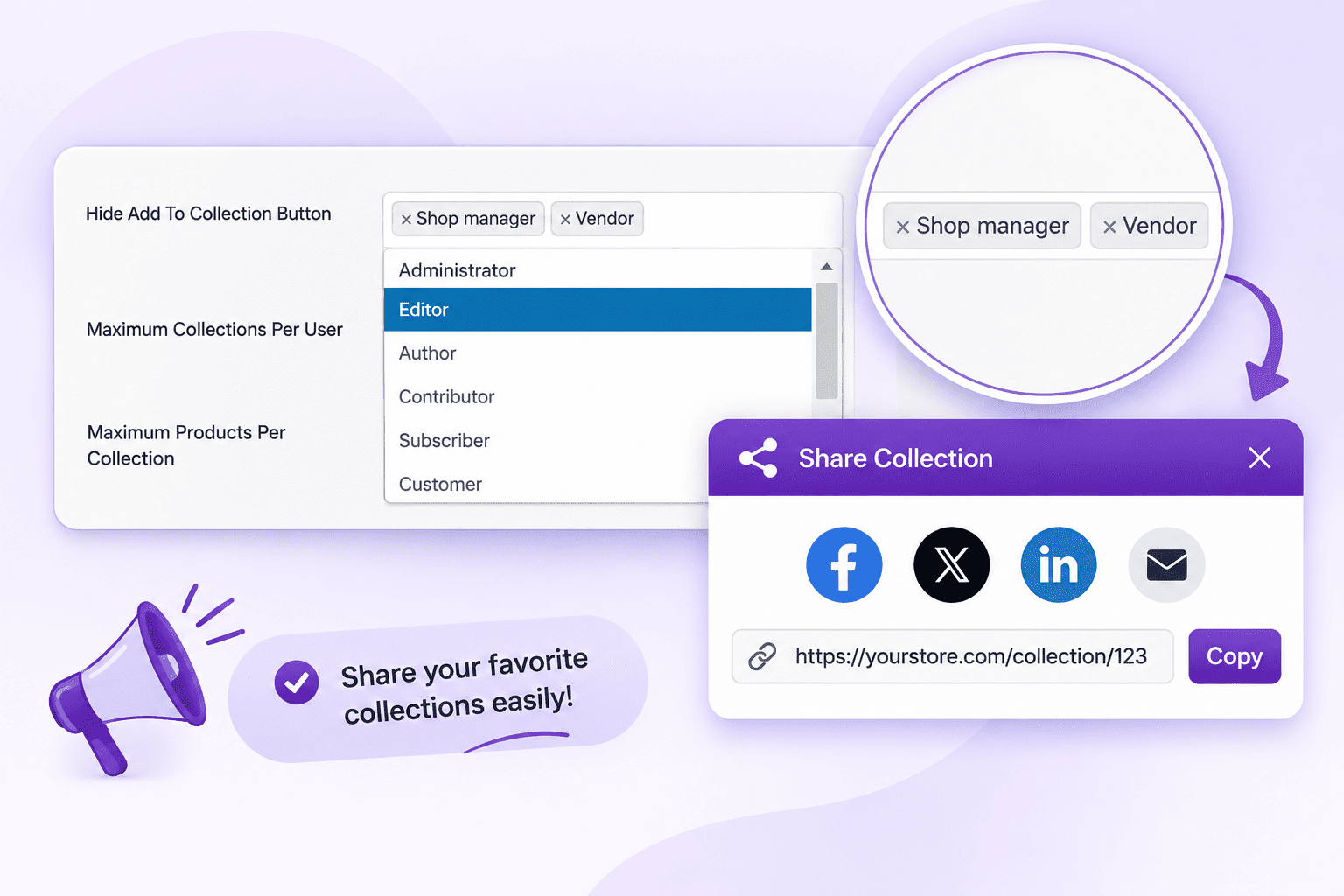
Share Collections Through Social Media & Email
The WooCommerce Product Collections plugin lets shoppers share their favorite product collections with friends and family. Public collections can be shared using unique URLs, supported social networks, or email, making them useful for gift lists and product recommendations.
Users can share public collections on major social networks such as Facebook, Twitter (X), and LinkedIn using a unique short URL generated for the list. Only public collections can be shared and viewed by others; private collections remain restricted strictly to the owner’s account.
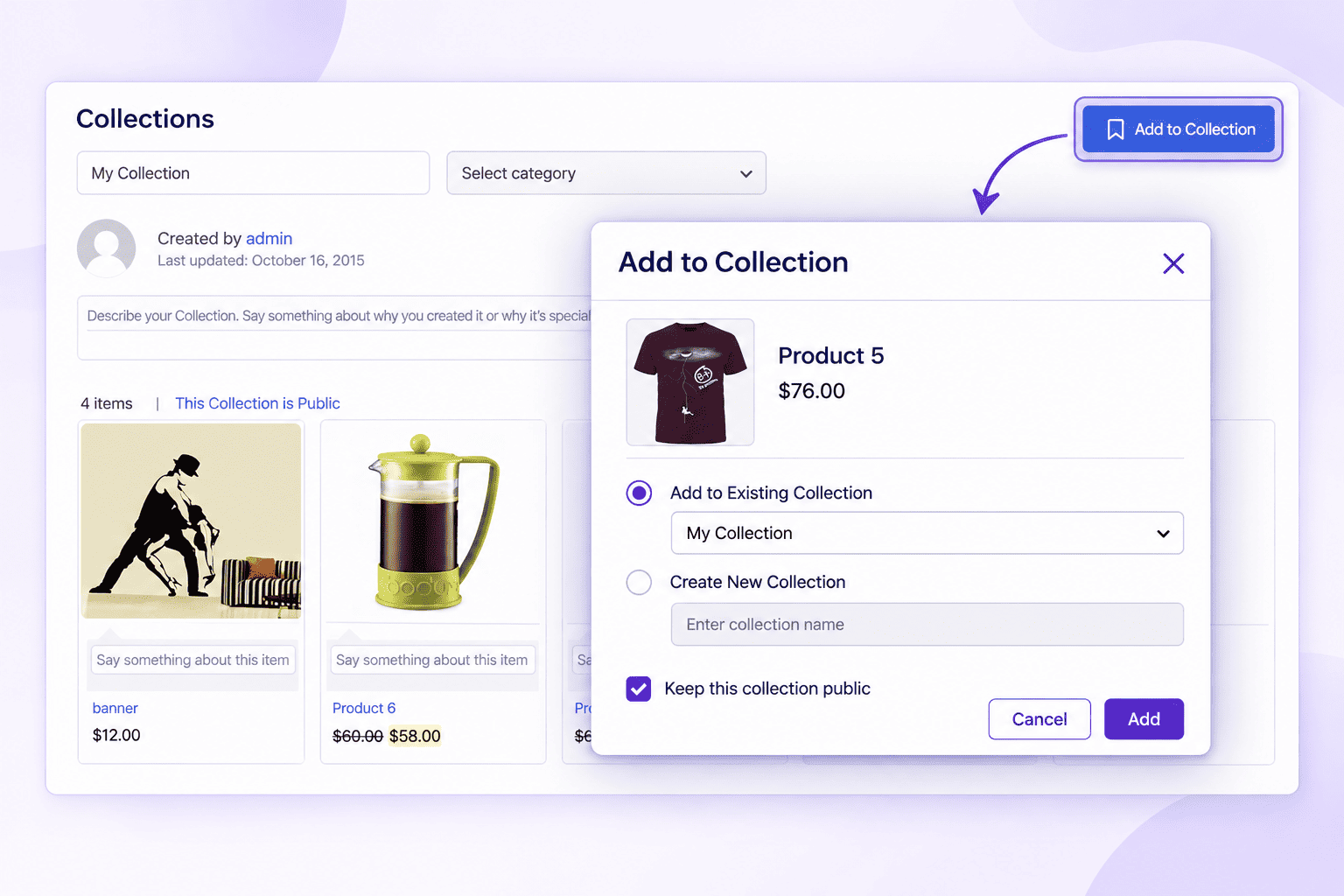
Add Products Without Leaving the Current Page
Using WooCommerce Wishlist, shoppers can add items to an existing collection or create a new wishlist directly from a product, shop, or archive page using a popup window. By using AJAX-driven interaction, shoppers can curate their favorite lists dynamically on individual product pages, shop listings, and widgets without disruptive page reloads.
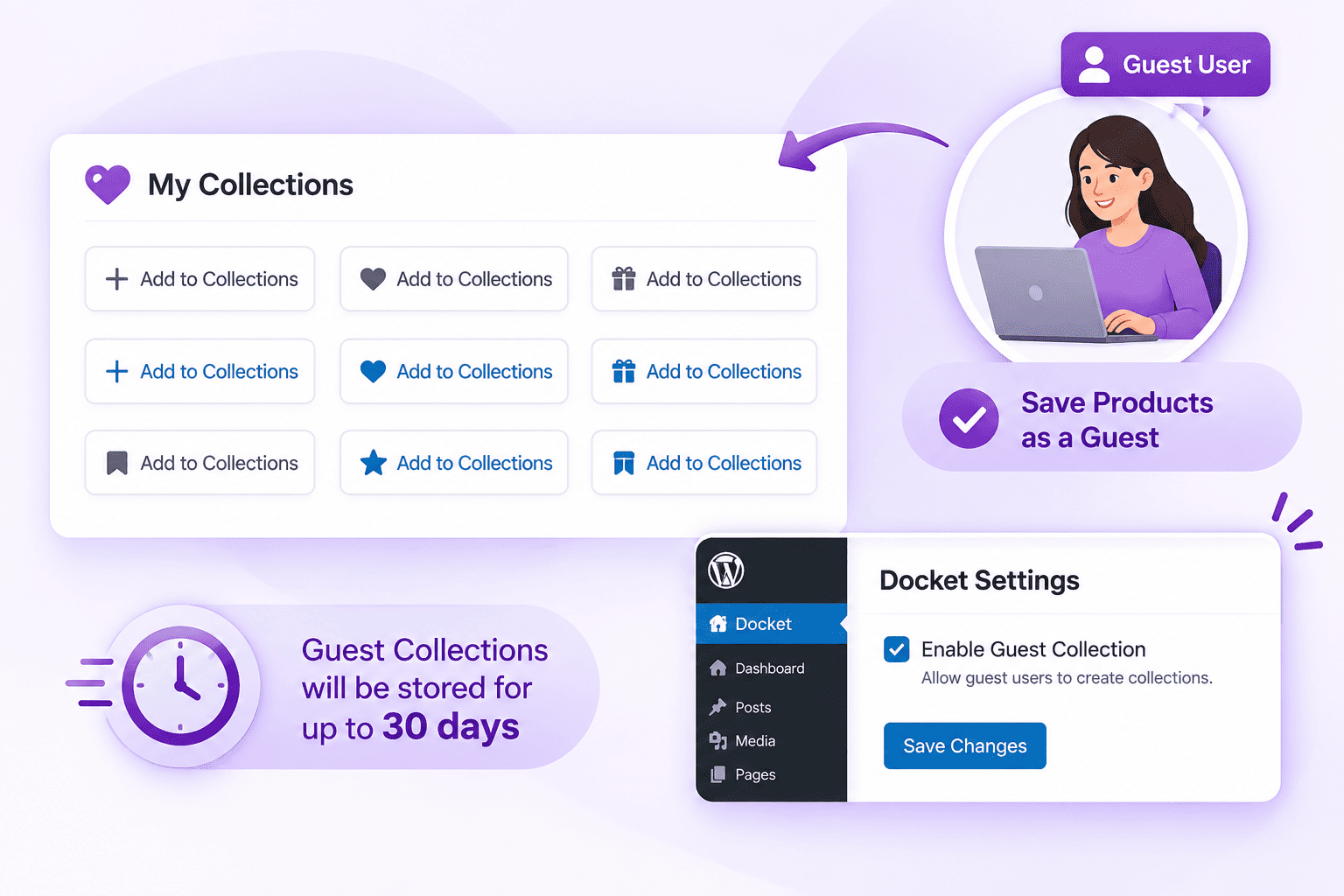
Allow Guest Users to Create Collections
WooCommerce Wishlist plugin lets visitors save products even if they haven’t registered for an account, which means guest users. Guest collections are stored for up to 30 days or until browser cookies are cleared, and store owners can enable or disable guest collection access.
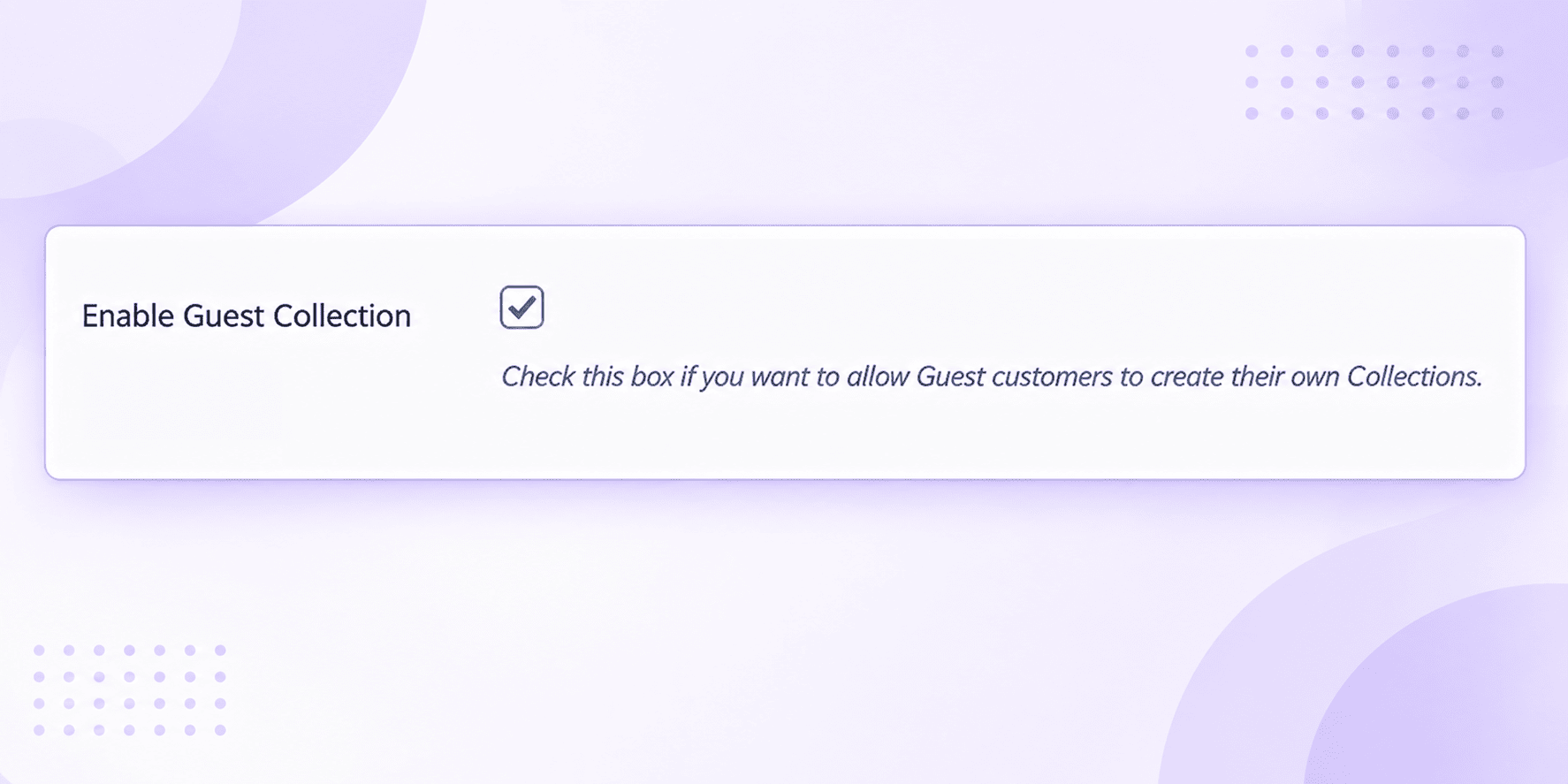
To enable guest collection, you have to go to your WordPress admin dashboard, navigate to the Docket settings page, find the enable guest collection checkbox, check the box, and click Save changes.
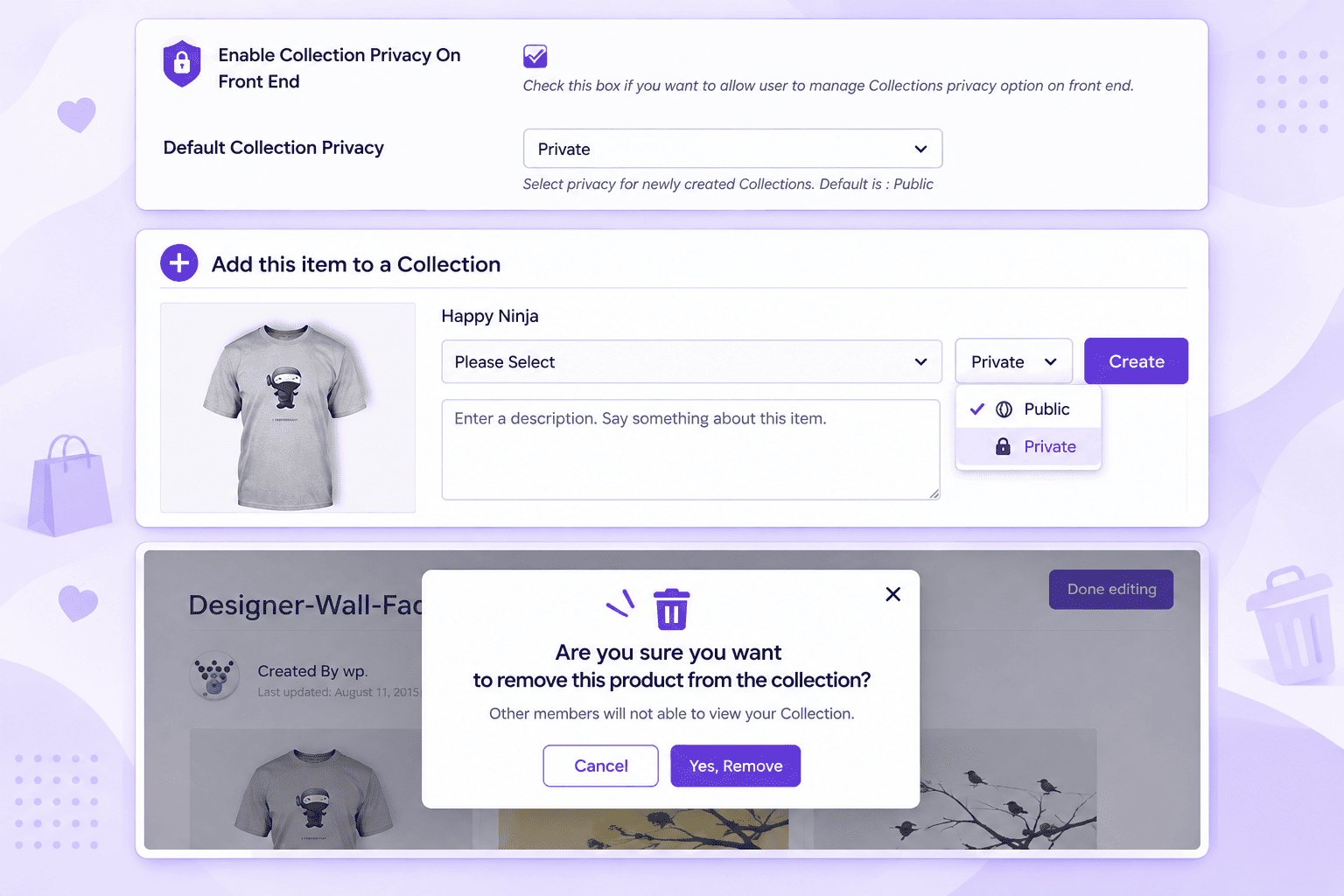
Manage Collection From My Account
Give registered shoppers a dedicated place to view and manage their collections using WooCommerce Collection. Shoppers can edit collection names, update descriptions, change privacy settings, delete collections, or remove specific products from collections as needed.
Save Specific Product Variations
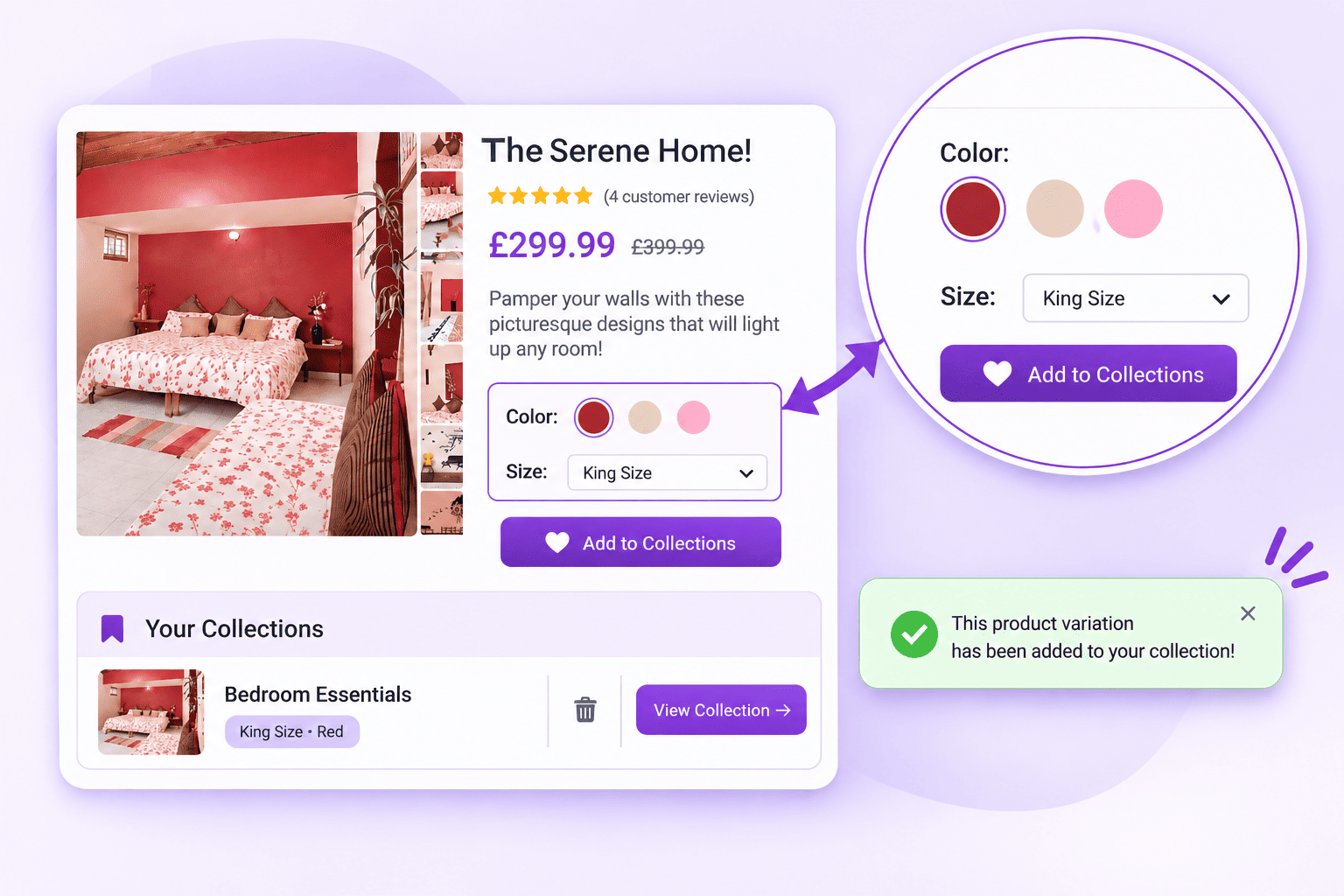
The WooCommerce Collection plugin allows customers to save the product variation they want, such as a particular size or color. This helps shoppers track the exact product options they want to purchase later.
On a variable product page, shoppers must choose their specific attribute options (such as a specific color or size) from the dropdown or swatch selectors before clicking the add to collection button. The plugin captures the selected variation ID/data rather than just the parent variable product, ensuring the exact item and its attributes are stored in the shopper’s collection, wishlists, or watchlist.
Showcase Featured Product Collections
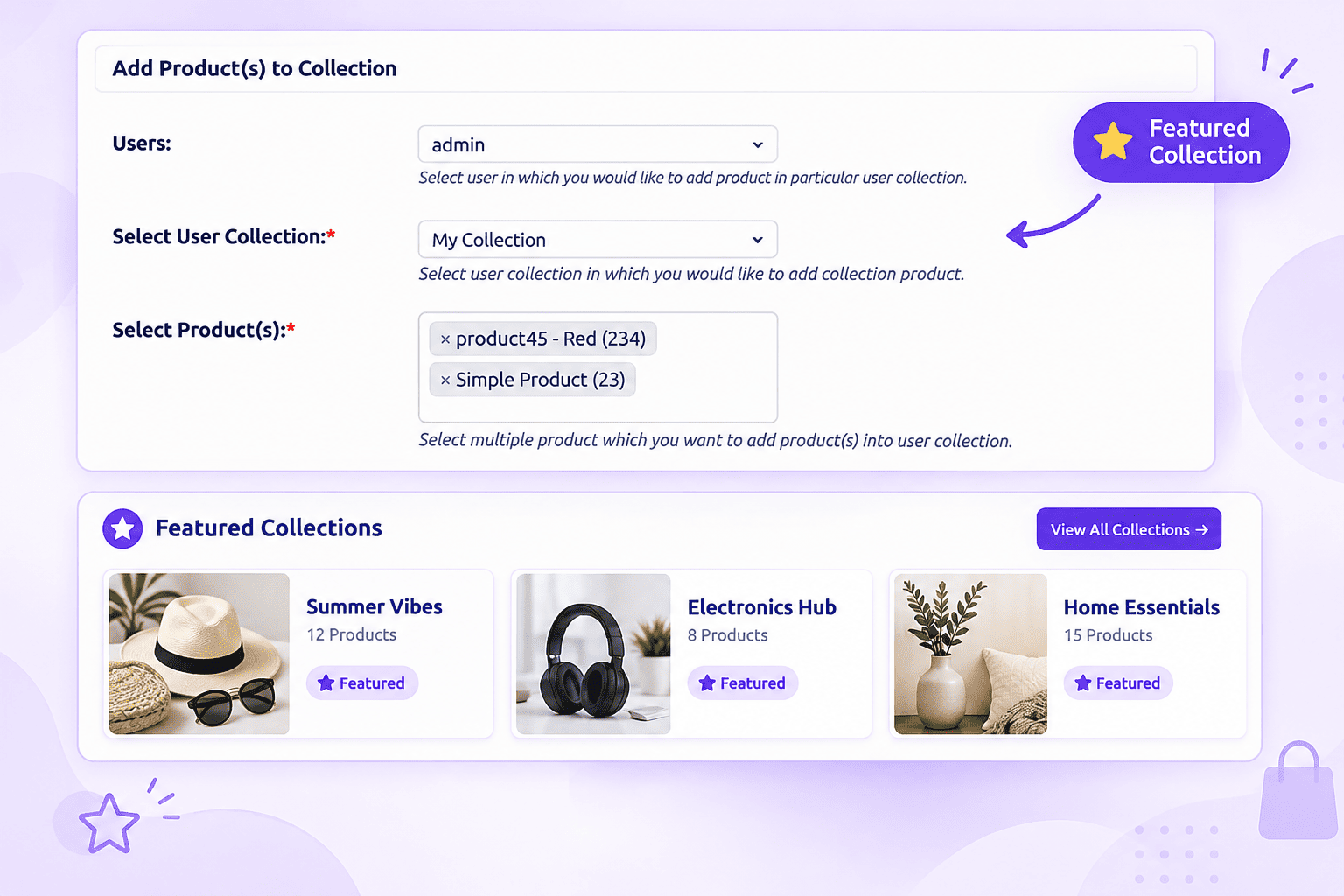
Highlight selected collections on your website using the featured collection option using WooCommerce Product Collections. Store admin can mark collections as featured and display them on selected pages using the available shortcode. Shoppers and admins can create endless custom lists (collections, wishlists, or watchlists) with personalized names, covers, and descriptions.
Customize Add to Collection Buttons
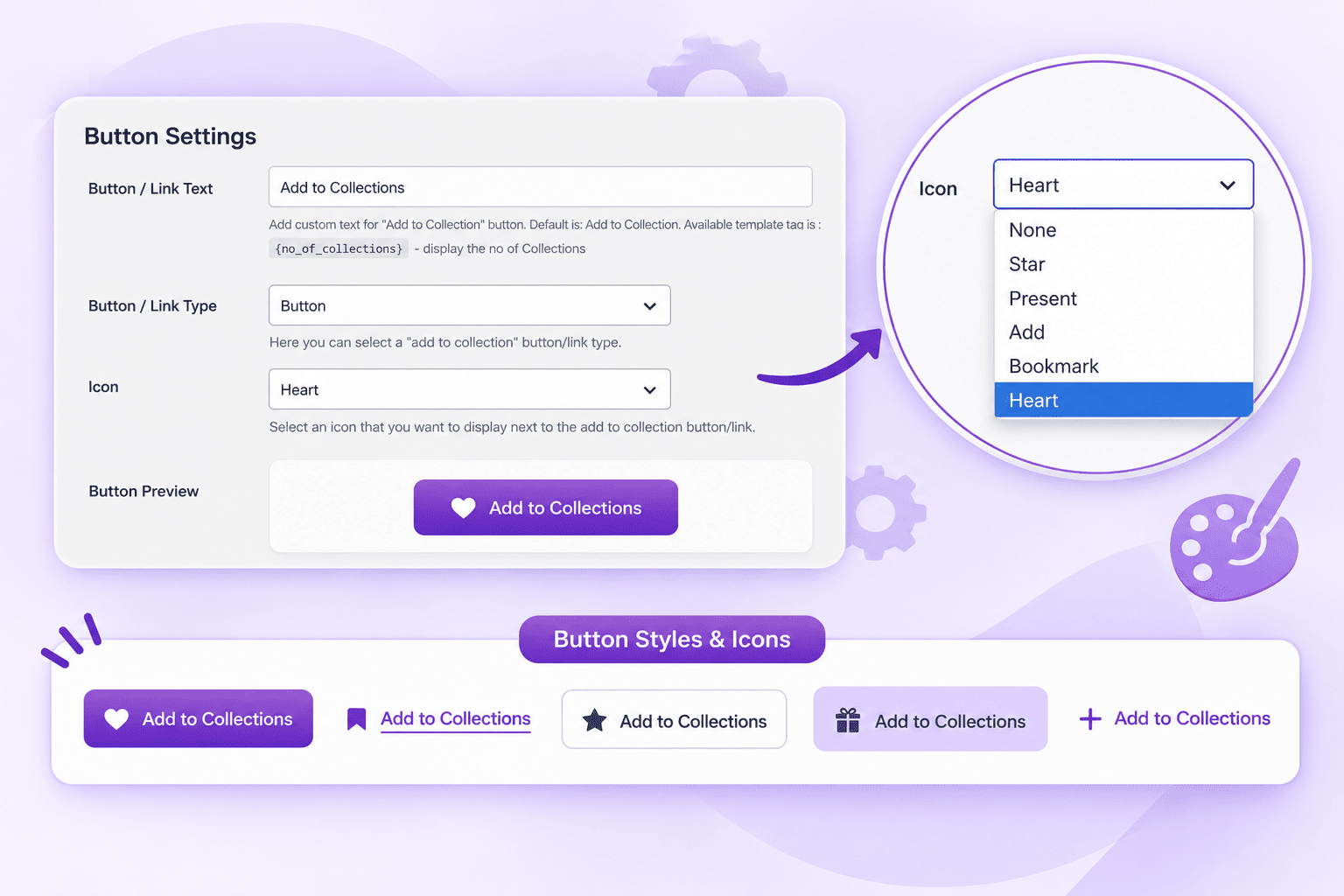
You can change the appearance of the add to collection option to match your store using the WooCommerce Wishlist plugin. You can choose between buttons and text links, select from five available icons, customize the text, or hide the option for specific products and users. To customize the ‘Add to Collection’ buttons in the Docket – WooCommerce collection plugin, you can leverage its built-in developer tools, custom hooks, and template files.
Set Collection & Product Limits
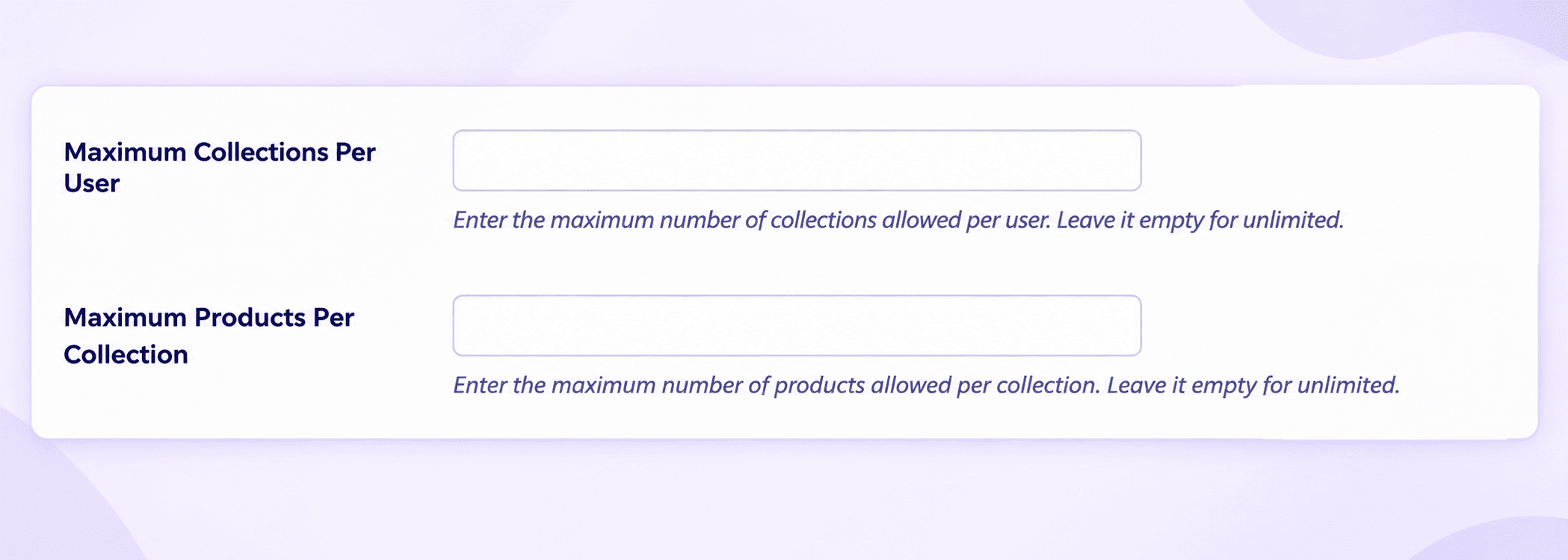
Docket allows you to control how customers use the collection feature by setting the maximum number of collections per user and product per collection. You can apply global limits or configure individual restrictions for specific customers.
If you are trying to restrict how many items a customer can buy per product or per order (rather than collection list building), Docket itself does not manage cart quantity rules. Instead, you use WooCommerce’s built-in inventory settings or a dedicated quantity-restrictions tool like Minimum and Maximum Quantity WooCommerce.
Customize Collection Names & Terminology
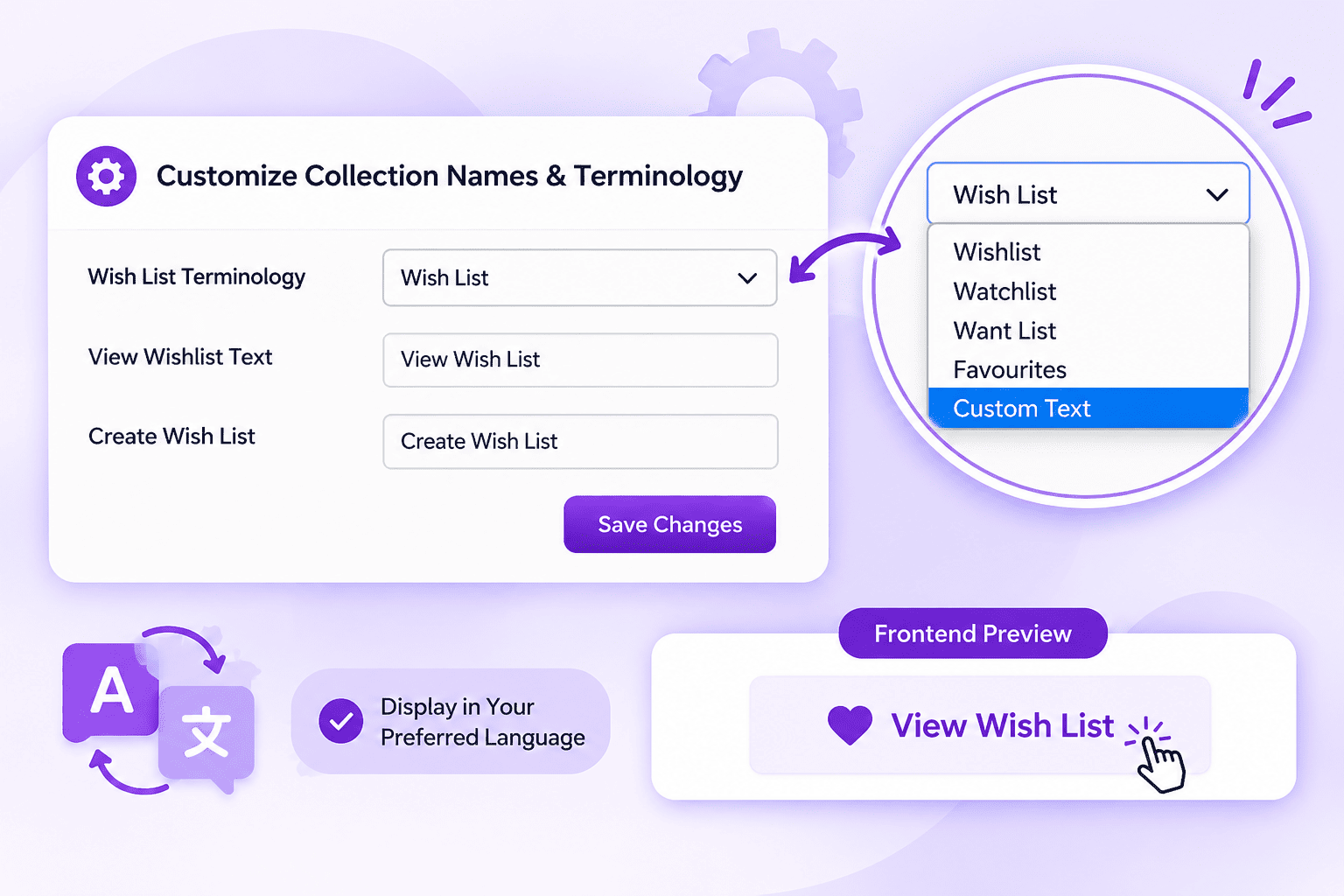
Use terminology that suits your business using the WooCommerce Wishlist plugin. You can rename collections to wishlist, watchlist, want list, or another preferred term without changing the underlying functionality.
You can filter messages and text using the plugin’s simple PHP filters in your theme or child theme to modify various display messages across the plugin. You can translate or adapt any label into your native language using standard WordPress translation tools or .po / .mo files.
Add Collection Features Anywhere With Shortcodes
You can display collection features on different pages using the available shortcodes. Add product-saving buttons, show a customer’s collections, or display feature collections wherever they fit your website layout. The Docket lets you display and manage customer collections, wishlists, and watchlists anywhere on your WordPress site using ready-made shortcodes and Gutenberg blocks.
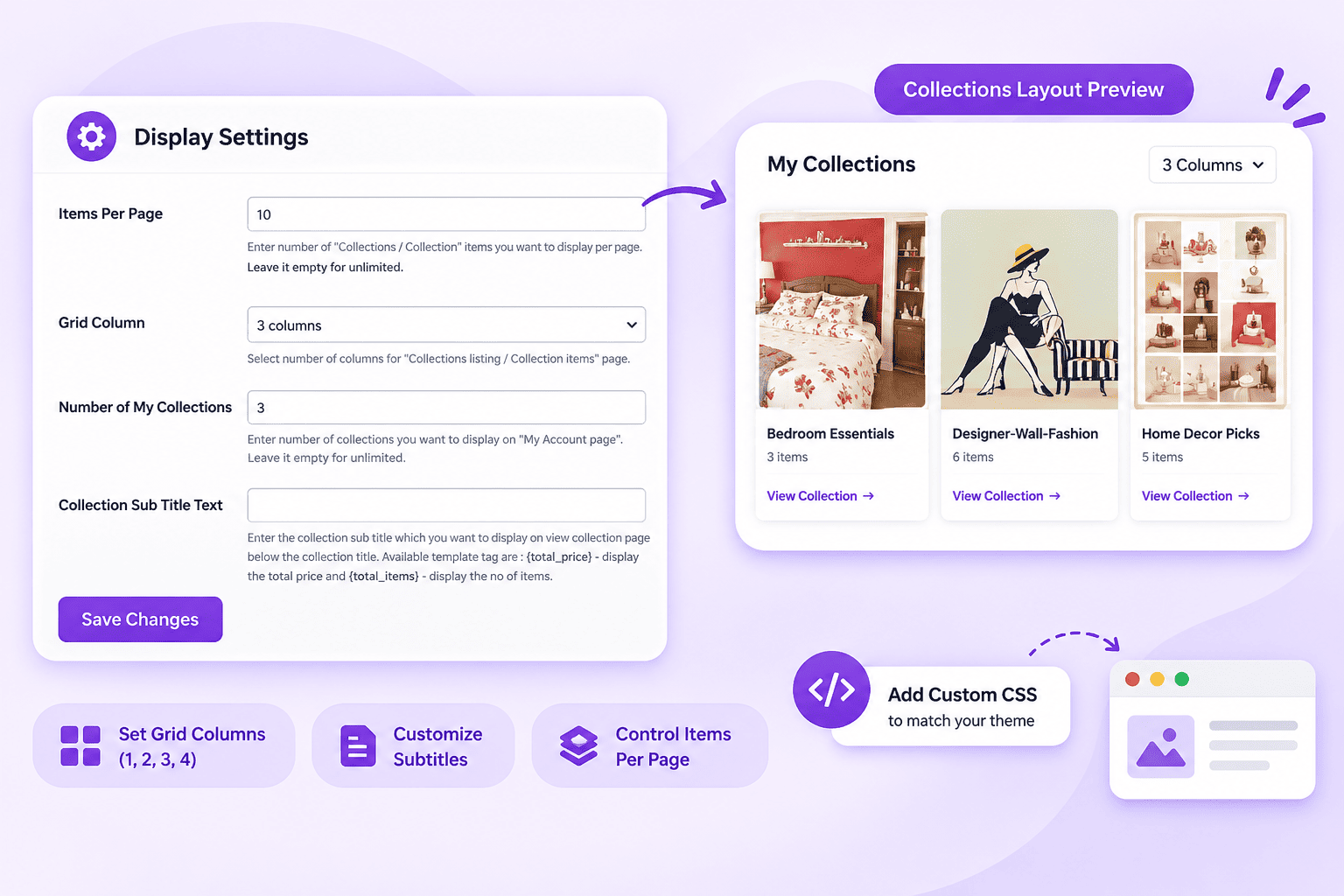
Customize Collection Layouts & Appearance
The WooCommerce Collections and Wishlist plugin controls the number of products displayed per page, collection grid columns, subtitles, and styling. Use custom CSS and template overrides to adjust how collections appear within your WooCommerce theme. The Docket offers built-in options to configure and customize collection layouts, visual appearance, and user interactions.
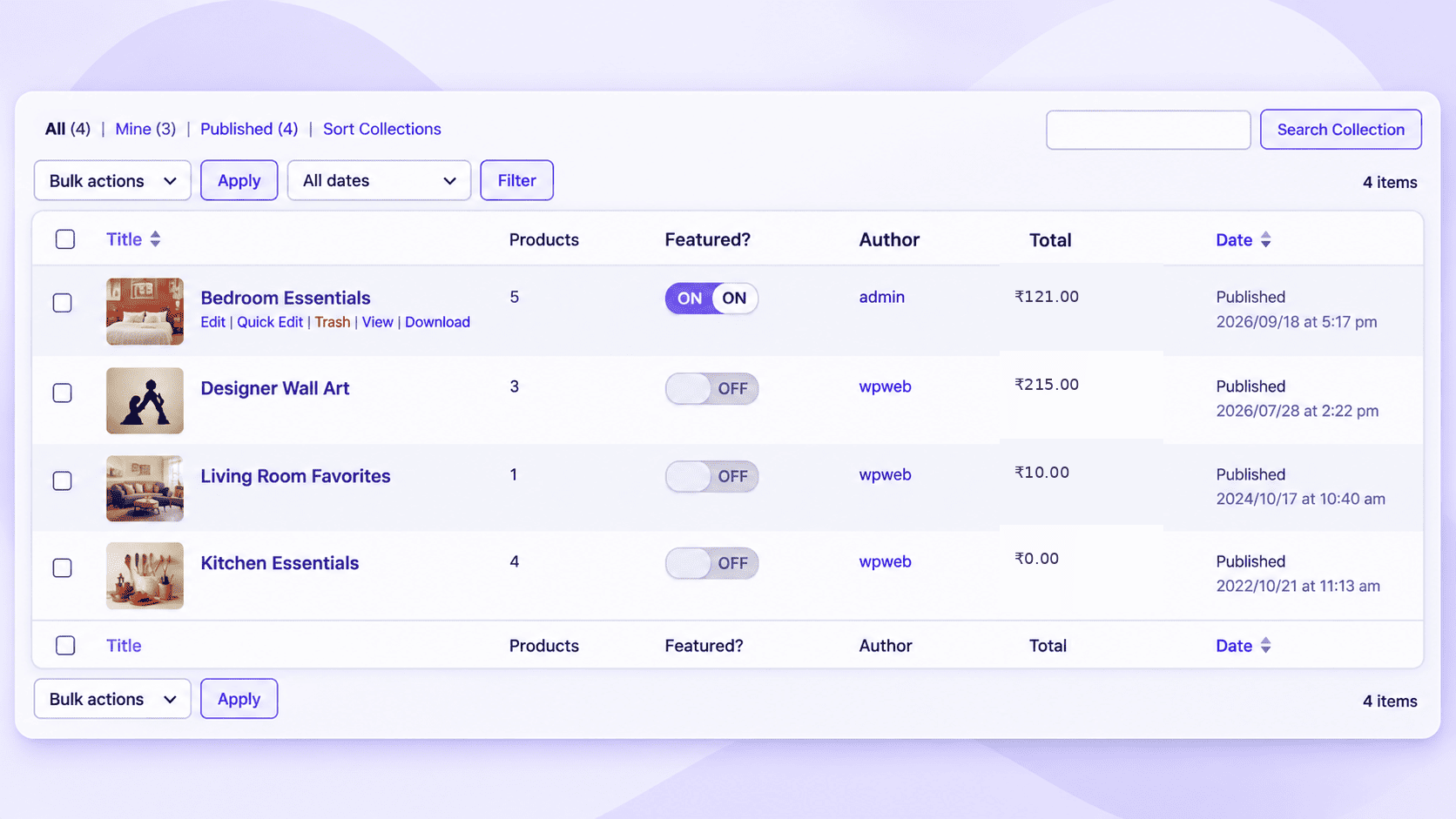
Manage Customer Collections from WordPress Admin
View collections created by customers and make changes when needed using Docket – WooCommerce Wishlist. The store admin can add products to a user’s collection, manage featured collections, and control collection ordering directly from the backend.

Integrate With Follow My Blog Post
Extend Docket’s functionality through integration with the separate Follow My Blog Post plugin. Customers can follow collections and receive email notifications when new products are added to collections they follow.
Help Customers Save, Organize & Share Their Favorite Products With Docket.

Flexible Pricing Plan
Choose the plan that best suits your business needs, and help Customers Save, organize & share their favorite products flawlessly.
1 Website
Get all the features, periodic updates, and support for 1 website during the term of your subscription.
3 Website
Get all the features, periodic updates, and support for 3 websites during the term of your subscription.
Unlimited Websites
Get all the features, periodic updates, and support for unlimited websites during the term of your subscription.
All Plans Include the Following Features
- Create Unlimited Product Collections
- Multiple Wishlists & Watchlists
- Public & Private Collections
- Share Collections via Social Media
- Share Collections via Email
- Unique Collection Sharing Links
- Add Products Without Leaving the Page
- Guest User Collection Support
- Persistent Collections for Registered Users
- Manage Collections from WordPress Admin
- Featured Collections
- Drag-and-Drop Collection Sorting
- Customize Collection Button Text
- Display Collections Anywhere
- Customizable Collection Pages
- Customizable Collection Layouts
- Flexible Shortcode & Template Support
- Follow My Blog Post Integration
- Email Notifications for New Collection Items
- 100% Multilingual Support

14-Day Money-Back Guarantee.
Install the Docket - WooCommerce Collections, Wishlist, & Watchlist plugin. If it doesn’t meet your expectations, contact our support team within 14 days, and we will refund you without asking any further questions.
Discover what our customers have to say about their experience with our plugins. Read genuine reviews and see how our solutions help businesses simplify their workflow. 5.0/5 10 Ratings
Are you a customer? Oliver Bennett Having wishlist and collection functionality available directly in a WooCommerce store makes it easier for customers to keep track of products they like. It is a useful feature for a more organized shopping experience. James Wilson The plugin offers useful options for customers who want to organize products into collections rather than simply adding everything to a single wishlist. This can be helpful for different shopping preferences. Michael Turner Combining collections, wishlists, and watchlists in one plugin is a practical approach. These features give customers more ways to save products and return to them later. Daniel Brooks The collections and wishlist features give shoppers a convenient way to organize products they are interested in. It is a useful addition for WooCommerce stores that want to improve the shopping experience. Chinalily65 A very beautiful plugin!. And I'm just as pleased with the professional tech support team who provided prompt and helpful responses, even going above and beyond. If you're looking for a Collections plugin, this is the one. I've tried other Collections plugins and there's no comparison. The best! jedlarosa Great Support! Recommended for your ecommerce site! :) Aumayer Great tool to ensure vistors become recurring customers Boxxout Really great support! Prompt responses and quick to solve challenges. I look forward to launching my website with this awesome plugin! Renmedia Just really great service and very responsive. Really went over and above!All Ratings & Reviews
Submit your review
Easy to Use
Flexibility
Feature Availability
Customizability
Design Quality
Customer Support
Feature Availability
Customer Support
Customer Support
More Screenshots
Technical Info


Frequently Asked Questions
Here are answers to your questions about our Docket - WooCommerce Collections, Wishlist, & Watchlist Plugin.

Docket allows customers to create multiple product collections with personalized names and descriptions. They can organize their favorite products by occasion, interest, or shopping preference. This makes it easier to manage and revisit saved products.
Yes, Docket allows guest users to create product collections without registering or logging in. Store owners can enable or disable guest collection functionality from the plugin settings. Guest collections are stored temporarily in the browser.
Guest users’ collections can be saved for up to 30 days, provided their browser cookies remain intact. If the cookies are cleared, the saved collections may no longer be available. Registered users can retain their collections indefinitely.
No, only public collections can be shared and viewed by others using Docket. Private collections remain accessible only to the customers who created them. Customers can share public collections through unique URLs, email, and supported social media platforms.
Yes, Docket lets store owners set limits on how many products customers can save in each collection. You can configure global limits or apply specific restrictions to individual customers. This helps you manage collection sizes based on your store’s requirements.
Yes, customers can save specific product variations, such as different sizes or colors, to their collections. They need to select the desired attributes before adding the product. Docket saves the selected variation so customers can find the exact option they prefer later.
Yes, customers can add individual products, multiple selected products, or all products from a collection to their WooCommerce cart. You need to enable the bulk add-to-cart functionality in the plugin settings. This simplifies purchasing products saved for later.
Yes, Docket lets you rename collections using terms such as Wishlist, Watchlist, Want List, or other preferred labels. You can also customize various plugin messages and display text. This helps keep terminology consistent throughout your online store.
Guest collections rely on browser cookies to retain saved items. If customers clear their browser cookies, their guest collections may be lost before the 30-day retention period ends. Registered users can keep their collections associated with their accounts.
Yes, store administrators can manage customer collections directly from the WordPress dashboard. They can add products to collections, manage featured collections, and adjust collection ordering. This provides greater control over collection management without requiring access to individual customer accounts.
Yes, customers can share public product collections through supported social media platforms, including Facebook, X (Twitter), and LinkedIn. Docket generates unique short URLs for sharing collections. Private collections cannot be shared with or viewed by others.
Yes, Docket lets you customize collection layouts, product display settings, grid columns, and subtitles. You can also use custom CSS and template overrides for additional styling. These options help you align collection pages with your store’s design.
Yes, Docket supports this functionality through its integration with the separate Follow My Blog Post plugin. Customers can follow collections and receive email notifications when new products are added to collections they follow. This integration extends the plugin’s collection functionality.
Yes, Docket supports WooCommerce variable products and allows customers to save specific variations, such as a particular size or color. Customers must select their preferred product attributes before adding the item to a collection. This helps them keep track of the exact variation they want to purchase.
Yes, Docket allows store owners to configure collection and product limits for individual customers. You can also establish global limits that apply across your store. These settings help you manage how customers create collections and save products.
The provided plugin documentation does not specify whether customer collections are retained or deleted after Docket is deactivated. We recommend checking the plugin’s documentation or contacting WPWeb support before deactivation, especially if preserving customer collection data is important.
You need a WordPress website with WooCommerce installed to use Docket. The supplied technical information lists WordPress 5.0 or higher, WooCommerce 4.6 or higher, and PHP 5.6 or higher as requirements. Please verify the latest compatibility requirements before installation.
All license plans for our Docket – WooCommerce Collections, Wishlist, & Watchlist plugin, including Starter, Business, and Agency, include 1 year of plugin updates and support, ensuring you have access to the latest features, improvements, and assistance when needed.