





WooCommerce Points and Rewards Plugin
Bravo - WooCommerce Points and Rewards Plugin
Reward customers for purchases and other actions with points they can redeem as discounts using our Bravo WooCommerce Points and Rewards plugin. With our WooCommerce points and rewards plugin, you can set a limit on points customers earn per dollar spent and limit points that can be redeemed to a maximum discount amount and expiry dates. You can set the discount points at the product, category, or global level. You can set flexible earning and redemption rates, define reward limits, and configure point expiration rules to align your loyalty program with your business goals. You can also manage customer point balances, reward previous purchases, and display reward information throughout your store. Whether you want to encourage repeat orders or give loyal customers more value, Bravo helps you manage your WooCommerce rewards program directly from your website's backend.
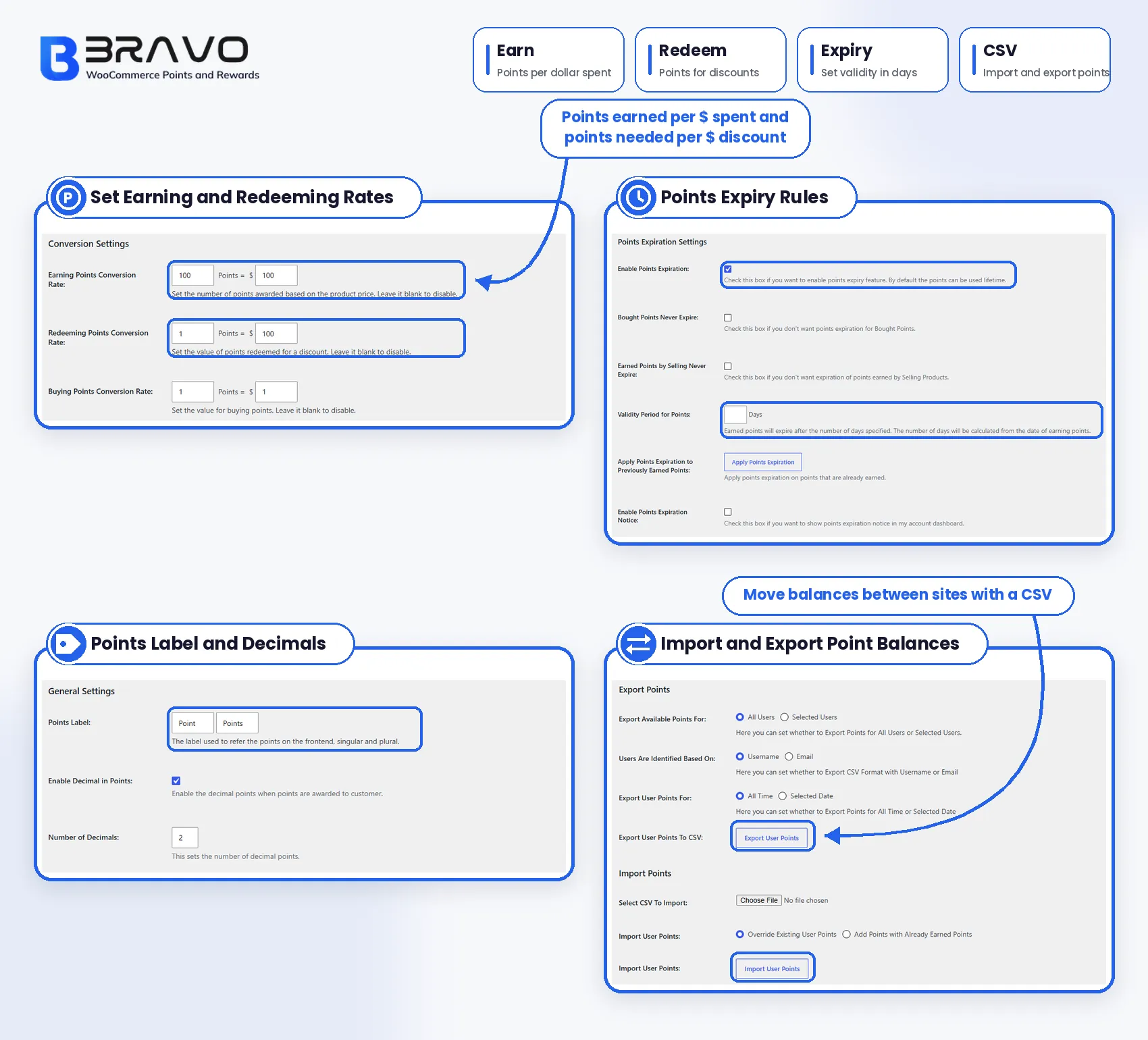


Key Features
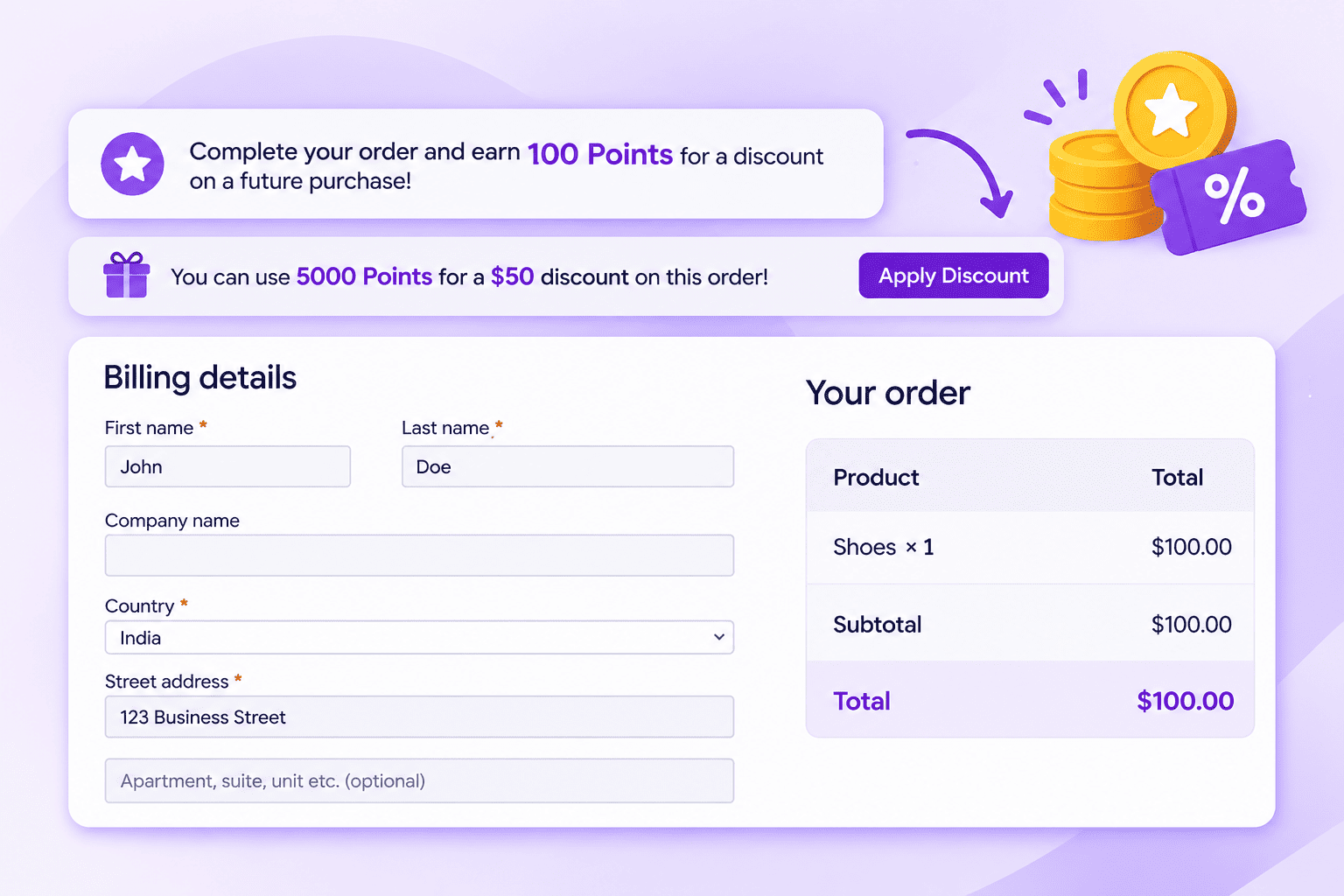
Reward Customer Purchases with Points Redeemable for Discounts
Our points and rewards WooCommerce plugin rewards your customers for purchases and other actions with points that can be redeemed for discounts. You can limit the reward points and discount amount, and control the maximum redeemable amount.
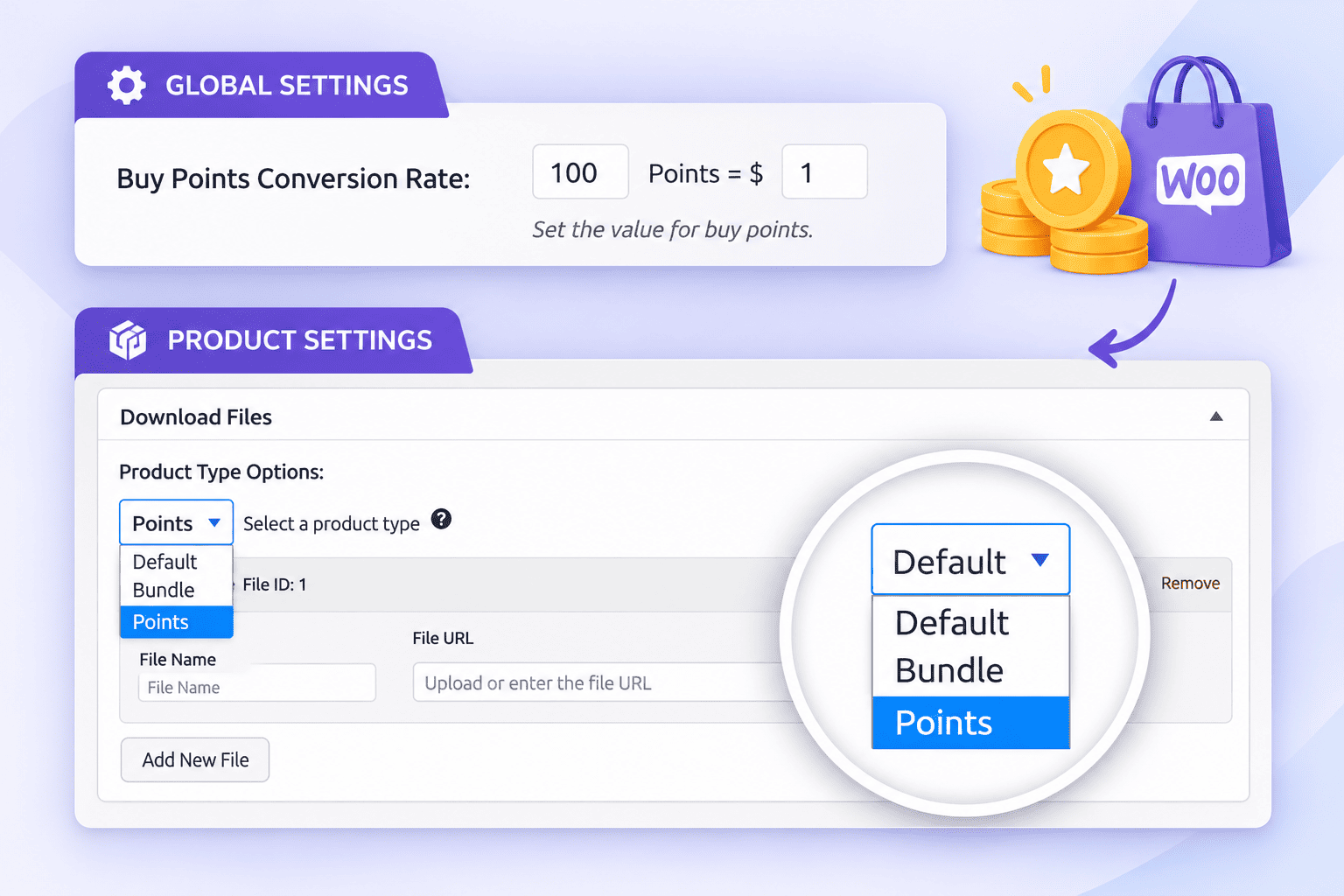
Buy Points
The Bravo plugin we offer allows users to purchase points at a set conversion rate. You have to simply create a product with the ‘points’ product type, and customers can buy and redeem them later for discounts.
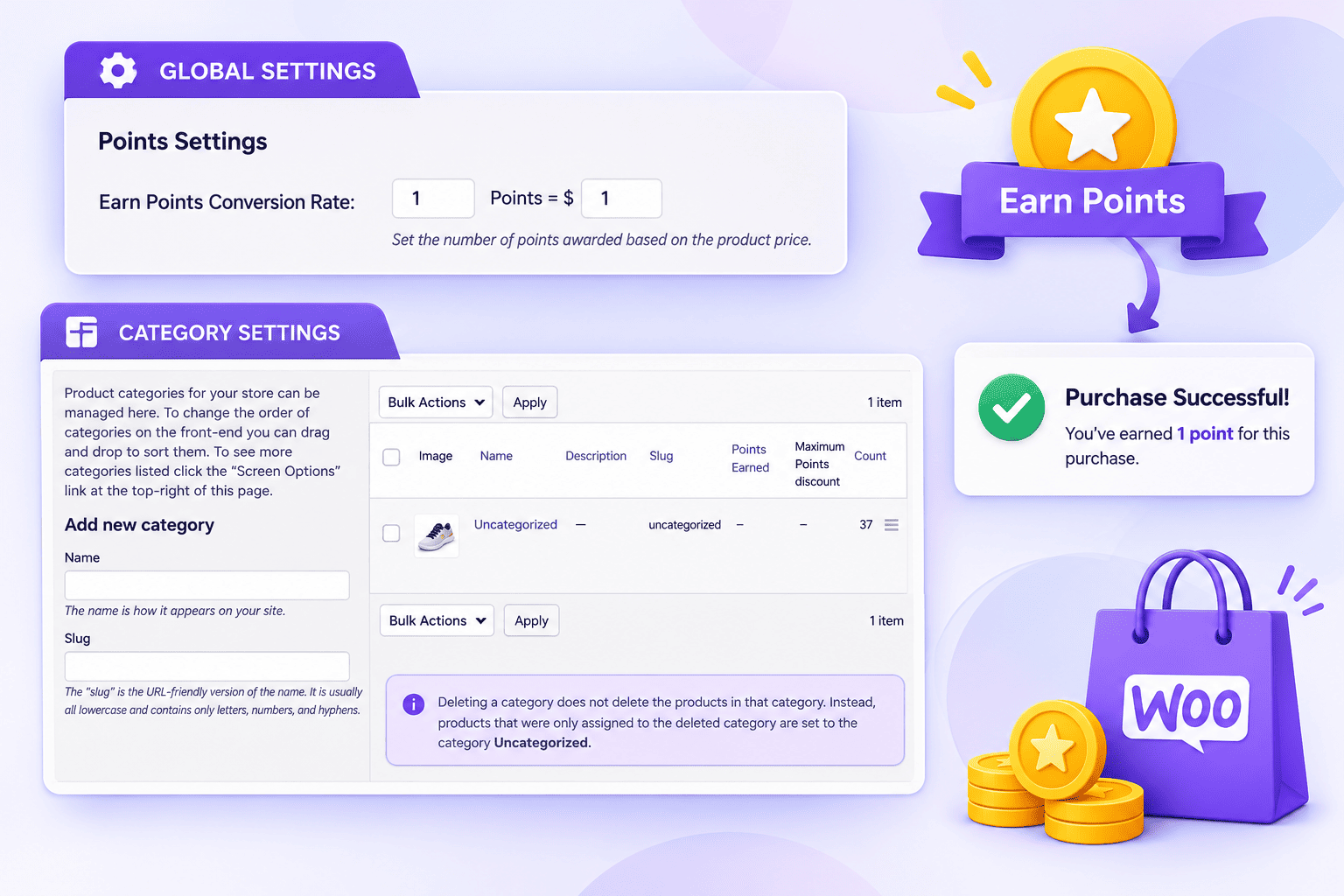
Earn Points for Purchases
Our WooCommerce plugin ensures points are earned for purchases based on the conversion rate you set (eg. g., a customer will earn 1 point for every $1 spent). You can also customize the conversion rate to encourage purchases of specific products.
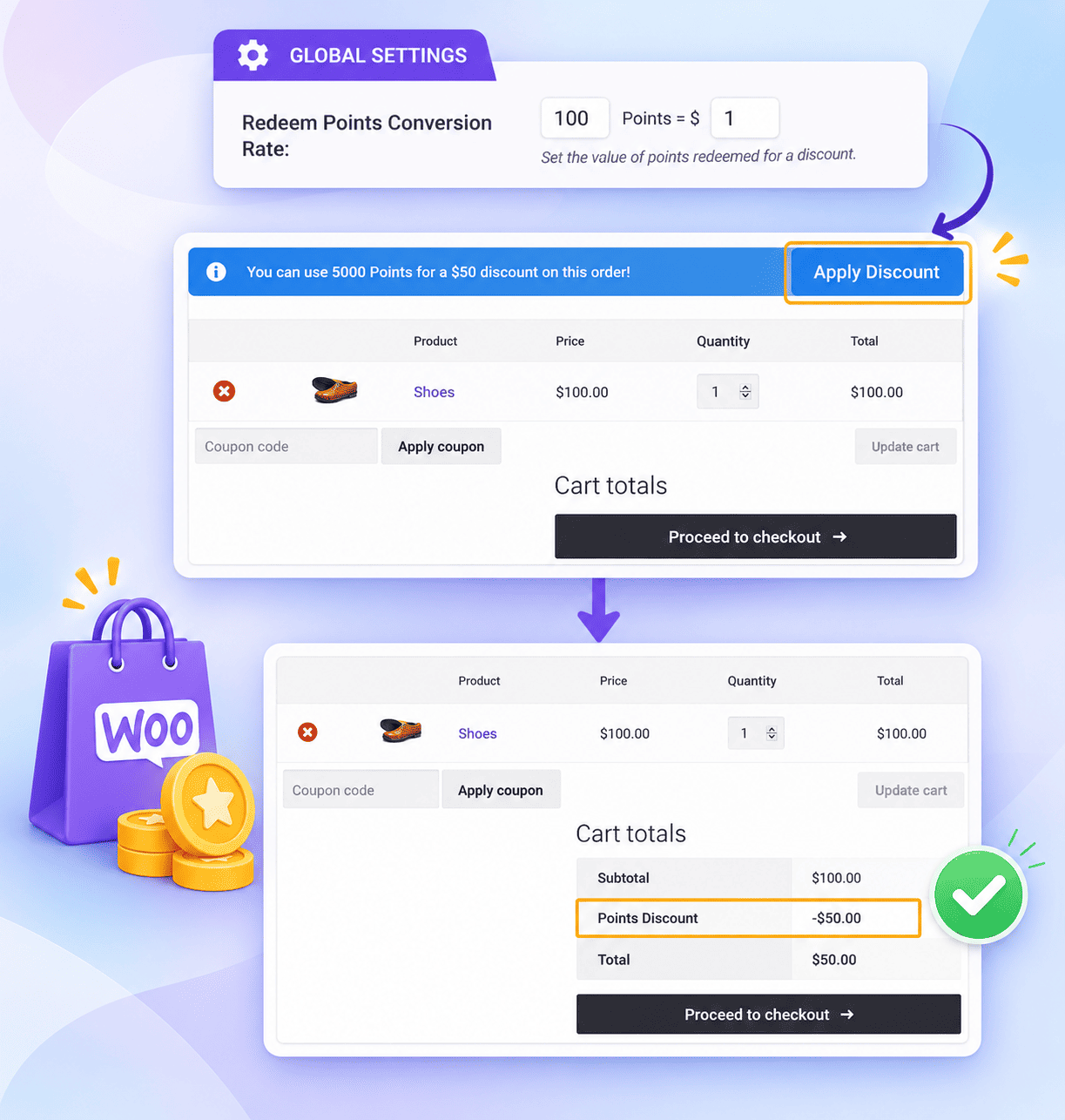
Redeem Points for Discounts
Using our WooCommerce points and rewards plugin, customers can redeem points for discounts based on the conversion rate you define. For example, every 100 points could equal a $1 discount.
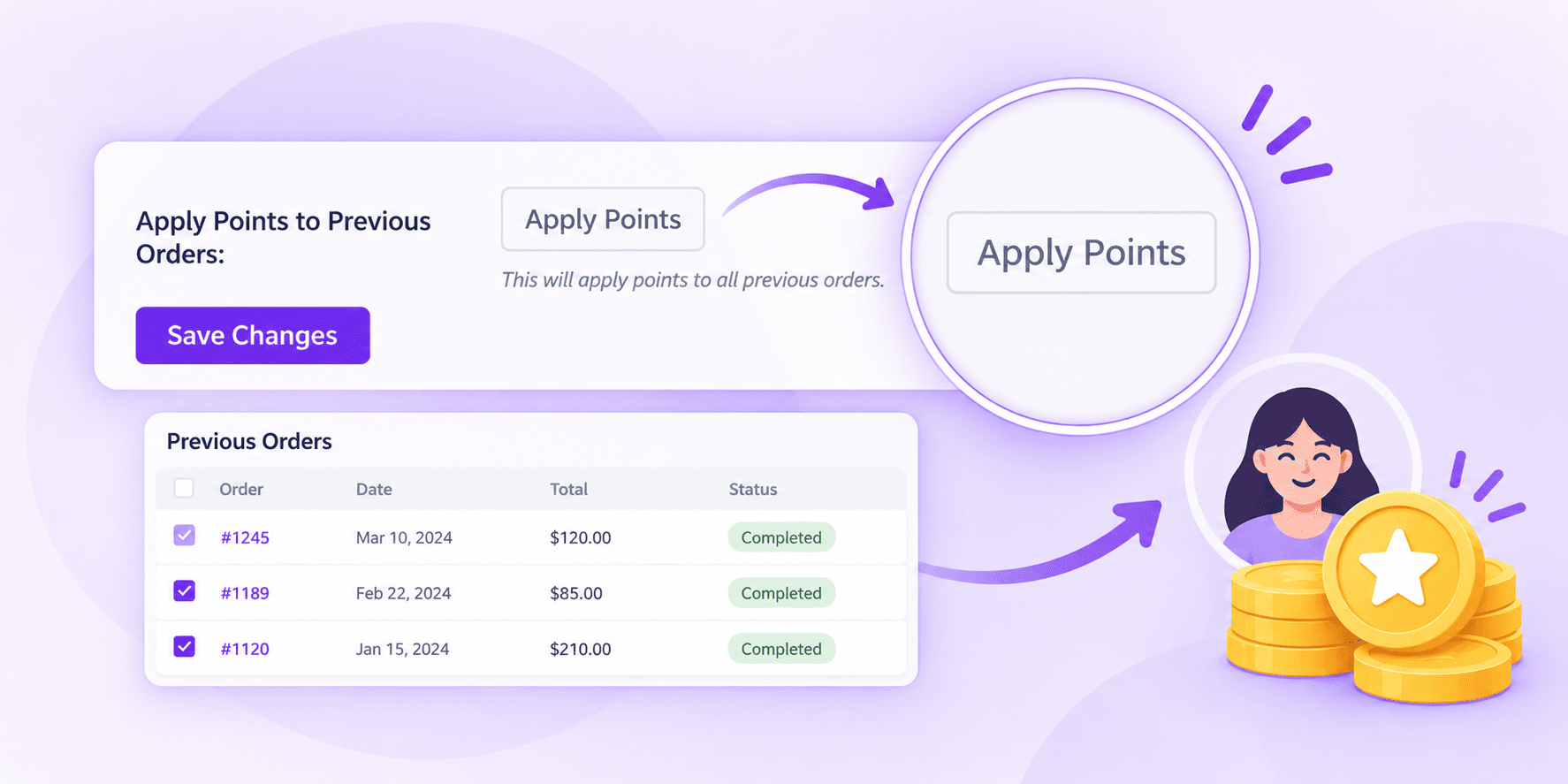
Include Previous Loyal Customers in Your System
You can apply points retroactively to previous orders using a WooCommerce plugin. This lets existing loyal customers start redeeming points for discounts immediately.
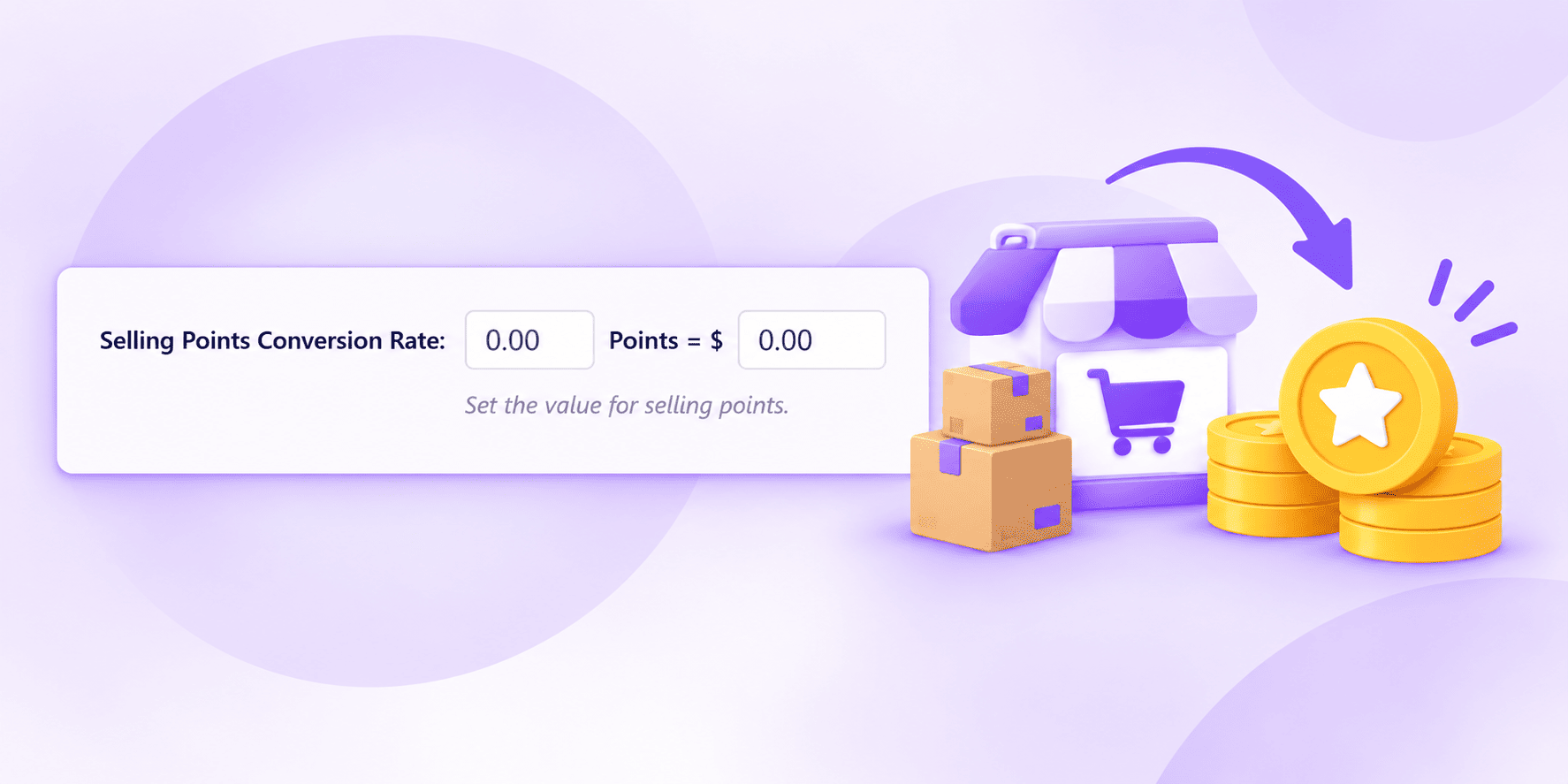
Earn Points for Selling Products
Reward users for selling products by allowing them to earn points for every successful sale using the WooCommerce Points and Rewards plugin. Store owners can configure point rewards for product sales, encouraging users to actively promote products and increase sales. Users can accumulate earned points and redeem them for available rewards, discounts, or other benefits, helping boost engagement and drive more sales.
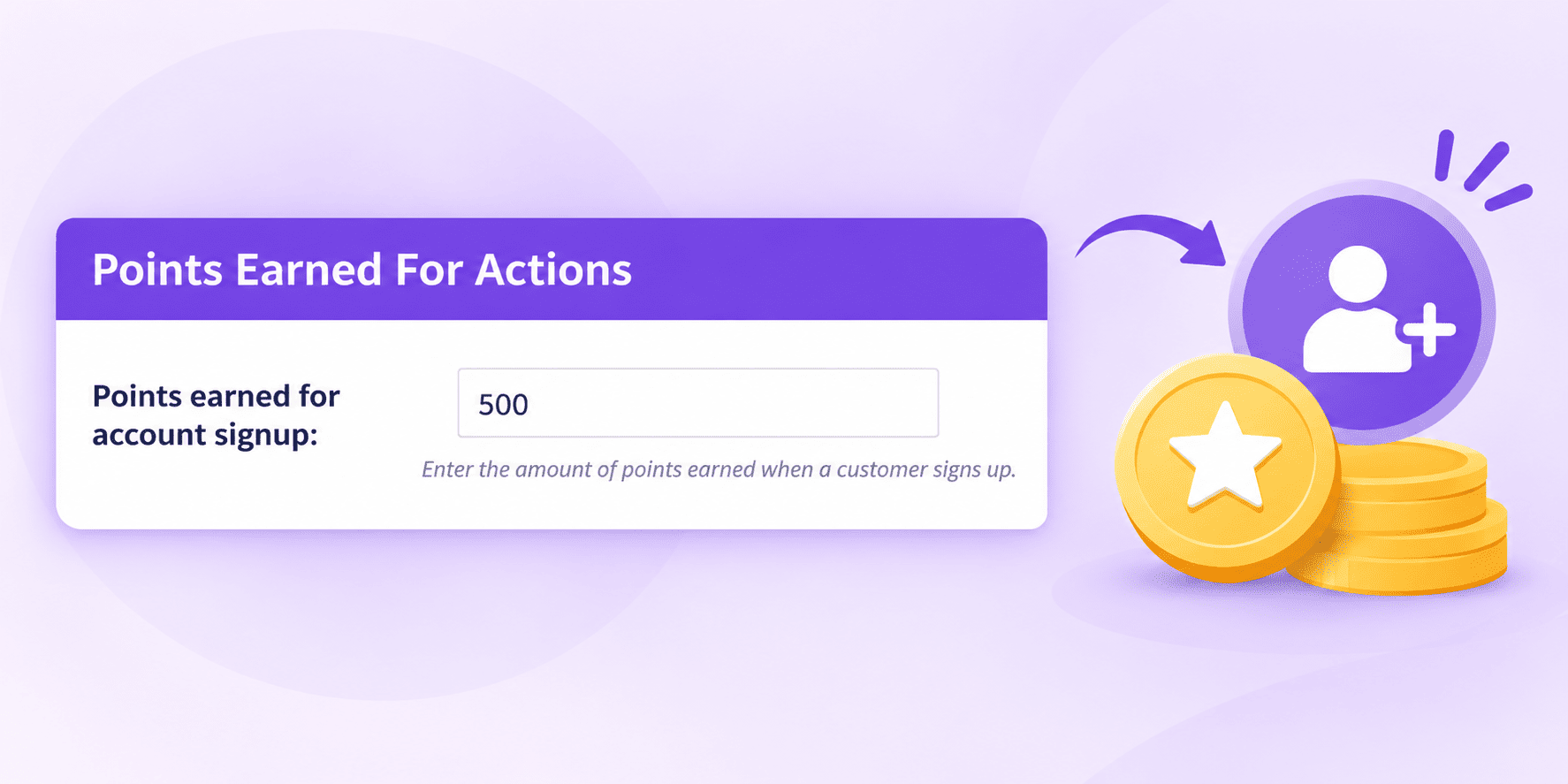
Award Points for Customer Actions
Our WooCommerce plugin automatically rewards customers with points for completing specific actions, such as signing up.
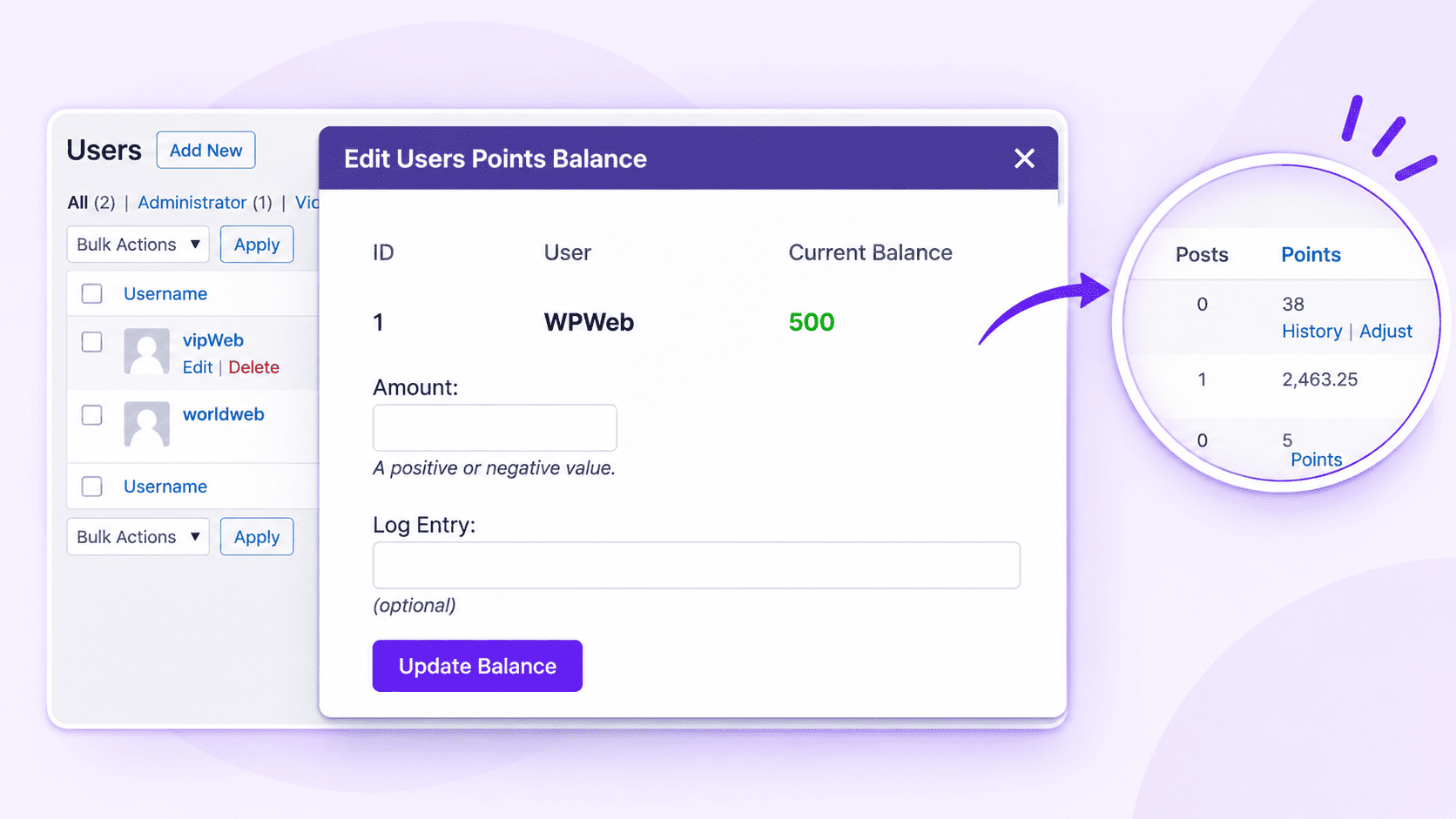
Manage Customer Points
You can manually increase or decrease a customer’s reward point balance using our plugin directly from your WooCommerce website’s backend.
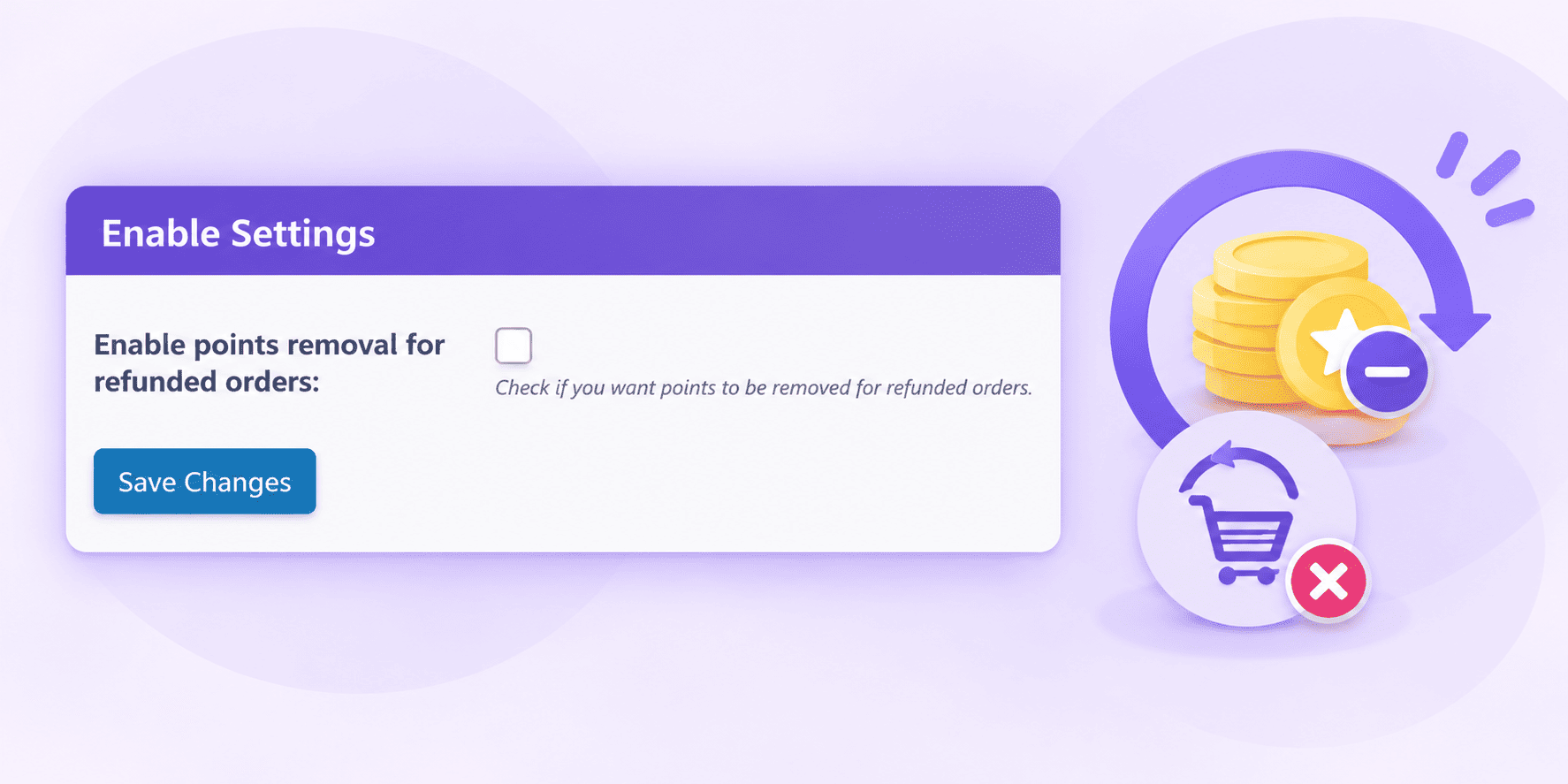
Remove Points for Refunded Orders
Using our WooCommerce points and rewards, you can automatically remove points for refunded orders or configure the system to retain the points depending on your preference.
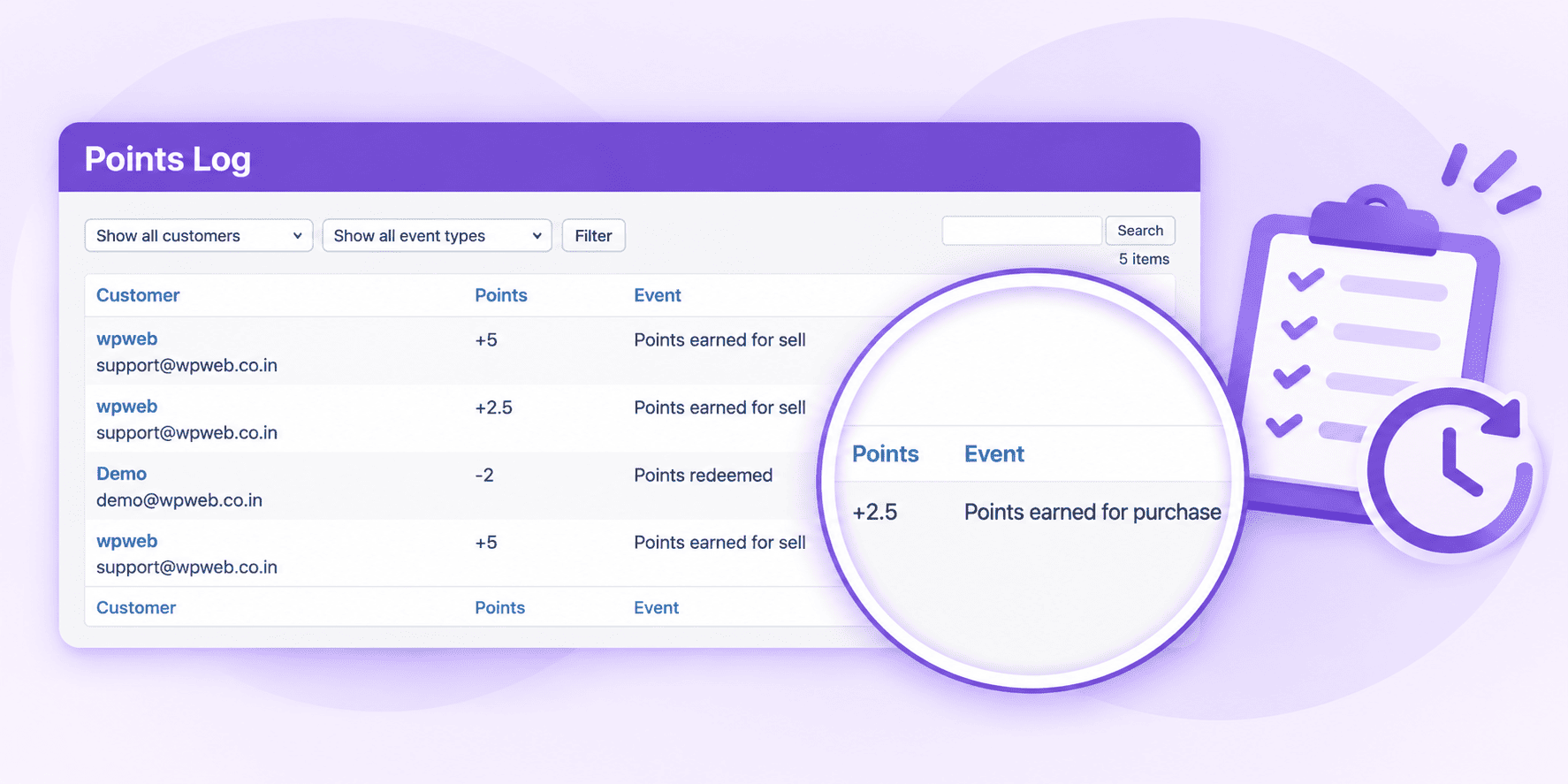
Points Log Page
All changes are logged and can be viewed on the Points Log page.
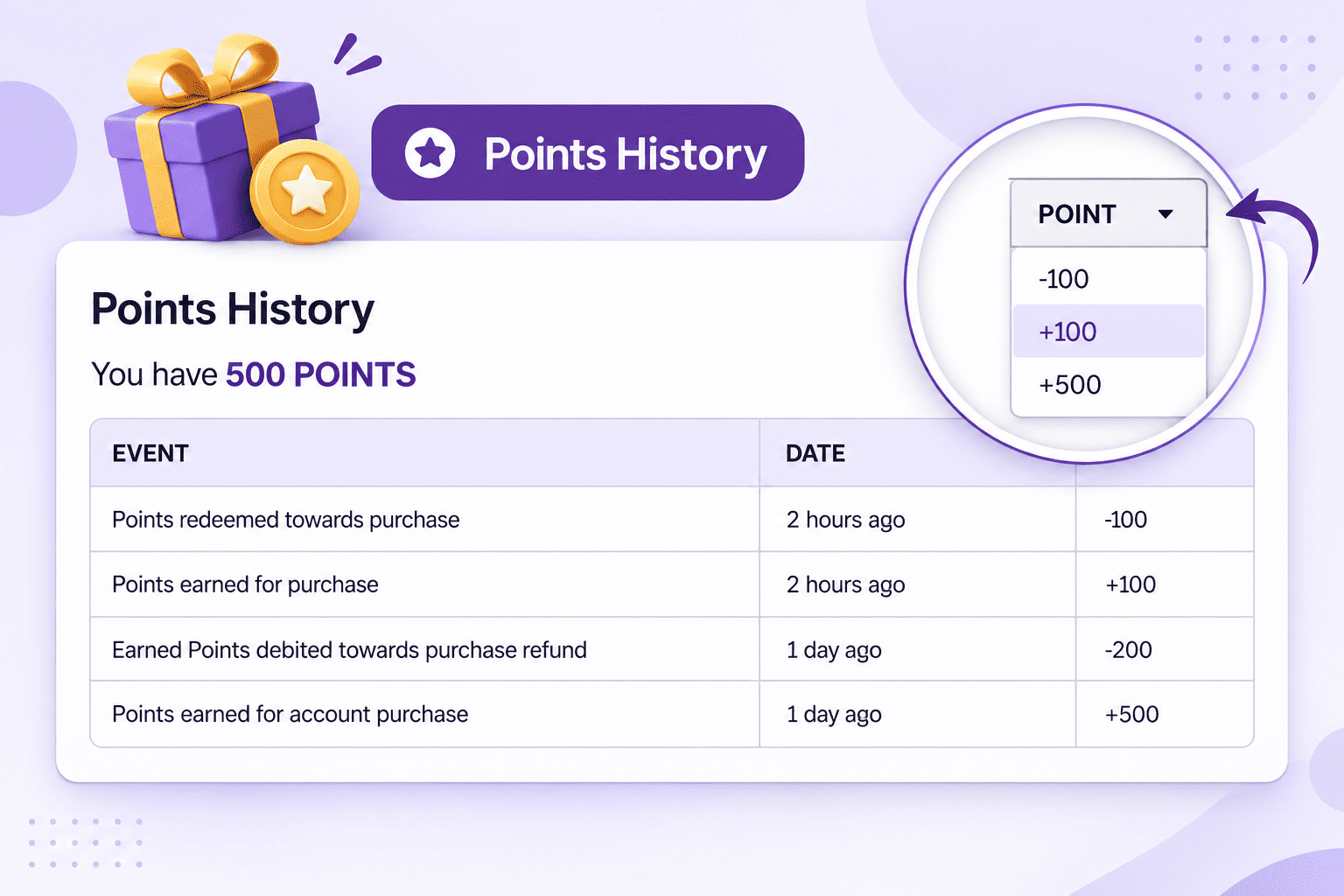
Let Customers View Their Points Balance
Customers can view their point balance using the [edd_points_history] shortcode on any WooCommerce page.
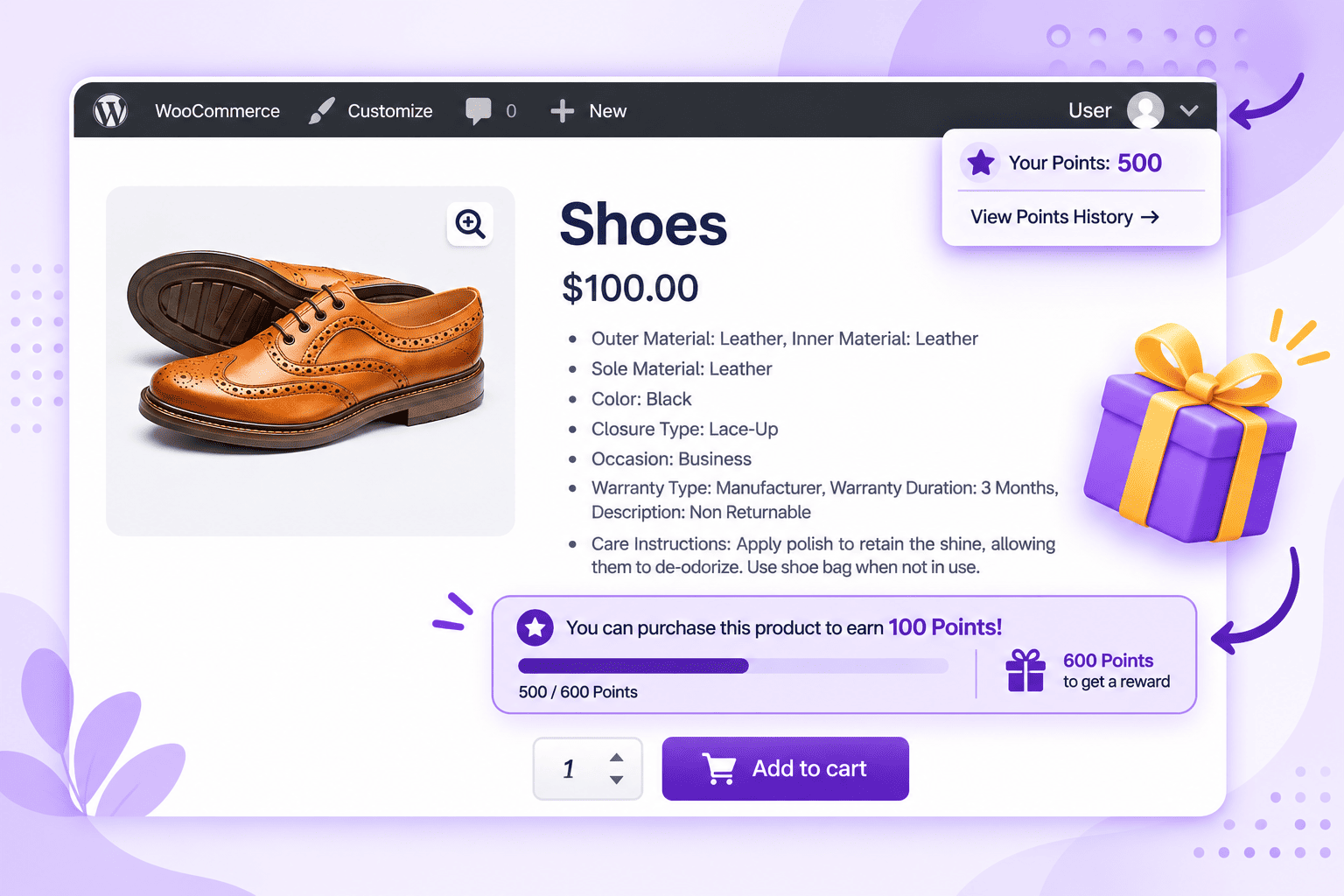
Display Point and Reward Information on the Product Page
Encourage customers to spend more by showing how close they are to earning a reward directly on the product page. They can also see their current point balance by hovering over their username in the WooCommerce toolbar.
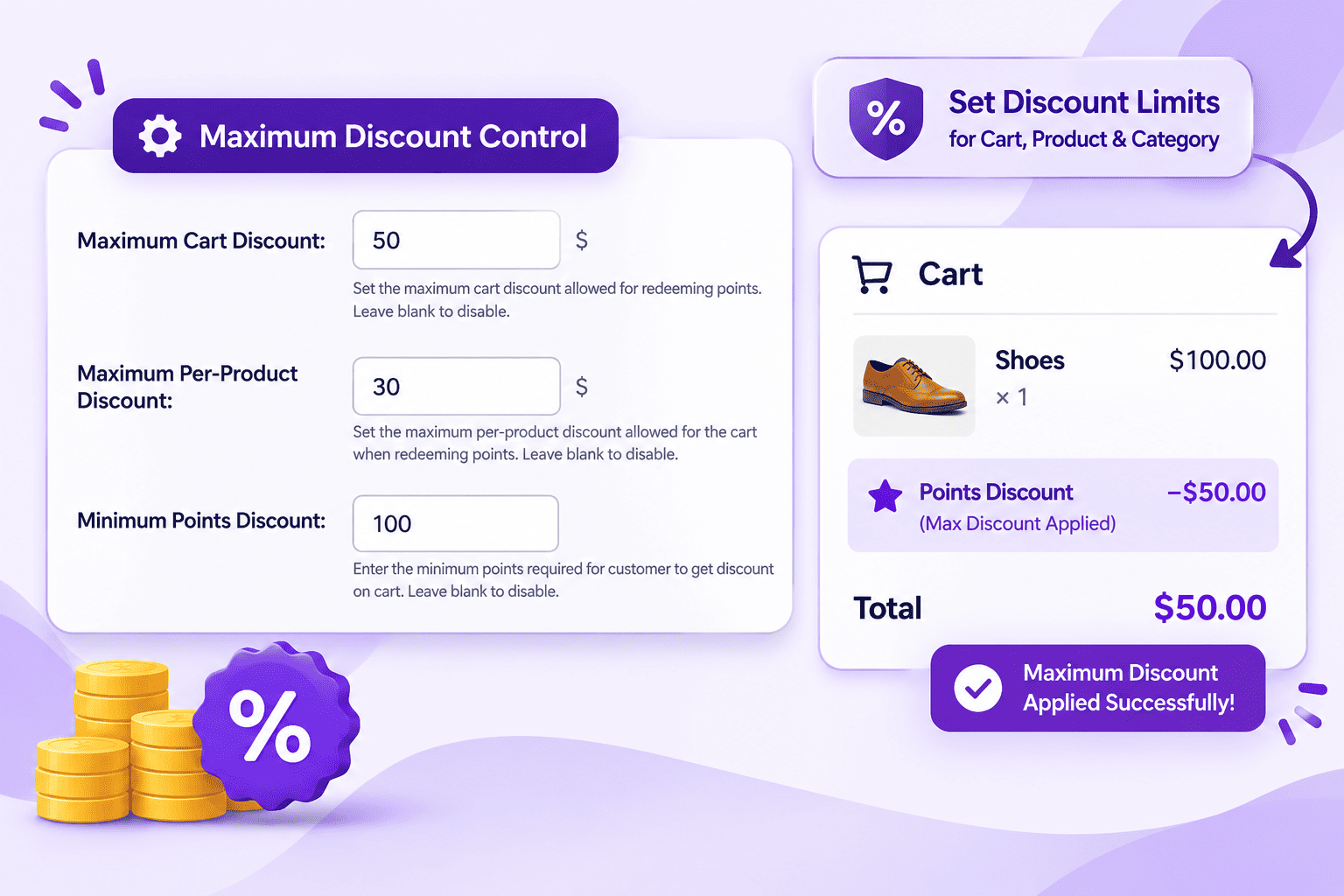
Control Maximum Discount
You can set a limit on the maximum discount that can be redeemed using points at the cart, category, or product level.
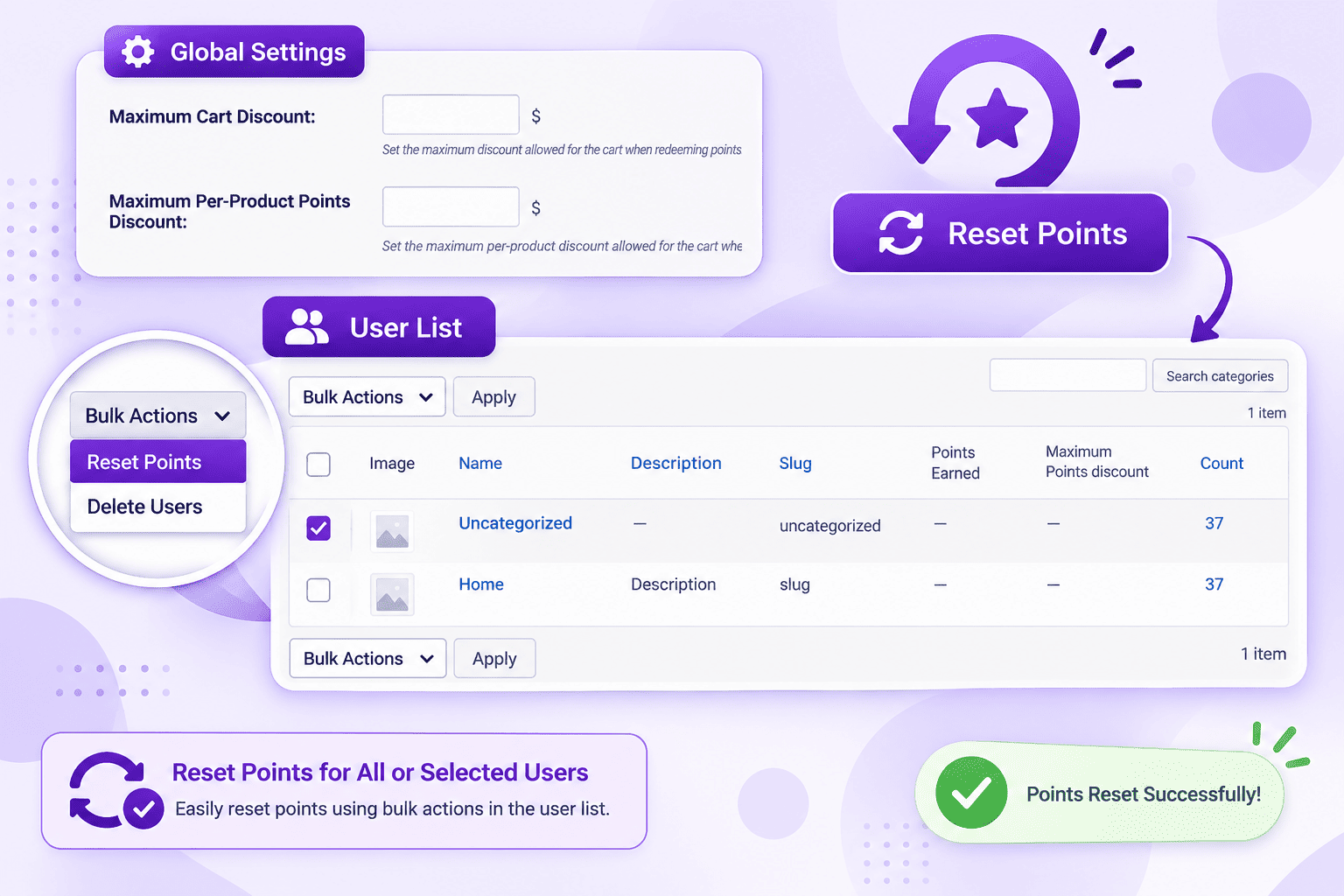
Reset Points
You can reset points for all or selected users using bulk actions in the user list using our WooCommerce Points and Rewards plugin.
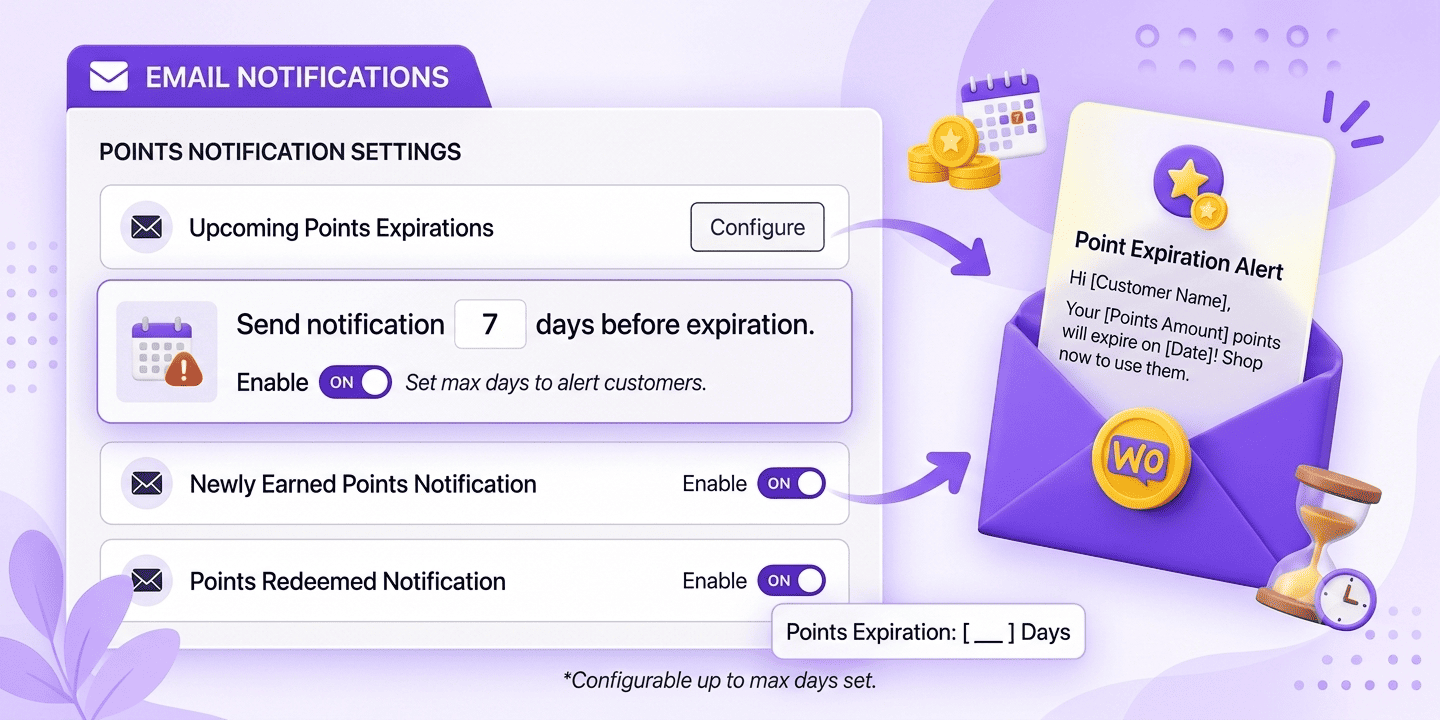
Email Notifications
Using our WooCommerce plugin, you can send email notifications to customers about upcoming point expirations, newly earned points, or redeemed points. You can also configure the maximum number of days before expiration that the notification is sent.
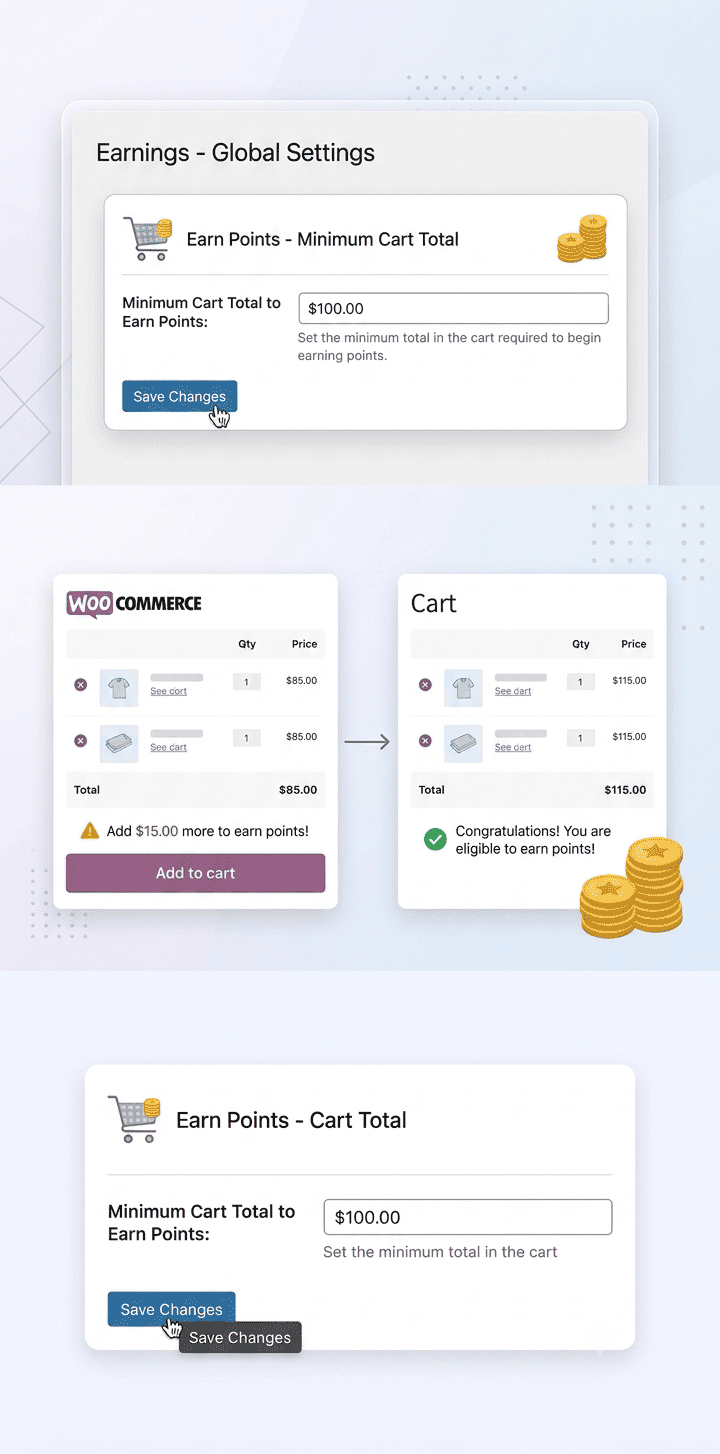
Minimum Cart Total Required to Earn Points
You can set a minimum cart total customers must meet to earn points on a purchase.
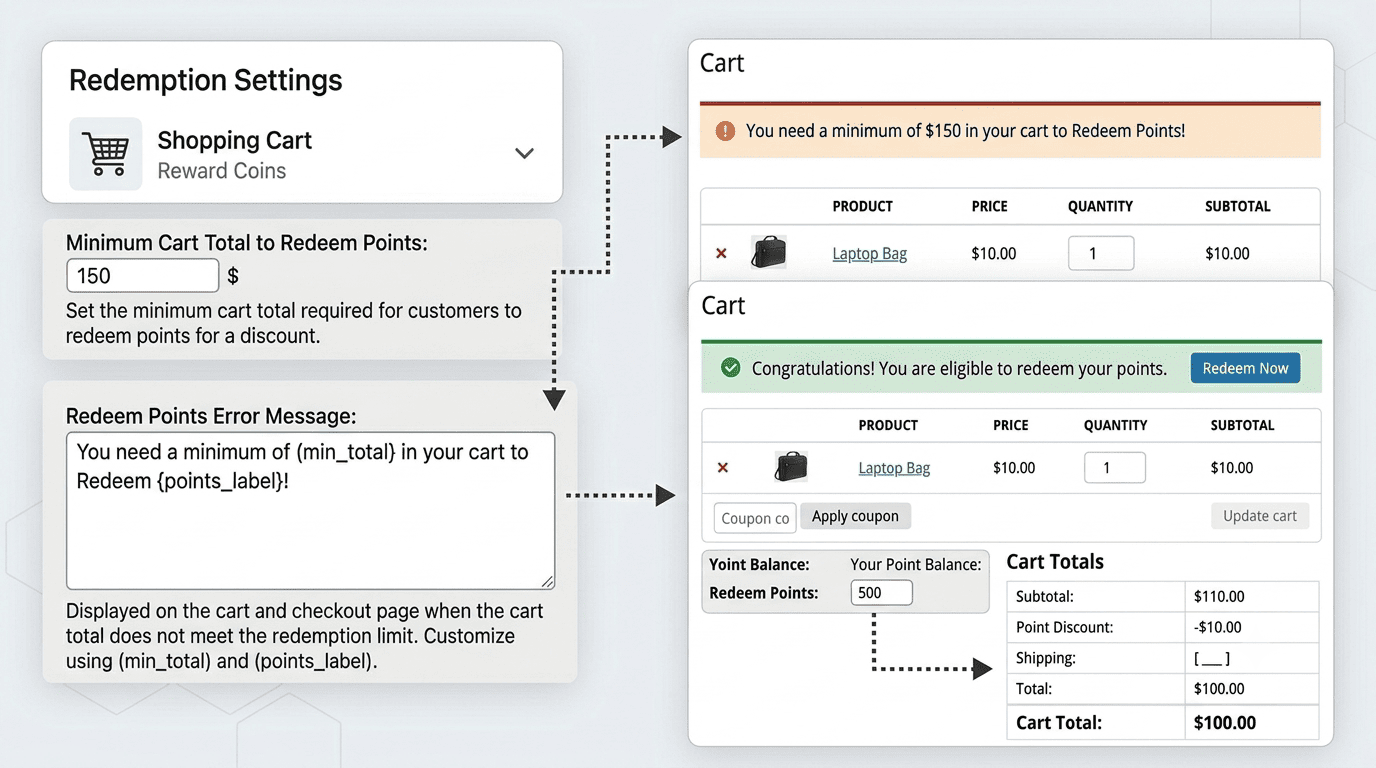
Minimum Cart Total Required to Redeem Points
Set a minimum cart total required for customers to redeem points. Once the cart total reaches this threshold, customers become eligible to use their points for discounts.
Manage customer rewards points from the website’s backend

Flexible Pricing Plan
Choose a flexible pricing plan for our WooCommerce Points and Rewards plugin that best fits your website needs.
1 Website
Updates, all features, and support for 1 website during the term of your subscription.
3 Website
Updates, all features, and support for 3 websites during the term of your subscription.
Unlimited Websites
Updates, all features, and support for unlimited websites during the term of your subscription.
You Will Get All The Following Features With Each Plan
Our flexible pricing plan for WooCommerce Points and Rewards offers the following features:
- Reward Points for Purchases
- Redeem Points for Discounts
- Flexible Points Conversion Rates
- Global Rewards Configuration
- Product-Level Reward Rules
- Category-Based Point Settings
- Points Expiration Management
- Reward Points for Signups
- Bonus Points for First Purchase
- Points for Product Reviews
- Points for Daily Login
- Points for Blog Post Creation
- Points for Product Creation
- Reward Points for Product Variations
- Maximum Discount Limits
- Minimum Cart Total Requirements
- Automatic Points Redemption
- Manual Customer Points Adjustment
- Import & Export Points via CSV
- Reward Points History & Logs
- Email Notifications for Points
- Automatic Point Deduction on Refunds
- Reward Existing Loyal Customers
- Exclude Specific Products & Categories
- Exclude Selected User Roles
- Display Points on Product Pages
- Customer Points Dashboard
- 100% Multilingual Support

14-day Money-Back Guarantee
Install the Bravo - WooCommerce Points and Rewards plugin, and if it doesn’t match your requirements, you can connect with our support team anytime within 14 days of purchase to request a refund, and we will ask no questions!
Discover what our customers have to say about their experience with our plugins. Read genuine reviews and see how our solutions help businesses simplify their workflow. 5.0/5
Are you a customer? Softwings We’ve been using the Bravo – WooCommerce Points and Rewards plugin for our store, and it has worked flawlessly for managing customer loyalty through points. What truly sets this plugin apart is the excellent customer support. We had a specific use case involving Cash on Delivery (COD) orders and needed a custom solution to handle point revocation on cancelled orders without triggering refund emails. The support team was incredibly responsive and accommodating, offering a custom code solution to meet our specific needs. Highly recommended for both the plugin functionality and the quality of support! Harunhamzic I want to take a moment to highlight the outstanding customer support provided by WPWeb Infotech. Their team is incredibly responsive, offering quick and helpful assistance whenever I've encountered an issue or had a question. Their ability to swiftly review and address problems has been invaluable, ensuring a smooth experience with their plugin. Highly recommend for their great customer support! Treatibles Great plugin Omarmoss Although this plugin works great and does everything it says on the tin, I would have like to see an option to display reward points on product archive pages or via a shortcode. Locko69 Best points and rewards plugin available. Has all the features and functionality you need without over-complicating things. Mysexlu One of the good vendors in the market, highly supportiveAll Ratings & Reviews
Submit your review
Customer Support
Customer Support
Flexibility
Code Quality
Feature Availability
Customer Support
More Screenshots
Take a closer look at our Bravo - WooCommerce Points and Rewards plugin, explore its features, settings, and management options.
Technical Info


FAQs
Here are the answers to all your queries related to our Bravo - WooCommerce Points and Rewards plugin.

Bravo lets customers earn points for purchases and other eligible actions, then redeem them for discounts on future orders. Store owners can configure earning rates, redemption rules, and point expiration settings.
Customers can earn reward points for purchases and eligible actions, such as signing up for an account. You can configure the available earning options according to your store’s requirements.
Yes, you can configure reward points and redemption limits globally or for specific products and categories.
You can define how many points customers earn for every dollar spent and how much discount they receive when redeeming points. For example, 100 points could equal a $1 discount.
Yes, Bravo allows you to create points-based products that customers can purchase. Customers can accumulate these points and redeem them later, subject to your store’s redemption rules.
Yes, you can set maximum discount limits at the global, product, and category levels. You can also establish minimum cart totals for earning and redeeming points.
Yes, you can configure point expiration rules and send email notifications about earned points, redeemed points, and upcoming expirations. You can also specify how many days before expiration a reminder should be sent.
Yes, customers can view their reward point balance using the plugin’s supported display options. Administrators can also track point transactions through the Points Log page.
You can configure Bravo to automatically remove points associated with refunded orders or retain them. This helps you manage reward balances according to your store’s refund policy.
Coupon and reward-point compatibility depends on the plugin’s supported rules and configuration. Test the checkout process to confirm whether both discounts can be applied together as intended.
You can manually adjust customer point balances and award points retroactively for previous orders. For bulk imports from CSV files or other loyalty systems, confirm whether the required import functionality is supported.
All license plans for our Bravo plugin, including Starter, Business, and Agency, include 1 year of plugin updates and support, ensuring you have access to the latest features, improvements, and assistance when needed.