





Social Login Built for Your Easy Digital Downloads Store
Let Customers Register With a Social Account
New customers can create a store account using a supported social account instead of completing a separate registration form. It gives buyers a familiar way to get started without creating another password.
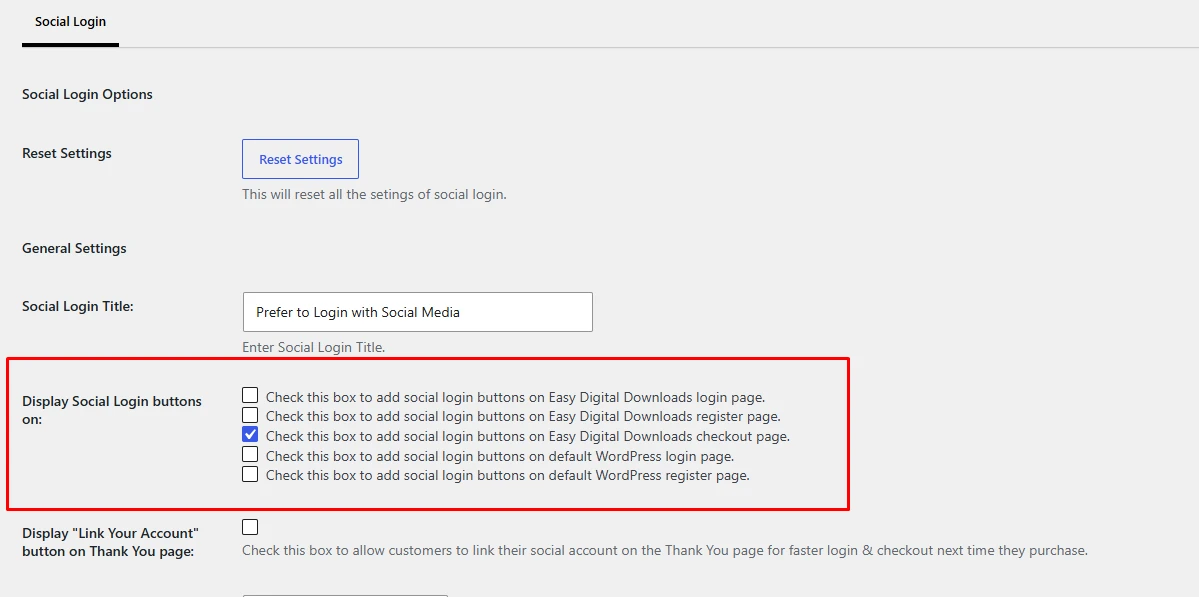
Add Social Sign-In to Your Checkout
Display social login options on your Easy Digital Downloads checkout so customers can sign in while making a purchase. Keep account access within the buying journey instead of sending shoppers to a separate login page
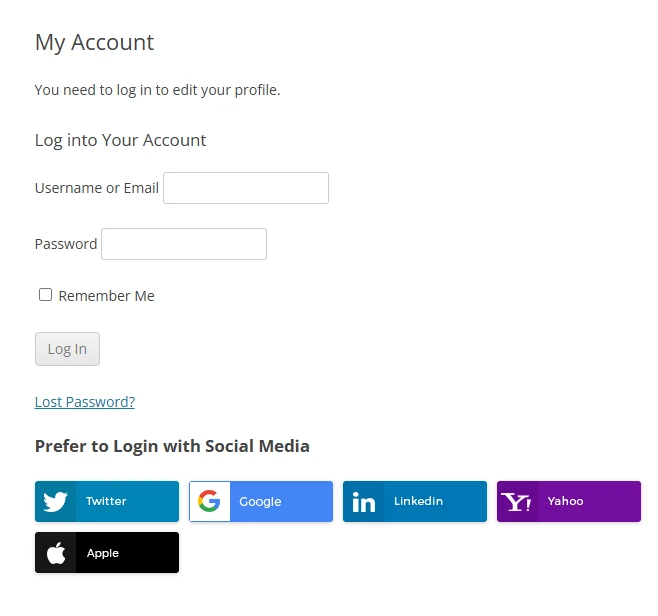
Connect Social Login to Existing Customer Accounts
Returning customers do not always need a new store account to use social login. When a provider supplies a matching email address, eligible customer accounts can connect automatically, subject to provider and account-role restrictions.
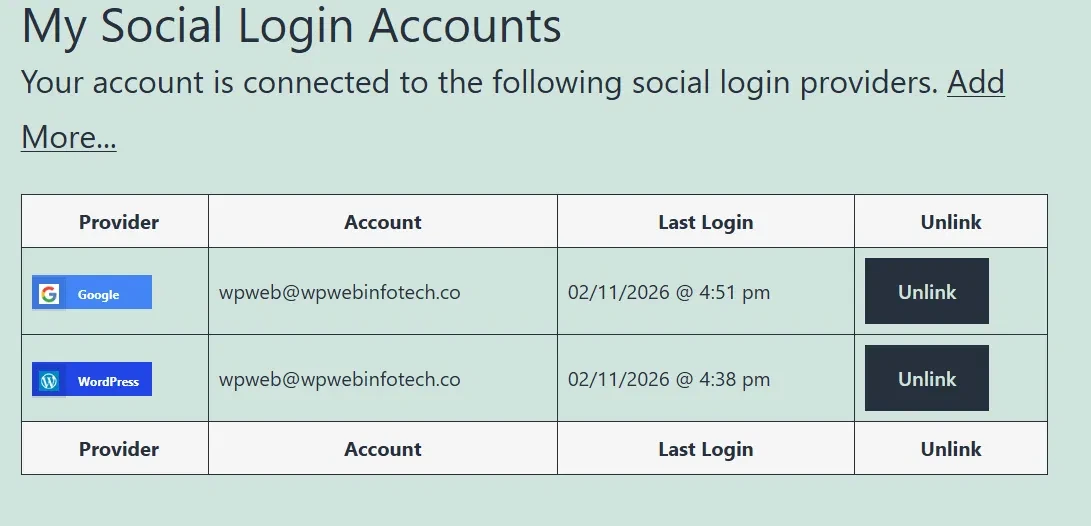
Give Customers Control Over Linked Accounts
Customers can connect or disconnect their social accounts from My Account. Their underlying WordPress account remains available, so unlinking a provider does not mean losing their store account
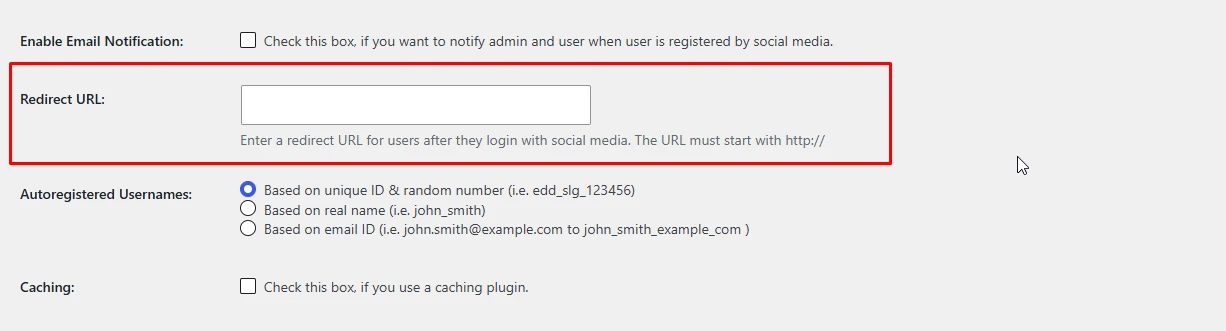
Choose Where Customers Go After Login
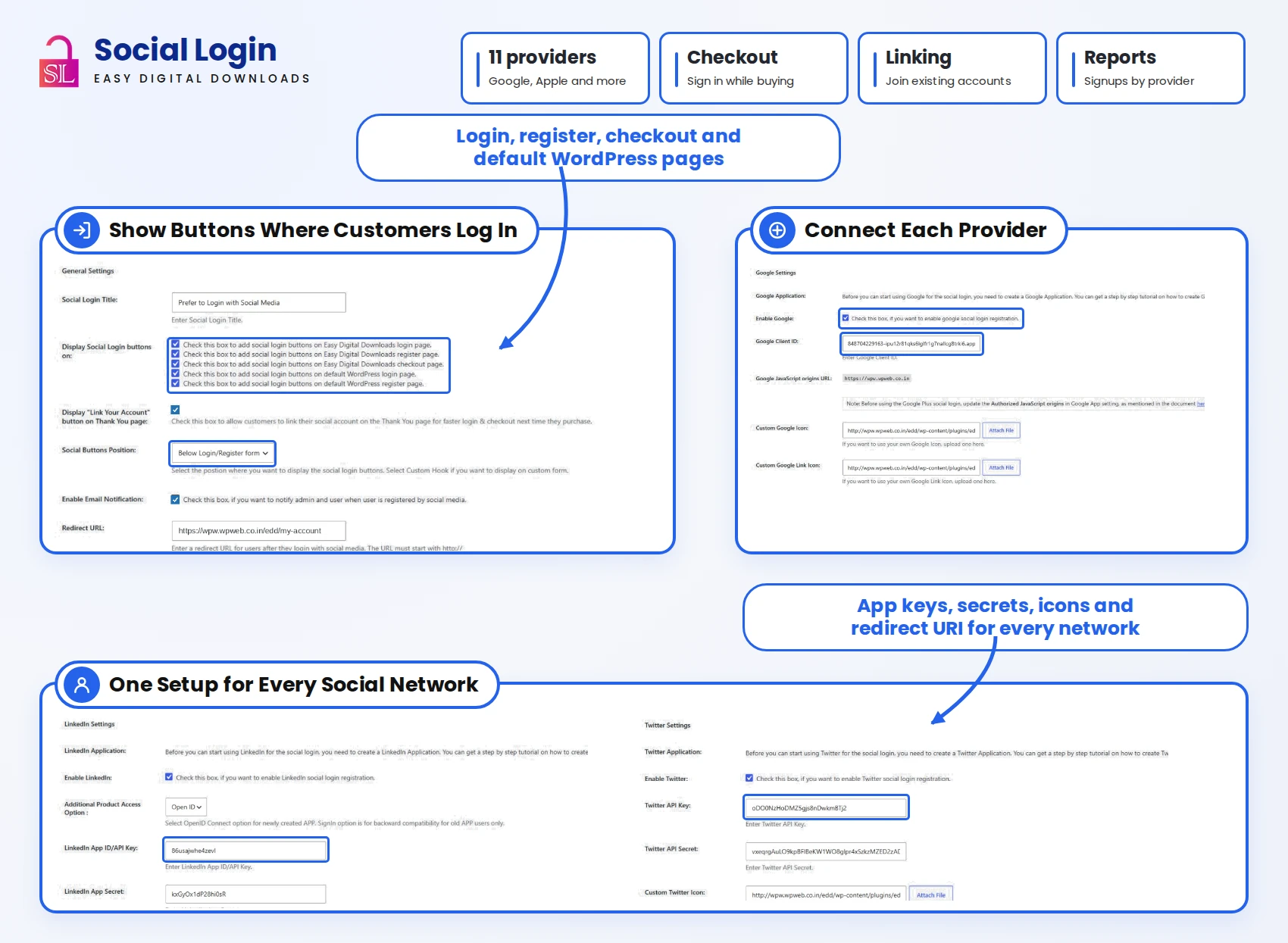
Set a redirect URL to send customers to the page you want them to visit after signing in. Use it to guide them to their account, your product catalogue, or another relevant page.
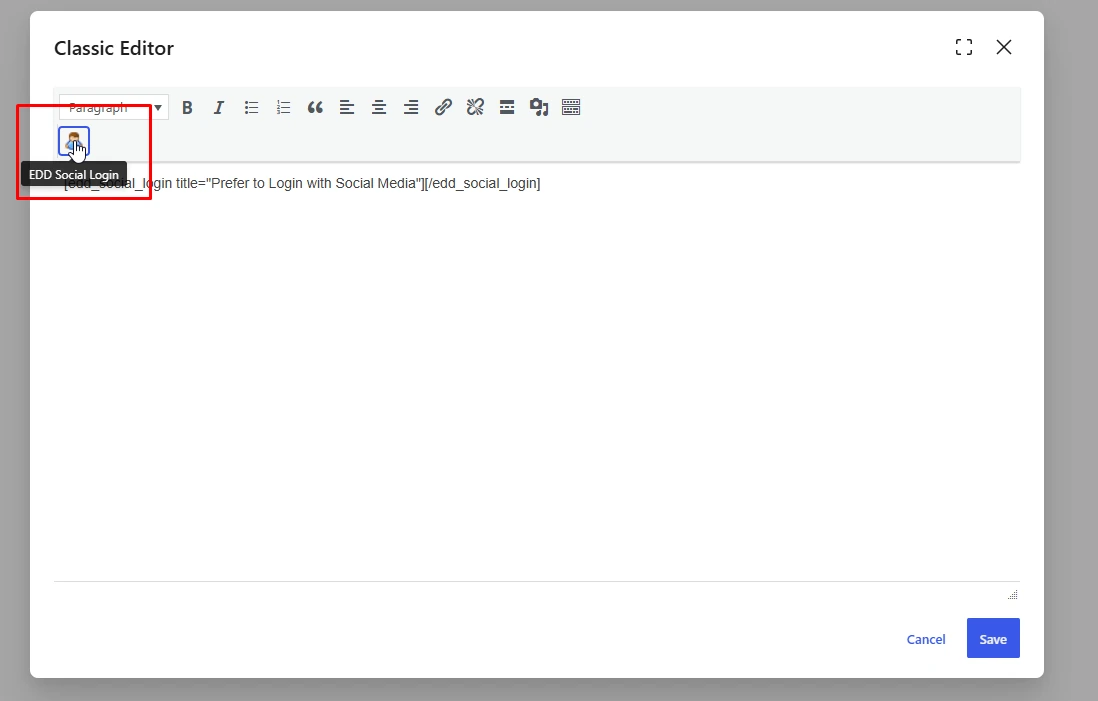
Display Login Buttons Beyond Checkout
Add social login to other pages using the shortcode, a widget, or the Gutenberg block. This lets you include sign-in options wherever customers need account access within your website.
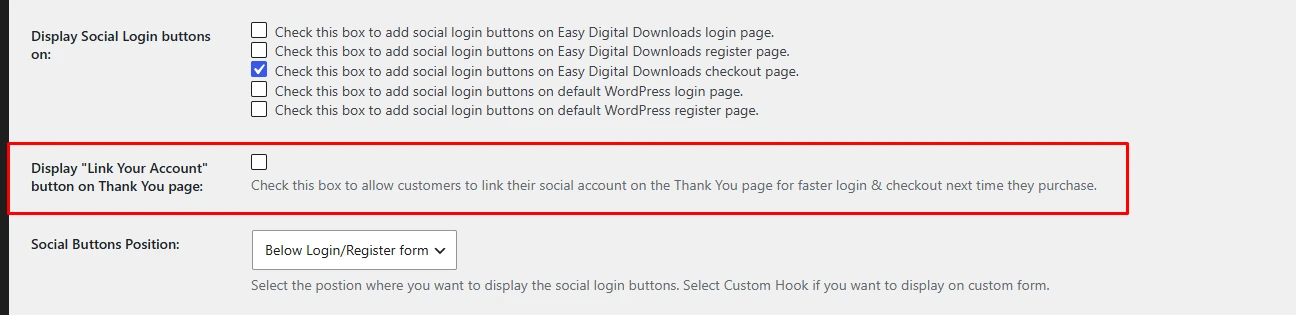
Invite Customers to Connect After Purchase
Give signed-in customers the option to link a social account from the Thank You page. Buyers can finish their purchase first and connect an account for future visits afterwards.
Add Social Login to Your Login Pages
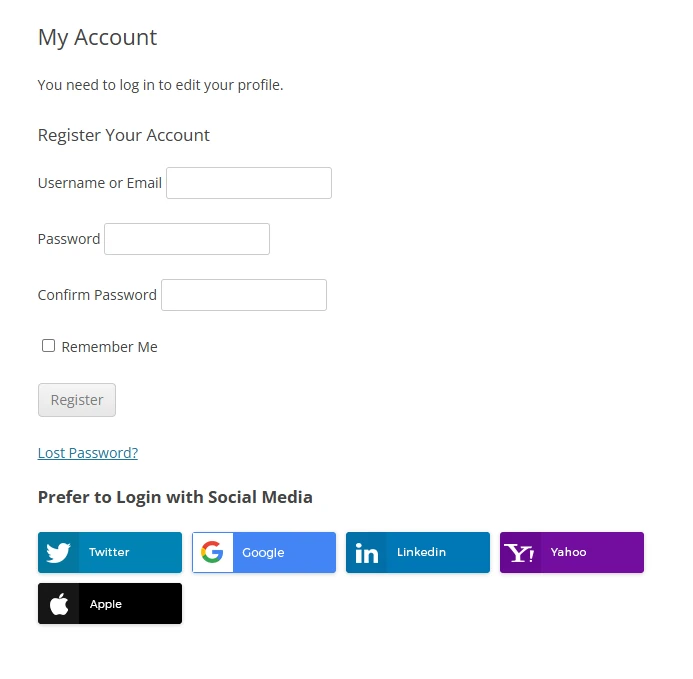
Offer social sign-in on the Easy Digital Downloads login page and the default WordPress login page. Customers can use a connected account when returning to your store outside the checkout process.
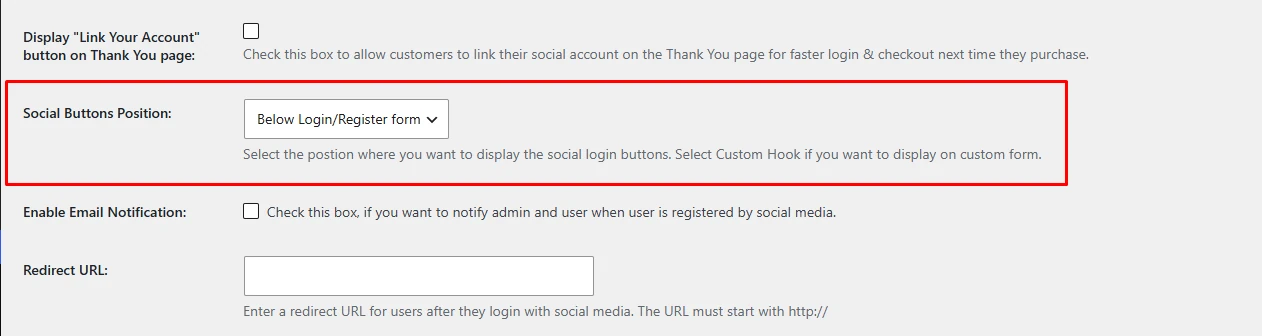
Control Button Placement and Provider Order
Choose whether social login buttons appear above or below the login and registration form. Arrange providers through drag and drop so your preferred sign-in options appear first.
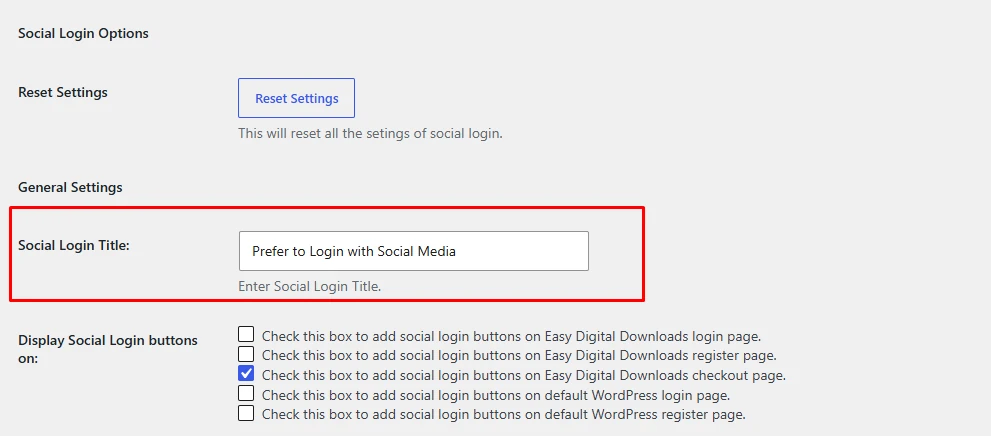
Match Login Icons and Headings to Your Store
Use custom provider icons and edit the heading displayed above your social login buttons. Make the sign-in area feel consistent with the rest of your store while keeping each provider easy to recognise.
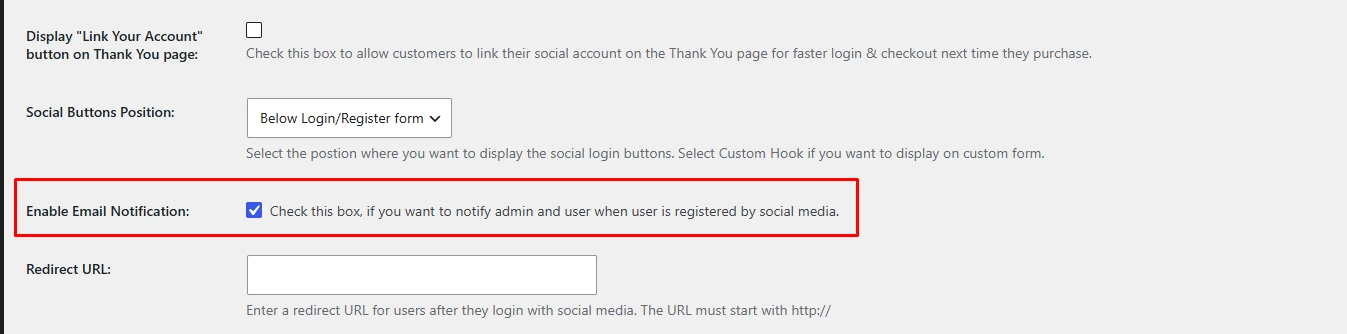
Send Notifications for Social Registrations
Enable email notifications when a customer registers through social login. Notify the customer and administrator about the new registration without checking the user list manually.
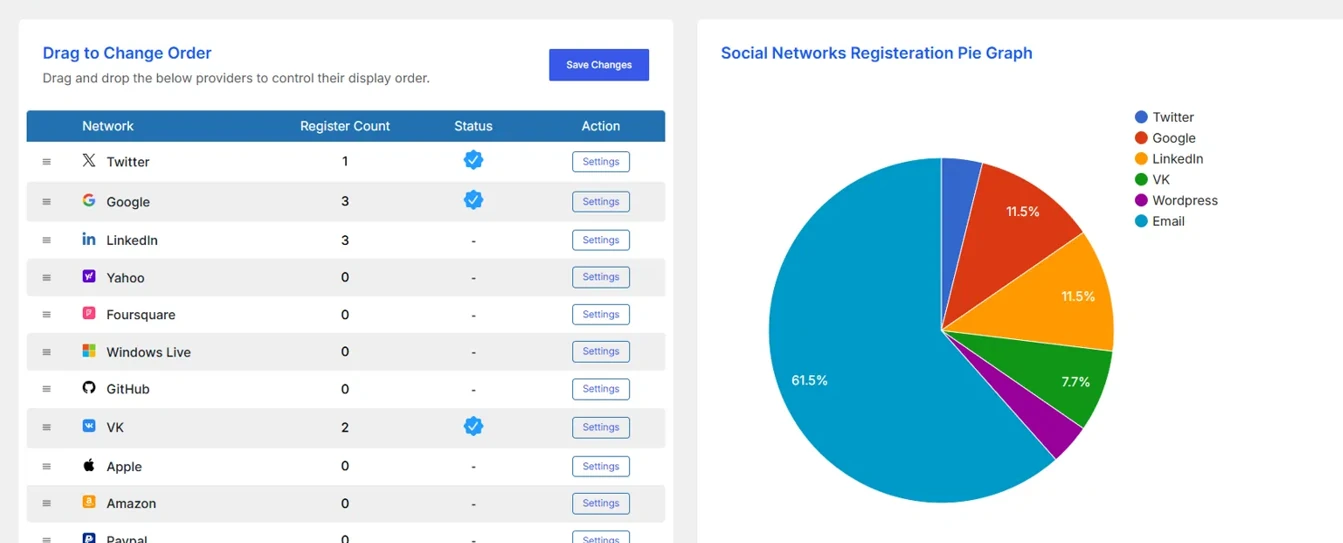
Track Registrations by Login Provider
See how many customers register through each provider, along with a percentage breakdown in a pie chart. Use the report to understand which sign-in options your customers actually choose.
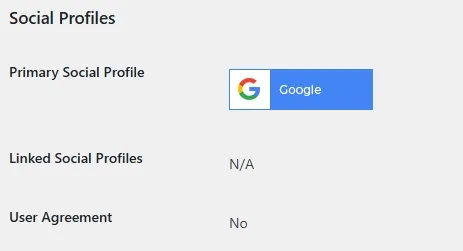
View Linked Social Profiles in WordPress
Check a user’s primary social profile from the WordPress user list. Open their profile to see primary and linked account information when reviewing how their store account is connected.
One Less Password Between Your Customers and Checkout
Choose Your EDD Social Login Plan
Select the website licence that fits your store or client projects.
1 Website
Includes all plugin features, updates, and support throughout your subscription.
3 Website
Includes all plugin features, updates, and support throughout your subscription.
Unlimited Websites
Includes all plugin features, updates, and support throughout your subscription.
EDD Social Login Features Included in Every Plan
Choose how customers sign in, where login buttons appear, and what happens next.
- Social Account Registration
- Checkout Login Integration
- WordPress Login Page Buttons
- Custom Login Redirects
- Social Account Linking
- Custom Provider Icons
- Thank You Page Connections
- Shortcode Placement
- Widget Support
- Gutenberg Block
- Drag-and-Drop Provider Ordering
- Registration Email Notifications
14-Day money-back guarantee. No questions asked!
Applies to all eligible products or services purchased through our platform. If you are not satisfied with your purchase for any reason, you may request a refund within 14 days from the date of purchase.
Discover what our customers have to say about their experience with our plugins. Read genuine reviews and see how our solutions help businesses simplify their workflow. 5.0/5 10 Ratings
Are you a customer? Alex Morgan A practical extension for Easy Digital Downloads stores looking to expand their login options. Social authentication can help create a smoother account experience for customers. Ryan Mitchell A simpler sign-in process can make purchasing digital products more convenient. Social login is a useful addition for customers who prefer using an existing social account. Ethan Parker This add-on offers an alternative to the traditional username and password login process. It gives store owners another option for supporting customer authentication. Oliver Bennett Social login is a valuable feature for digital product stores. Giving customers another way to sign in can make account access more convenient for returning buyers. James Wilson Adding social login to a digital download store can make the account experience feel more streamlined. It is a useful extension for improving the overall registration and login workflow. Michael Turner The social login functionality provides another option for customers to access their accounts. It is a practical feature for stores that want to offer a more flexible sign-in experience. Daniel Brooks Social login is a useful addition for digital stores that want to make account access more convenient. It can help reduce the steps customers need to take when registering or signing in. CodeMaster Hub This plugin is great. I configured everything quickly and it works fine. What was very interesting to me is that the social login buttons can be added to the default WordPress login form in addition to EDD Form. Highly recommended. UIdeck Swift response by the team, highly recommended!All Ratings & Reviews
Submit your review
Great Value
Easy to Use
Flexibility
Feature Availability
Design Quality
Customizability
Customer Support
Feature Availability
Customer Support
More Screenshots
Technical Info


Frequently Asked Questions
All features included on every plan. Pick the license that fits your store.

Yes. Eligible customer accounts can link automatically when their social account supplies a matching email address. Provider and account-role restrictions apply.
Yes. Customers can manage their linked accounts from My Account.
Yes. Their WordPress account remains available. Customers with an associated email address can reset their password and use the standard login.
No. Removing the plugin does not remove the underlying WordPress customer accounts. Customers can use password recovery to regain standard account access.
The documentation states that login information is exchanged, rather than customers’ orders or site activity.
The buttons may be hidden because you are already signed in. Test while logged out or in a private browser window.
All license plans for our EDD Social Login plugin, including Starter, Business, and Agency, include 1 year of plugin updates and support, ensuring you have access to the latest features, improvements, and assistance when needed.
Set Up Social Login for Your EDD Store
Follow the setup tutorials to connect your chosen providers and configure sign-in options.