



Schedule WordPress Follower Emails & Digest Notifications
Follow My Blog Post – Schedule Emails Extension
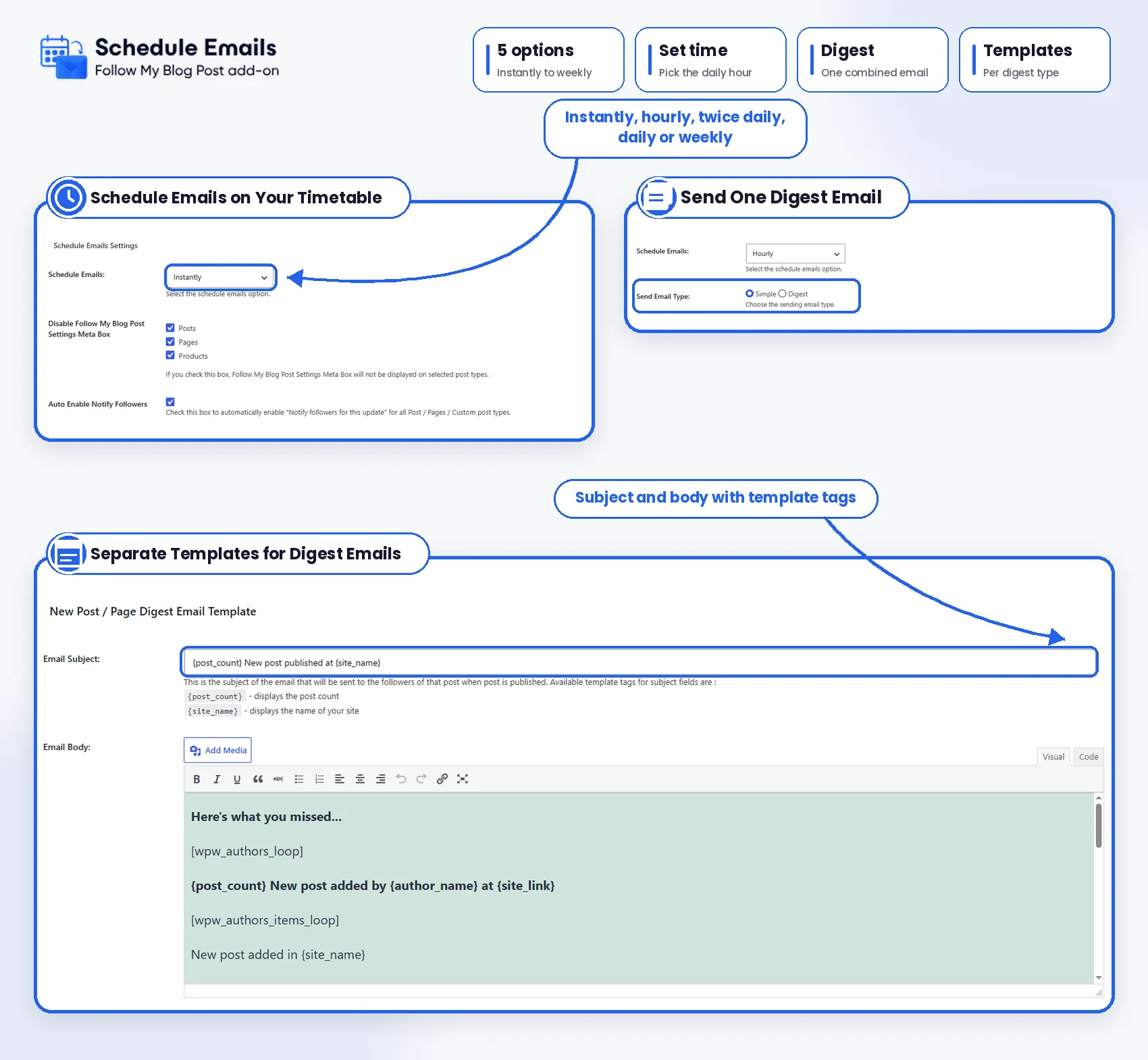
Take control of when your subscribers receive updates with the Schedule Emails Extension for Follow My Blog Post. Instead of sending individual notifications immediately, schedule follower emails hourly, daily, twice daily, or weekly.Combine multiple post updates and comment notifications into a single digest email, choose your preferred delivery time, and customize email templates to keep your subscribers informed without filling their inboxes with separate notifications.


With Schedule Emails Extension You Can:
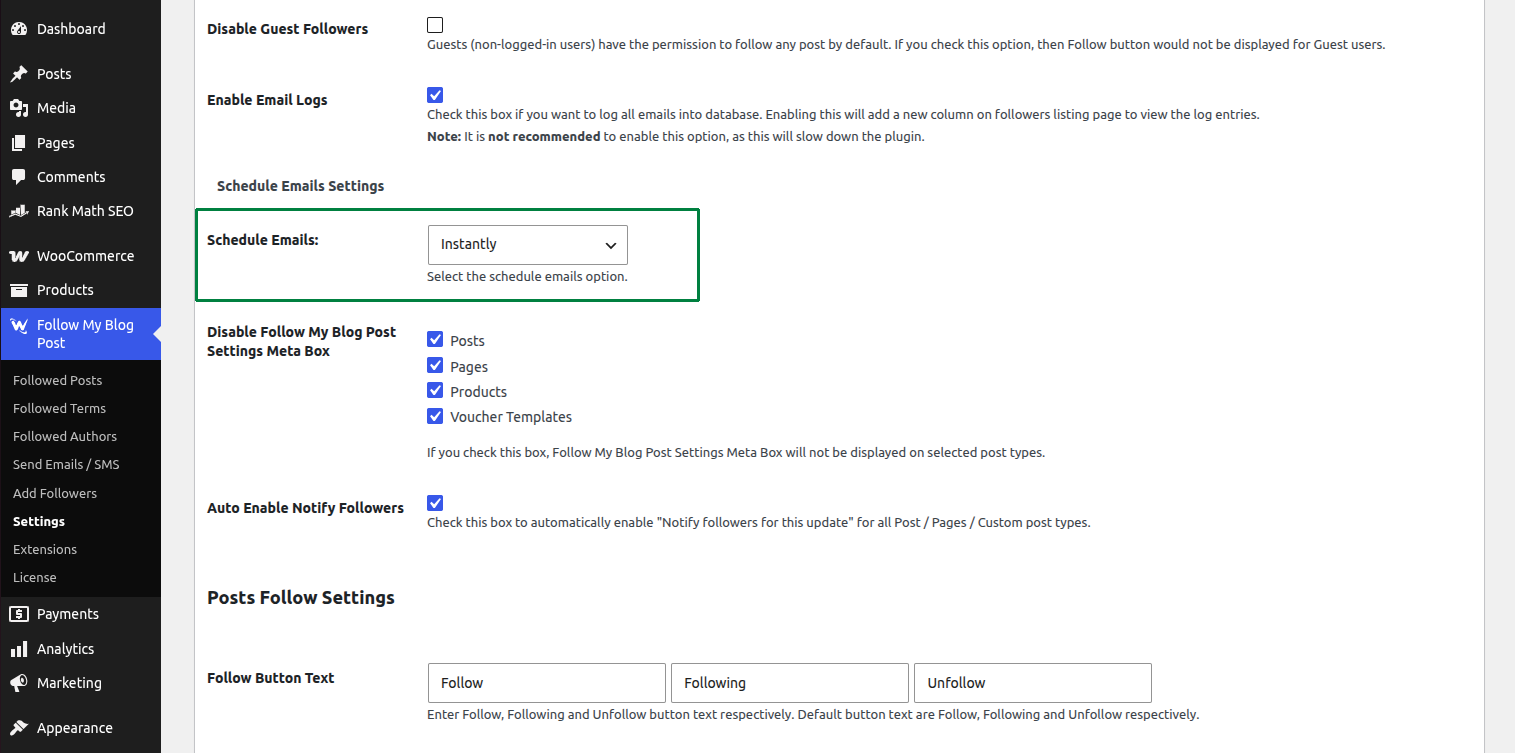
Schedule Email Notifications Instead of Sending Immediately
Control when followers receive notifications from your WordPress website. Rather than sending an email every time a post is published, updated, or commented on, schedule notifications according to your preferred delivery frequency.
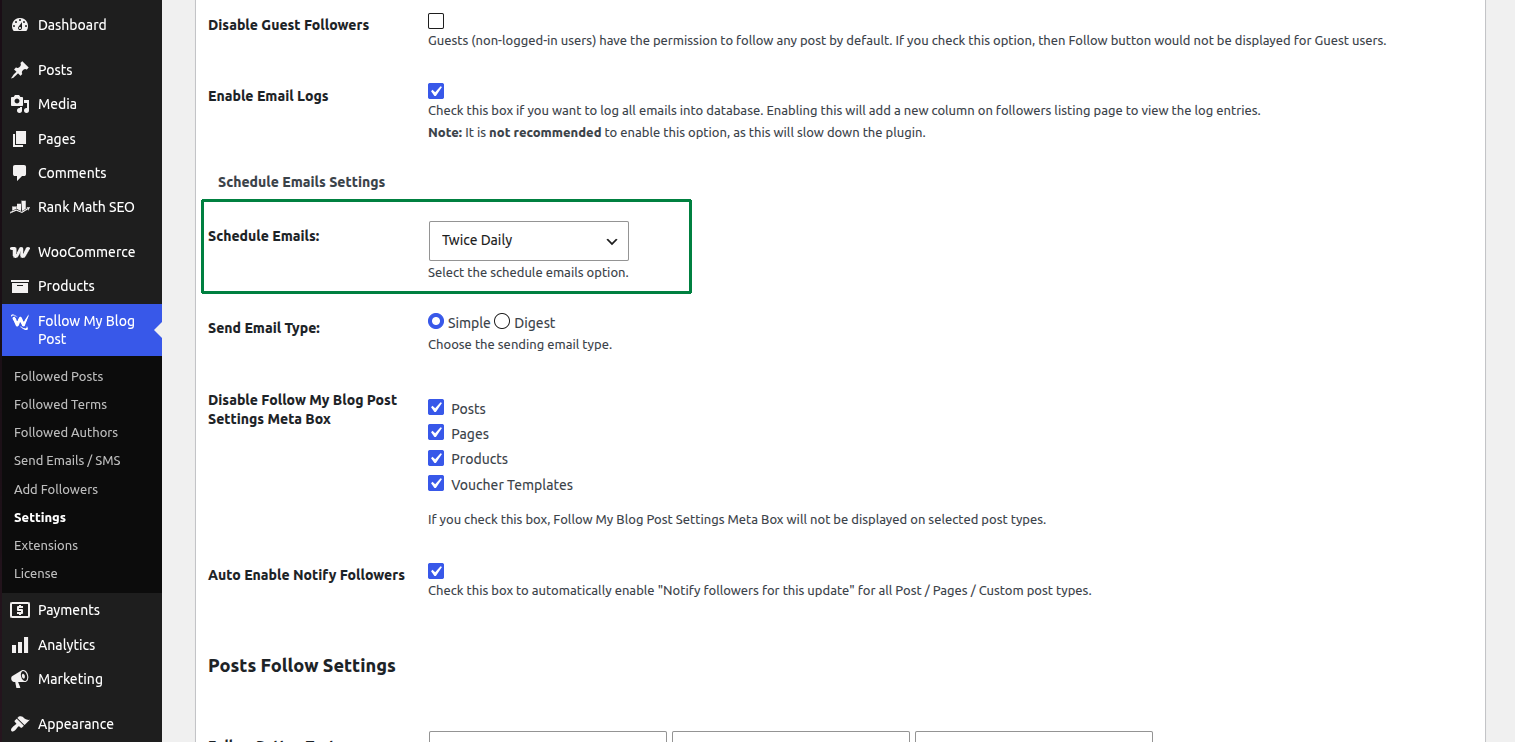
Choose Hourly, Daily, Twice-Daily or Weekly Emails
Select how often your subscribers receive email updates. Schedule notifications hourly, daily, twice daily, or weekly to match your publishing frequency and keep readers informed at regular intervals.
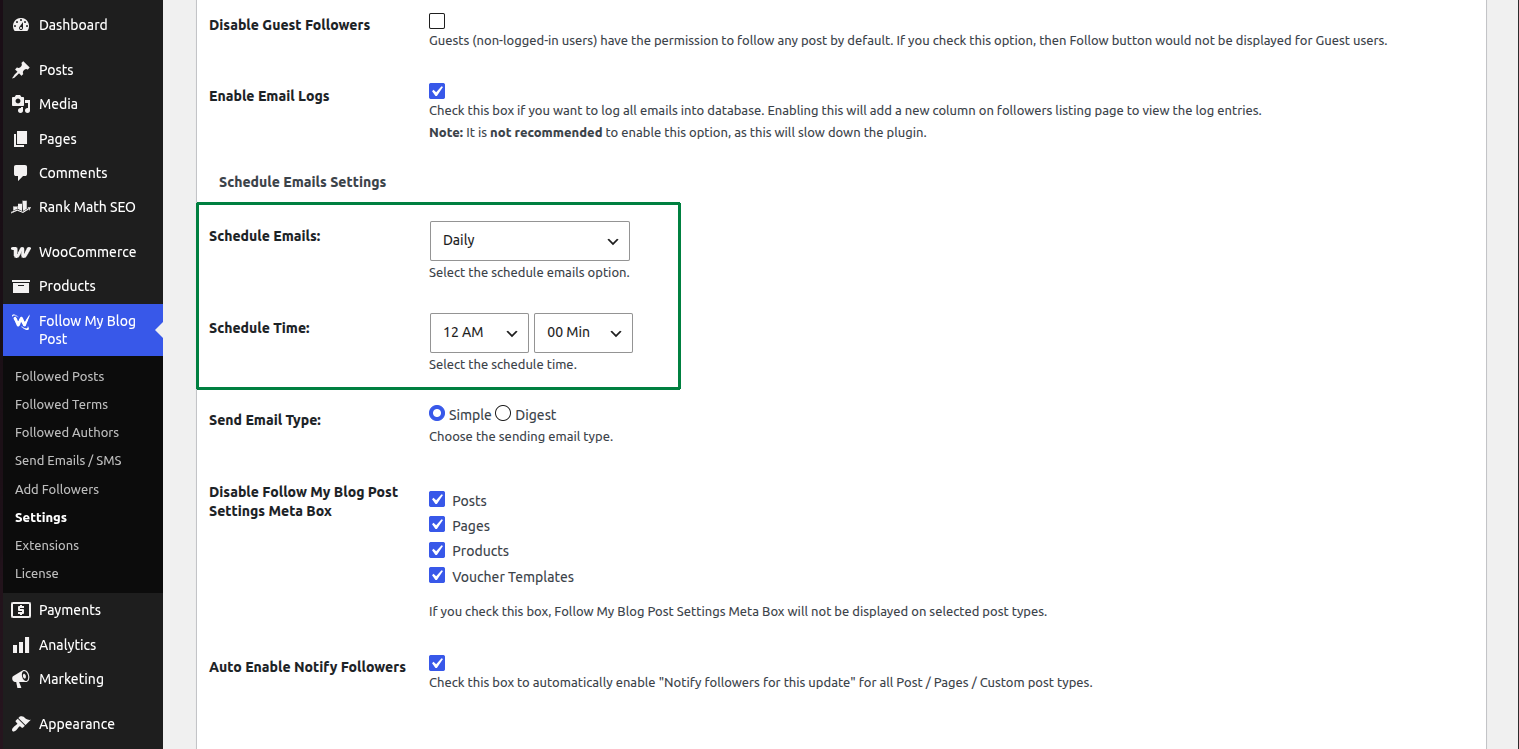
Send Emails at a Specific Time Every Day
Choose a preferred delivery time when using the daily scheduling option. Set when your follower notifications should be sent instead of relying on immediate emails whenever content changes.
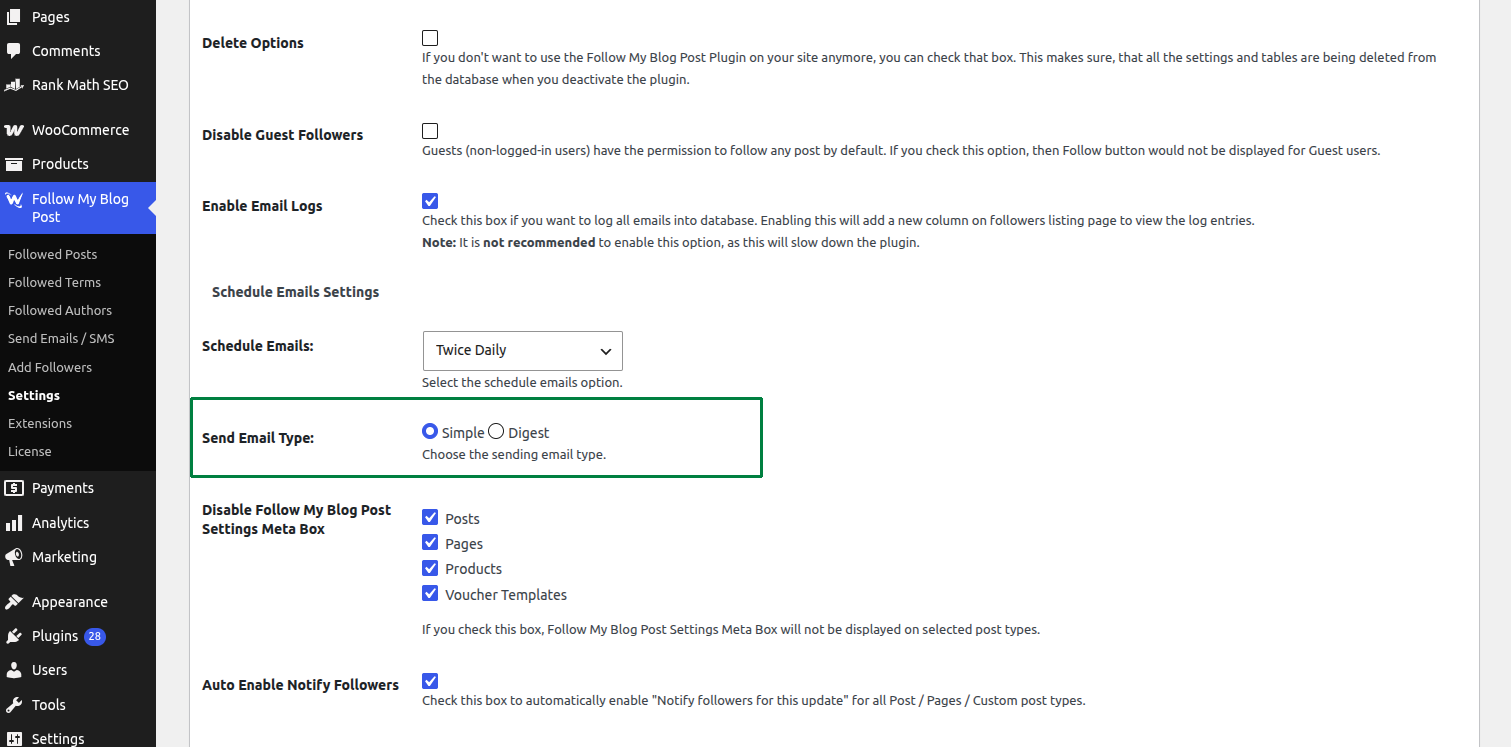
Combine Multiple Notifications Into One Digest Email
Reduce the number of separate emails sent to subscribers by combining notifications into a single digest. Readers can receive multiple content updates together instead of getting an individual message for each notification.
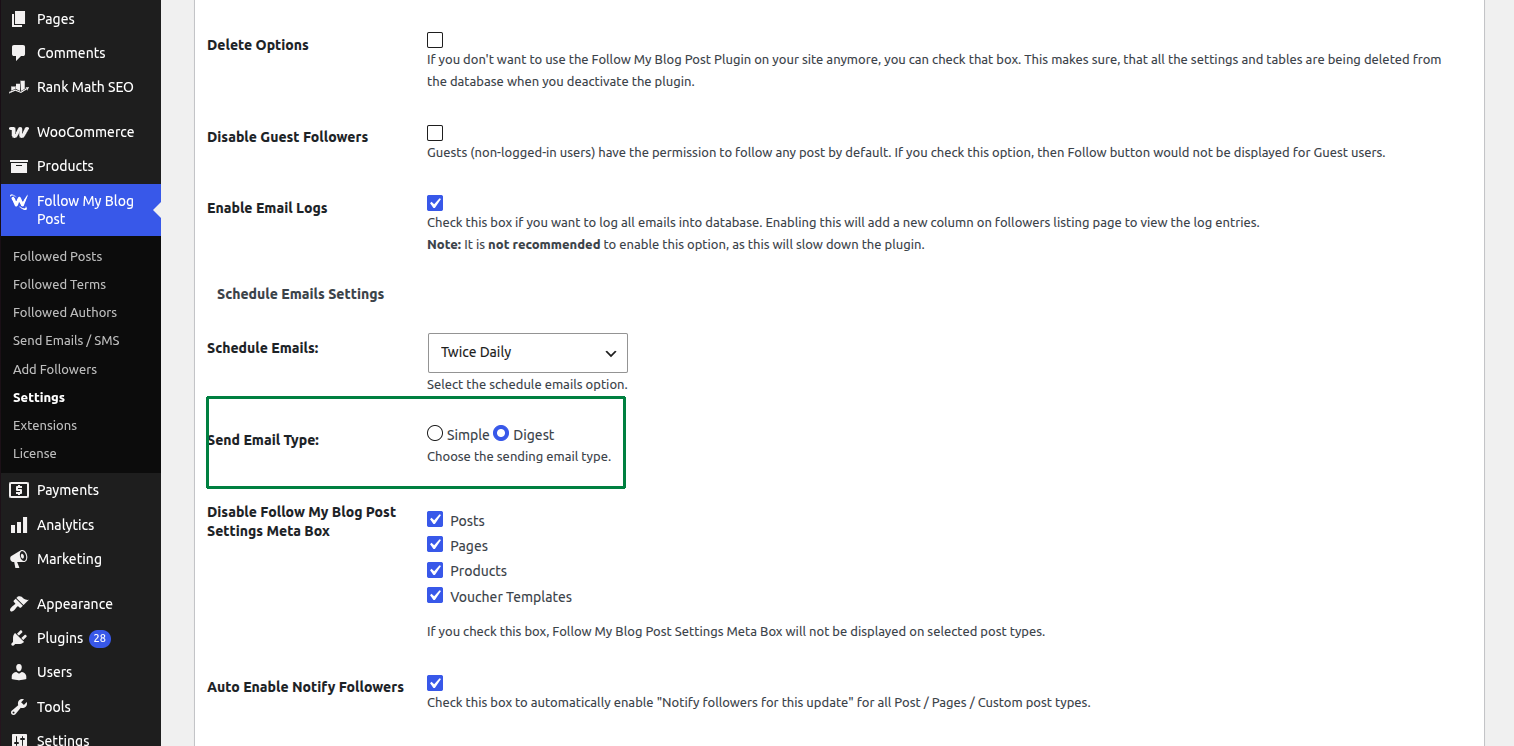
Choose Between Simple Emails & Digest Emails
Select how you want notifications delivered. Use Simple mode to send individual notifications according to your schedule, or choose Digest mode to combine multiple notifications into one email.
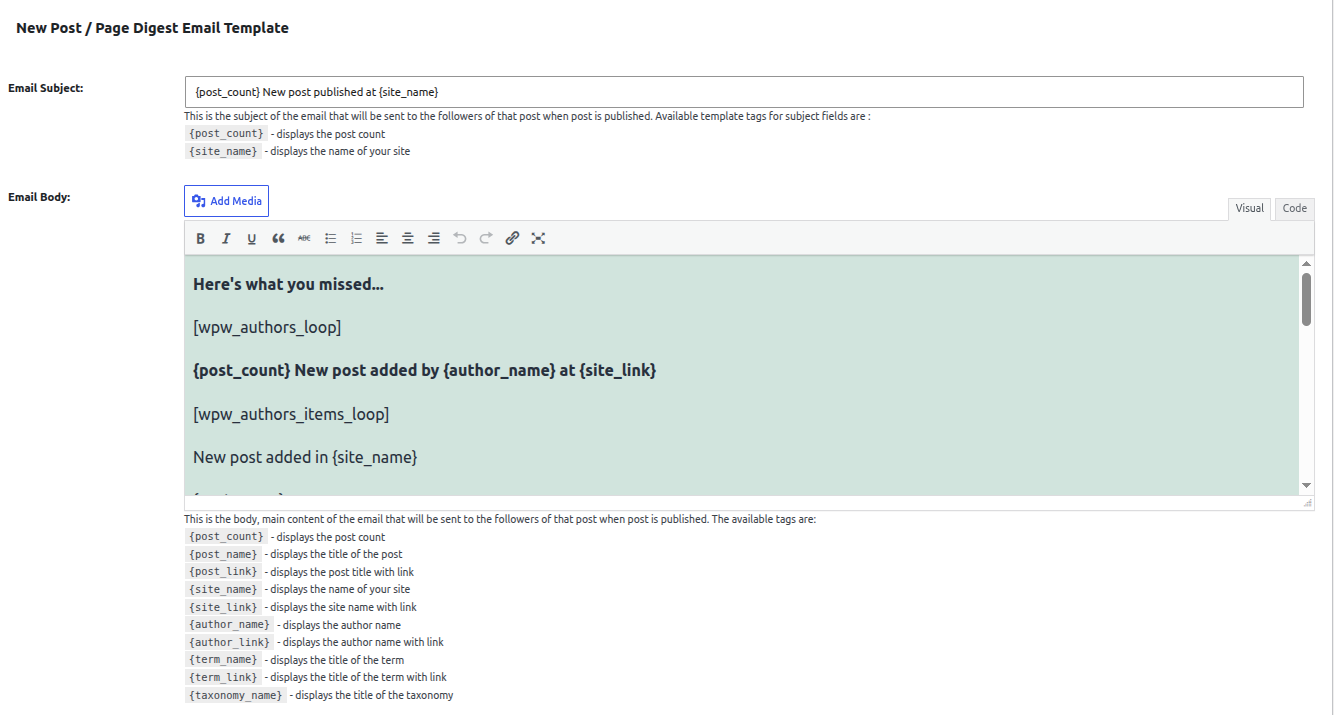
Send Digest Emails for Newly Published Posts
Keep followers updated about new content without sending separate messages for every published post. Group new post notifications into a digest email so subscribers can review the latest updates together.
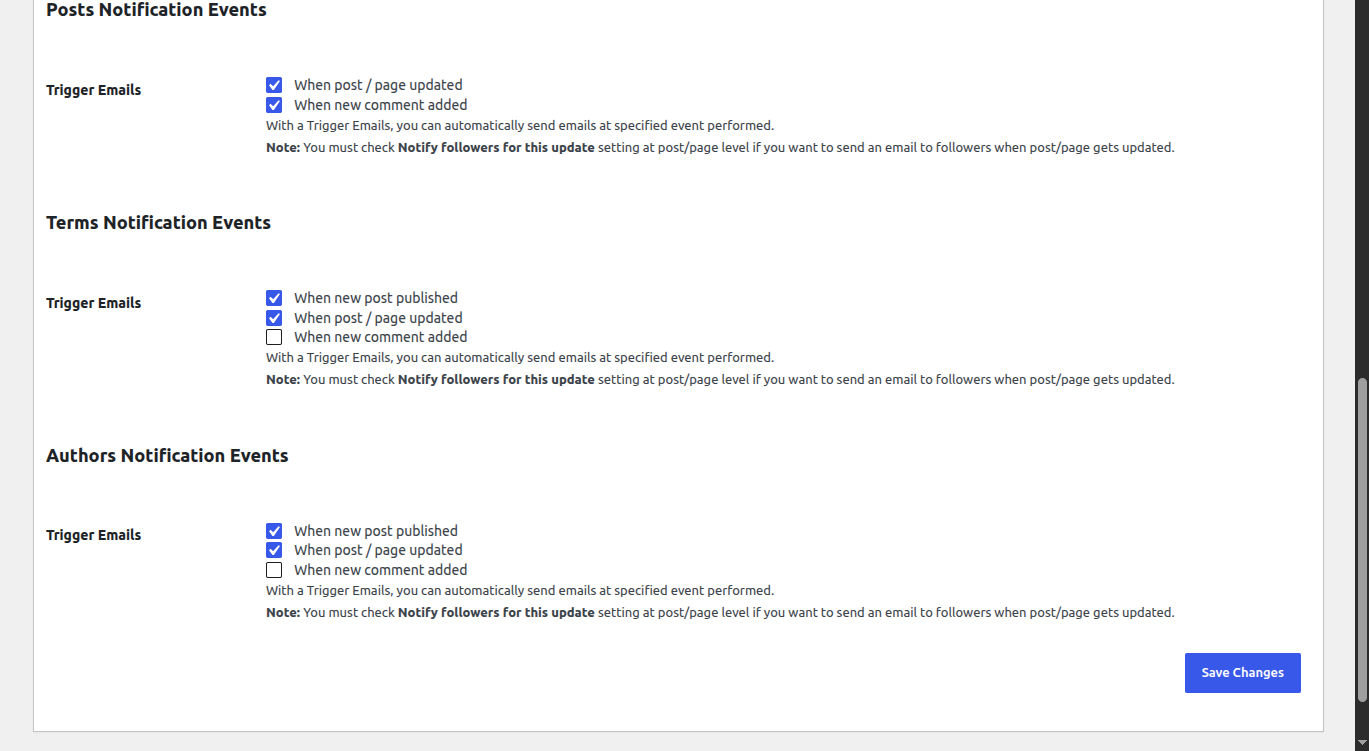
Combine Updated Post Notifications
Notify subscribers when previously published content is updated. Instead of sending multiple individual emails, use digest notifications to share relevant post updates in a combined message.
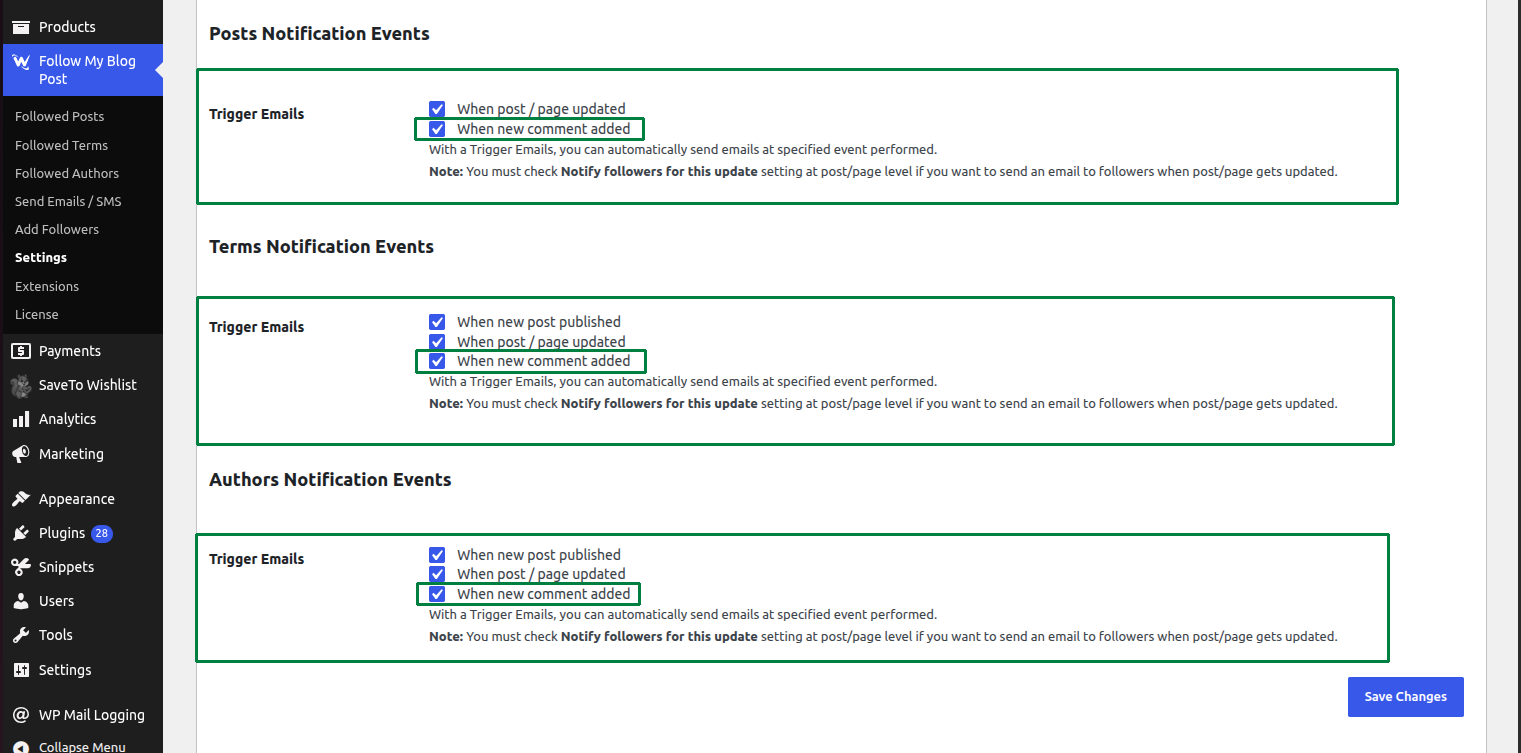
Send Digest Notifications for New Comments
Keep readers informed about new comments on followed content. Combine comment notifications into scheduled digest emails so subscribers can stay updated on discussions without receiving an email for every comment.
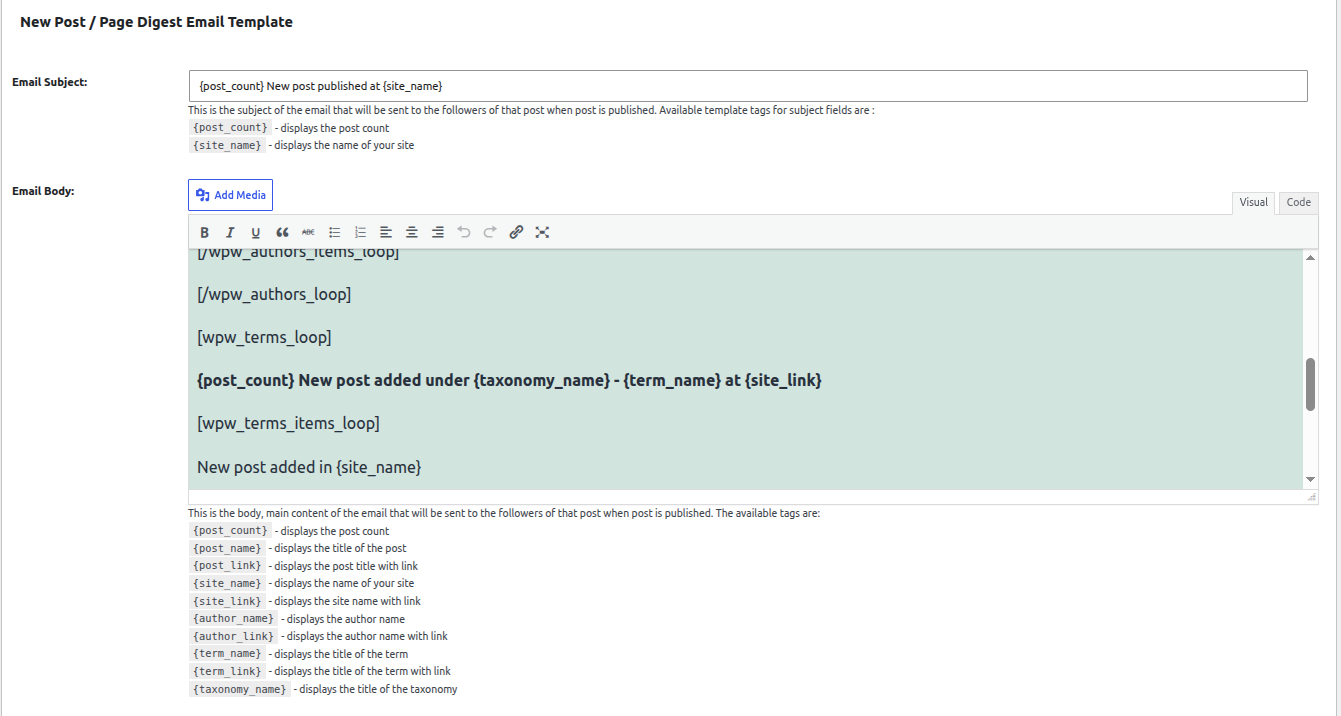
Customize New Post Digest Email Templates
Create a separate email template for newly published content. Customize the subject line and email body, and include information such as post titles, links, authors, categories, and website details.
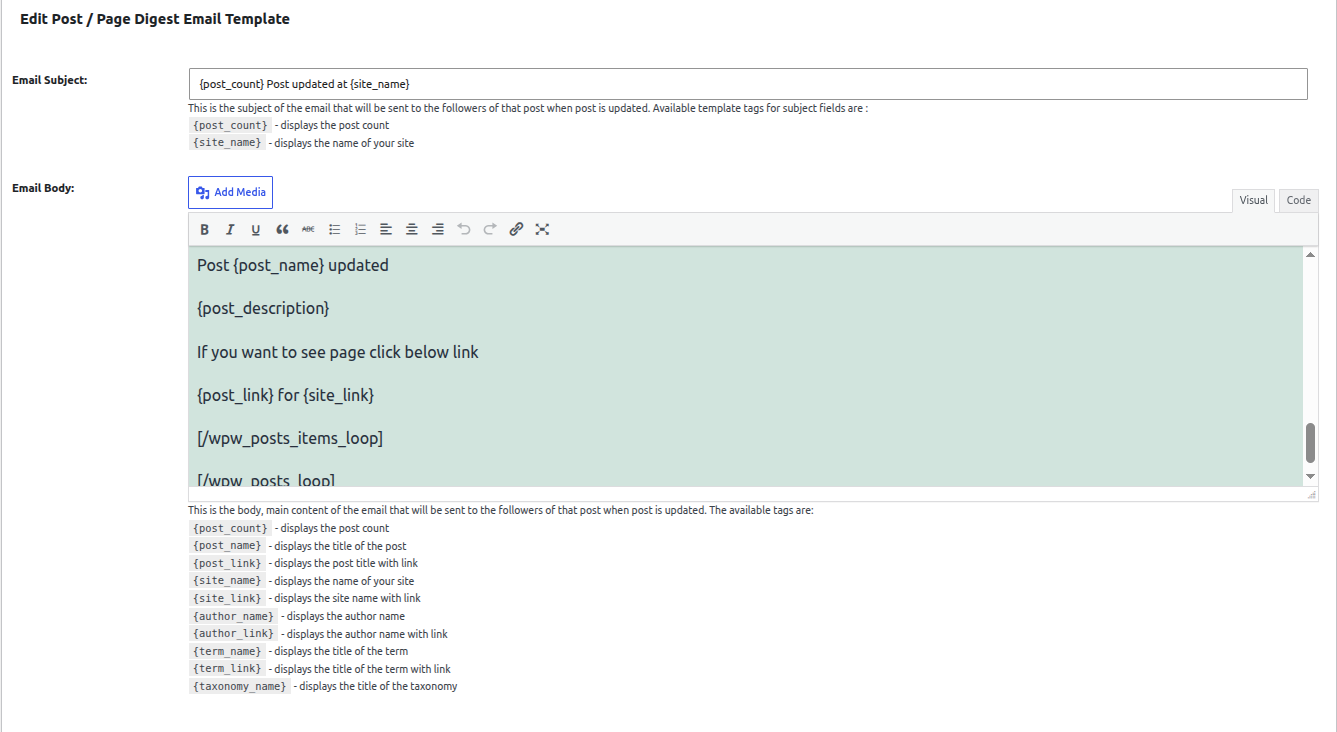
Customize Post Update Digest Templates
Use a dedicated email template for updated posts and pages. Adjust the message, subject line, and content to show subscribers what has changed on the posts they follow.
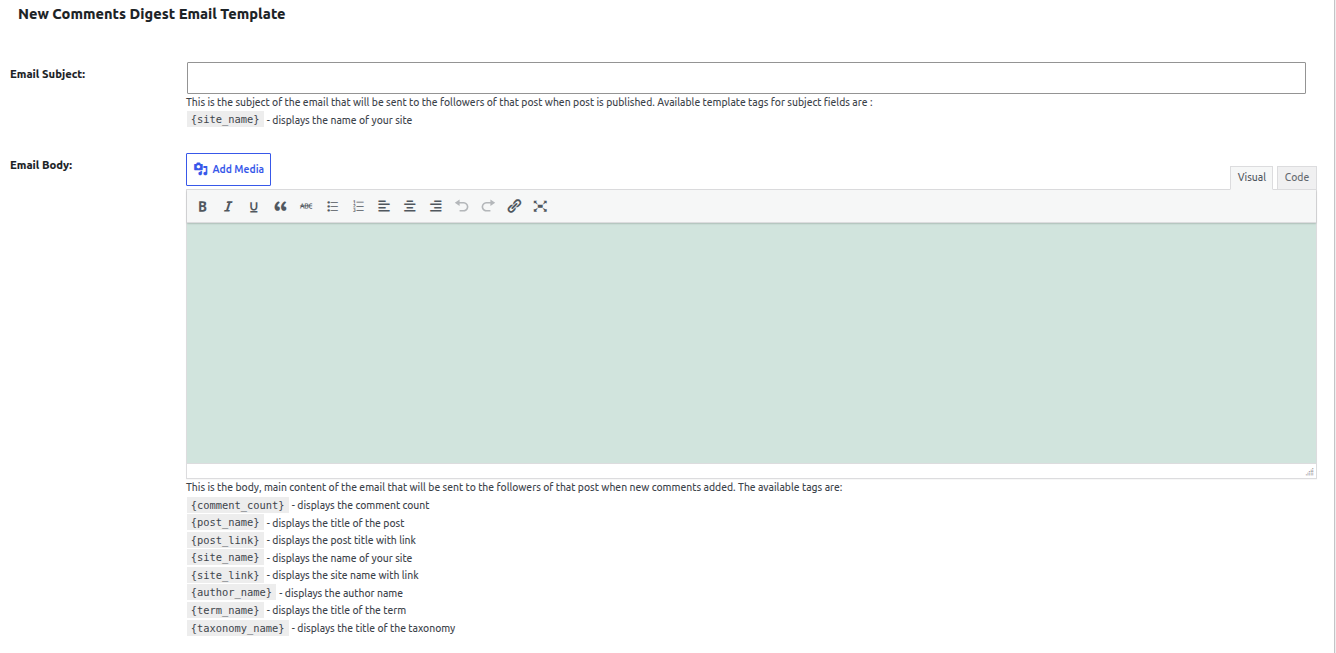
Create Custom Comment Digest Emails
Customize how comment updates appear in digest notifications. Include post details, comment counts, author information, and relevant links to help readers return to the discussion.
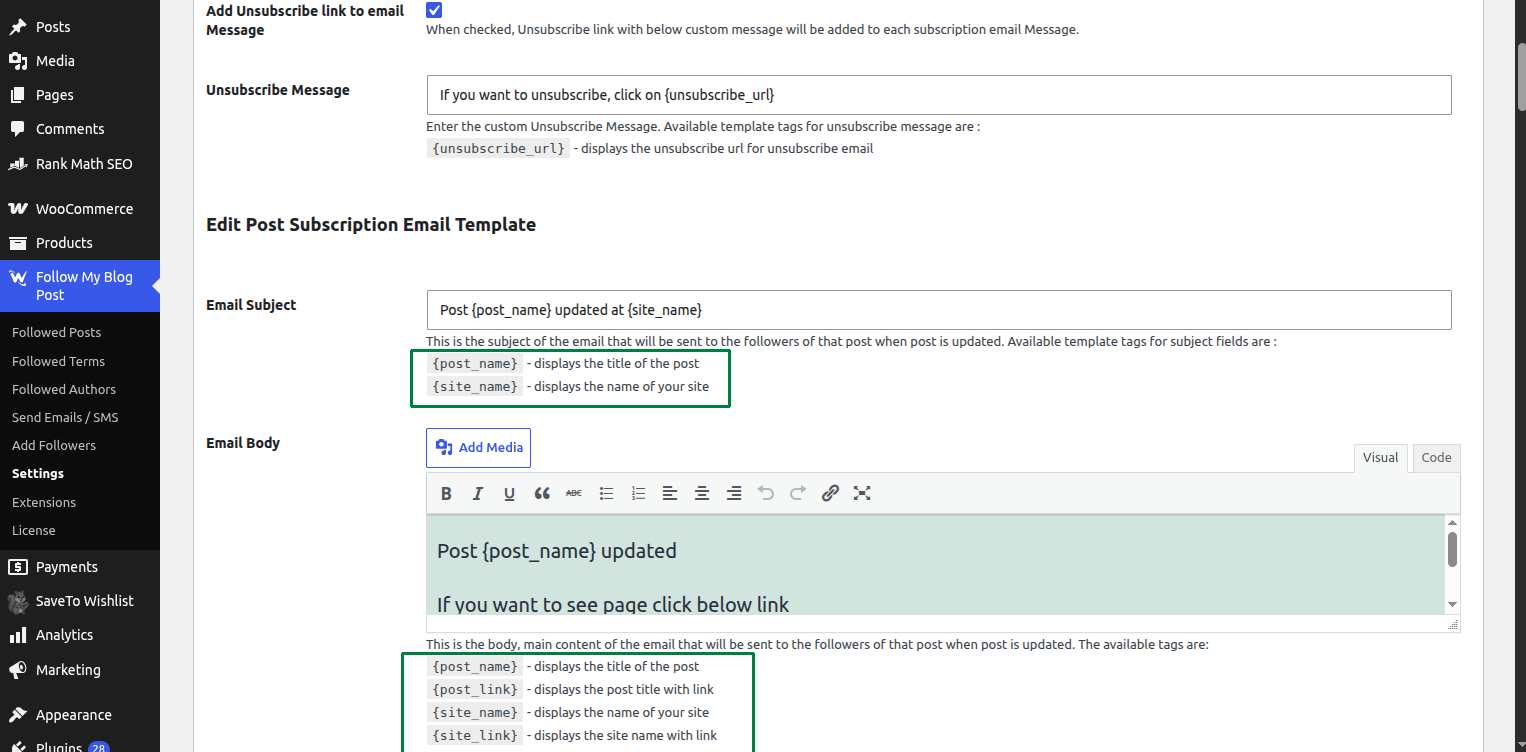
Personalize Emails With Dynamic Template Tags
Use supported template tags to automatically insert post titles, links, author names, category details, and notification counts into digest emails. Keep messages relevant without manually editing each notification.
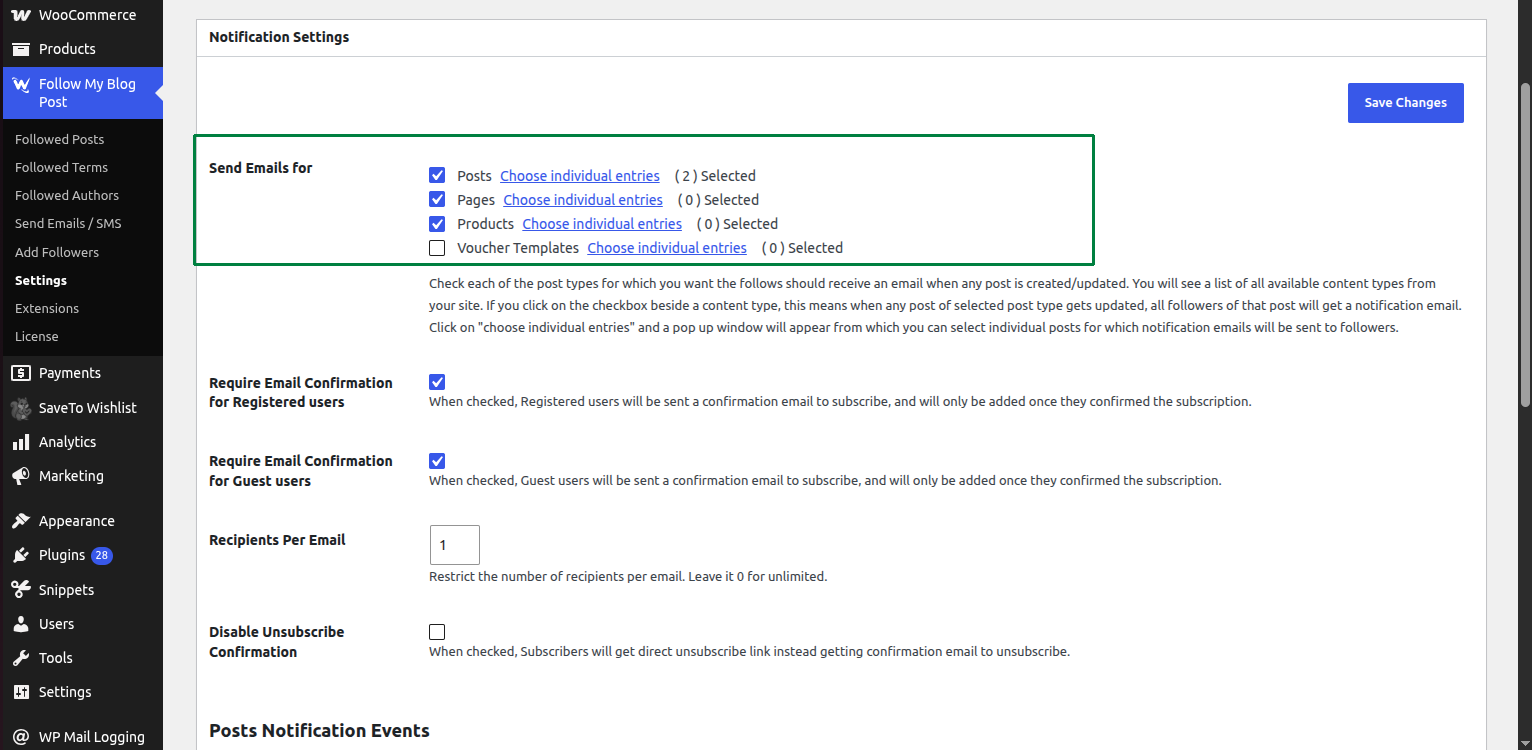
Keep Email Digests Organized by Followed Content
Use the available digest templates to present updates related to followed posts, authors, and taxonomy terms. Organize notification content so readers can recognize which posts, categories, or authors have new activity.
Customize Digest Templates Through Your WordPress Theme
Developers can override the extension’s email templates through the active WordPress theme. Adjust the HTML structure and layout without modifying the extension’s core template files.
Fewer Emails, Better Updates. Schedule Follower Notifications With Ease.

Simple Transparent Pricing
Choose the right plan for your website and start keeping your audience connected with Schedule Emails. Get access to the Schedule Emails Extension, dedicated product updates, and support with every purchase.
1 Website
Updates, all features and support during the term of your subscription.
3 Website
Updates, all features and support during the term of your subscription.
Unlimited Websites
Updates, all features and support during the term of your subscription.
Extension Features
Get flexible email scheduling, combined digest notifications, and customizable templates to manage how followers receive content updates.
- Scheduled Follower Email Notifications
- Hourly Email Scheduling
- Daily Email Scheduling
- Twice-Daily Email Scheduling
- Weekly Email Scheduling
- Custom Daily Email Delivery Time
- Simple Email Notification Mode
- Combined Email Digest Mode
- Multiple Notifications in One Email
- New Post Digest Notifications
- Updated Post Digest Notifications
- New Comment Digest Notifications
- Custom New Post Digest Templates
- Custom Post Update Digest Templates
- Custom Comment Digest Templates
- Custom Email Subject Lines
- Custom Email Body Content
- Dynamic Post Title & Link Tags
- Dynamic Author Information Tags
- Category & Taxonomy Template Tags

14-Day money-back guarantee. No questions asked!
Try the Schedule Emails Extension with confidence. If it doesn't meet your expectations, contact our support team within 14 days of purchase to request a refund.
Discover what our customers have to say about their experience with our plugins. Read genuine reviews and see how our solutions help businesses simplify their workflow. 5.0/5 10 Ratings
Are you a customer? Nathan Foster A practical extension for blog owners who want more control over subscriber email timing. Scheduled notifications can help make content communication easier to manage. Samuel Cooper Planning email notifications ahead of time can help reduce repetitive manual work. This functionality is useful for bloggers who want a more organized publishing workflow. Alex Morgan This add-on addresses a useful need for blogs that communicate with subscribers by email. Scheduling provides another level of control over the notification process. Ryan Mitchell Having an option to schedule blog emails can make subscriber communication easier to organize. It is a practical feature for managing notifications around published content. Ethan Parker The scheduling functionality offers more control over when blog-related emails are sent. This can be helpful when coordinating subscriber updates with a content calendar. Oliver Bennett Scheduled email delivery is a valuable option for blogs that publish content regularly. It gives site owners another way to manage subscriber notifications. James Wilson This add-on provides a useful extension to blog subscription functionality. It helps organize email notifications around a publishing schedule rather than relying only on immediate delivery. Michael Turner The ability to schedule email notifications adds flexibility to blog communication. It can help site owners plan when subscribers receive updates about their posts. Daniel Brooks The scheduled email feature is useful for keeping blog subscribers informed about new content. It offers a practical way to manage email delivery as part of a blog publishing workflow.All Ratings & Reviews
Submit your review
Great Value
Time-Saving Features
Reliable Functionality
Easy to Use
Flexibility
Feature Availability
Design Quality
Customizability
Customer Support
More Screenshots
Technical Information


Frequently Asked Questions
All features included on every plan. Pick the license that fits your store.

The Schedule Emails addon allows you to control when email notifications are sent to your followers. Instead of sending notifications immediately, you can schedule them to be delivered hourly, daily, twice daily, or weekly.
Yes. The addon provides a Digest email option that combines multiple notifications into a single email instead of sending a separate email for each notification. This helps reduce the number of emails your followers receive.
Yes. When using the daily email schedule, you can select a specific Schedule Time at which the notification emails should be sent to your followers. You can choose the schedule that best fits your website’s publishing and notification needs.
Yes. The addon provides separate templates for New Post Digest, Edit Post Digest, and New Comment Digest emails. You can customize the email subject and body using available template tags such as {post_name}, {post_link}, {post_count}, {site_name}, {author_name}, and {comment_count}.
All license plans for our WordPress Follow My Blog Post – Schedule Emails Extension plugin, including Starter, Business, and Agency, include 1 year of plugin updates and support, ensuring you have access to the latest features, improvements, and assistance when needed.