





Import Voucher Codes into WooCommerce in Bulk
WooCommerce PDF Vouchers : Import Voucher Codes
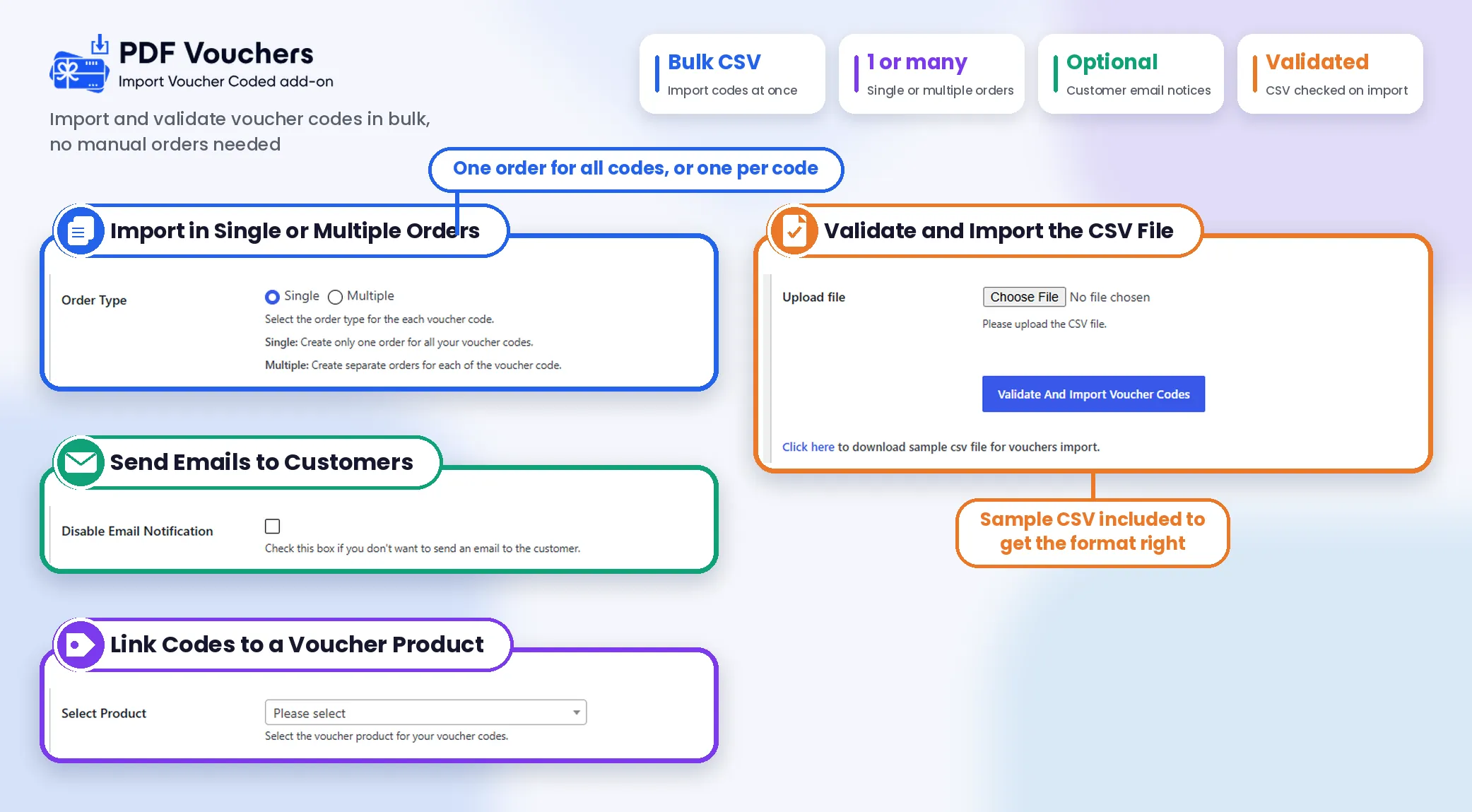
Make voucher migration and management easier with the Import Voucher Codes Add-on for WooCommerce PDF Vouchers. Import existing voucher codes using a CSV file, validate the data before importing, and create orders for your voucher codes without placing them manually one by one.


With Import Voucher Codes Add-on, You Can:
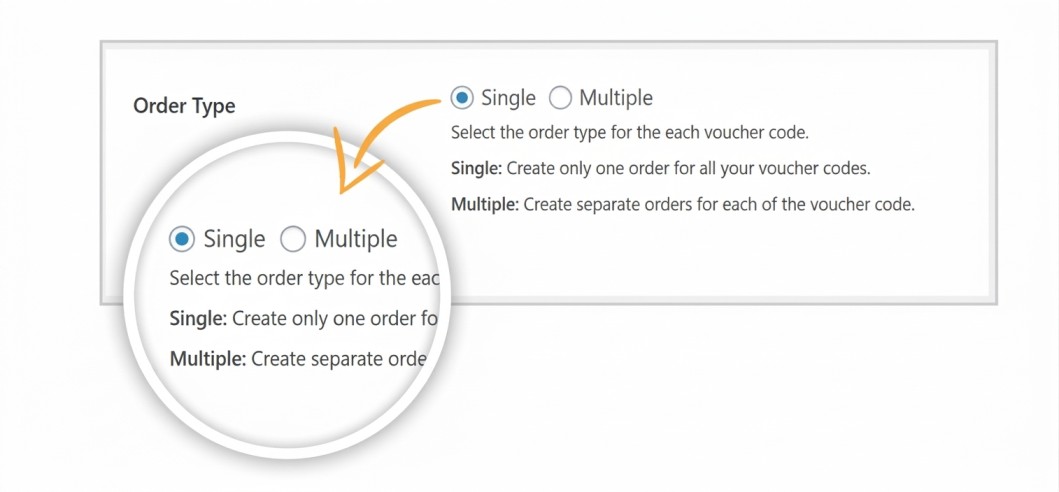
Import Single or Multiple Orders
Choose whether to create one order for all imported voucher codes or separate orders for each voucher code. Select the order type that suits your import requirements.
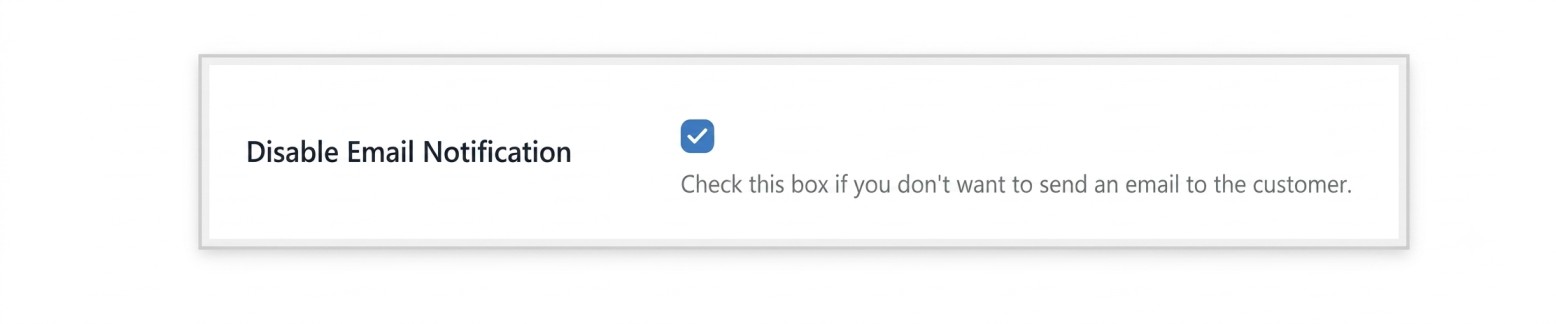
Send Emails to Customers
Send email notifications to customers when voucher codes are imported. You can also disable email notifications when you don’t want emails sent during the import process.
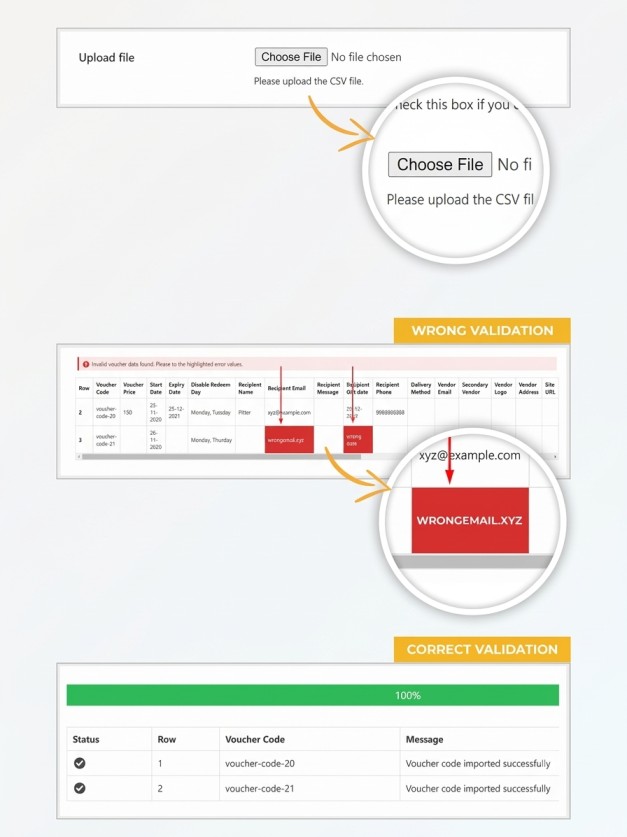
Validate CSV File Data
Upload your prepared CSV file and validate its contents before importing voucher codes. The add-on checks the data and identifies invalid entries that need attention.
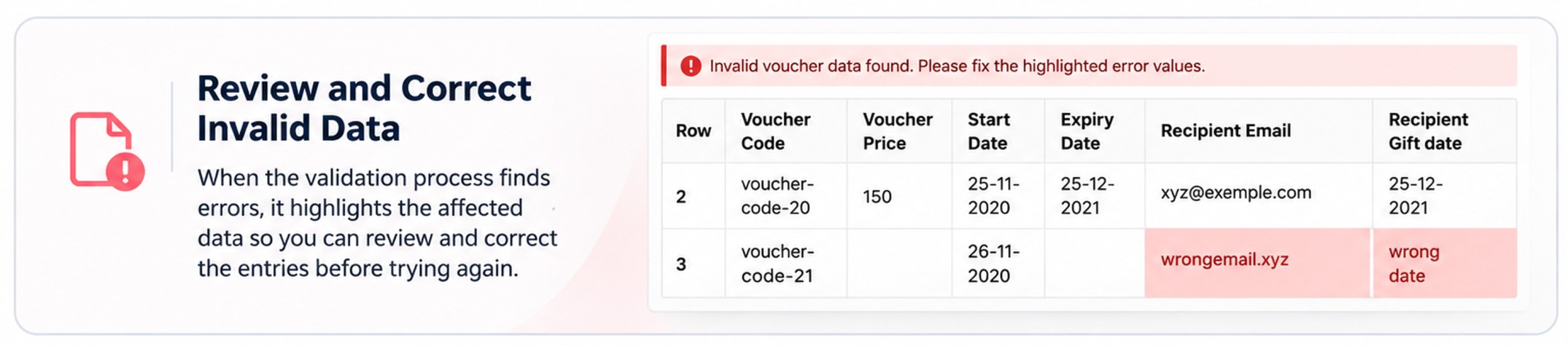
Review and Correct Invalid Data
When the validation process finds errors, it highlights the affected data so you can review and correct the entries before trying again.
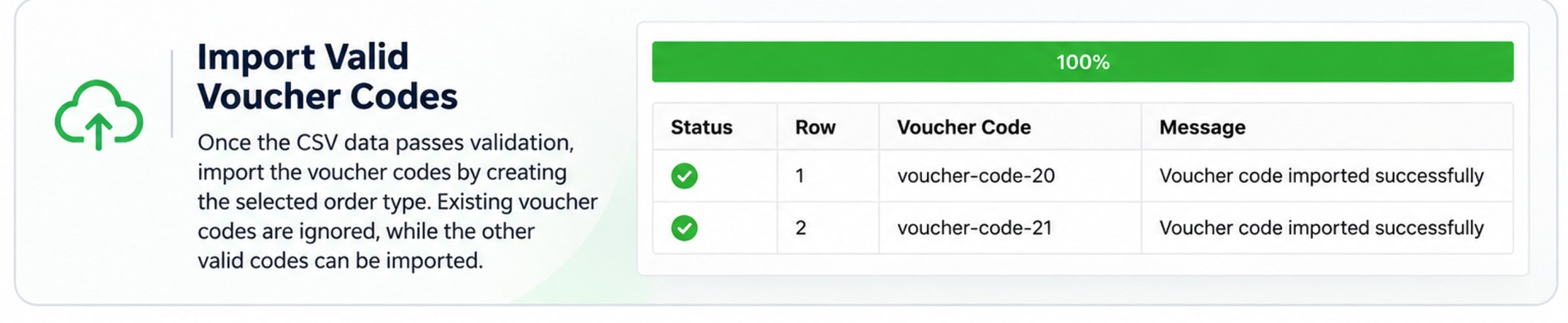
Import Valid Voucher Codes
Once the CSV data passes validation, import the voucher codes by creating the selected order type. Existing voucher codes are ignored, while the other valid codes can be imported.
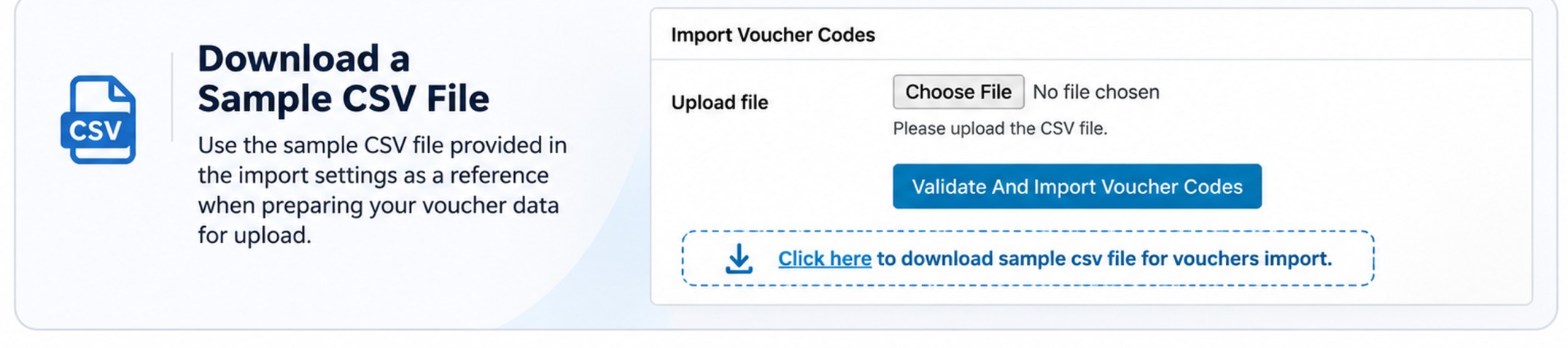
Download a Sample CSV File
Use the sample CSV file provided in the import settings as a reference when preparing your voucher data for upload.
Make Bulk Voucher Import Simple

Simple Transparent Pricing
Import and validate multiple WooCommerce PDF voucher codes in bulk using a CSV file, with support for single or separate orders and automated customer email notifications.
1 Website
Updates, all features and support during the term of your subscription.
3 Website
Updates, all features and support during the term of your subscription.
Unlimited Websites
Updates, all features and support during the term of your subscription.
All Plans Include the Following Features
Import Multiple Voucher Codes Easily with CSV
- Bulk Voucher Code Import
- Import Codes Using CSV Files
- Import Codes for Single Orders
- Create Separate Orders for Each Code
- Automatic Voucher Order Creation
- Automatic Voucher Code Validation
- CSV Data Validation Before Import
- Highlight Invalid CSV Data
- Skip Duplicate Voucher Codes
- Customer Email Notifications For Imported Voucher Codes
- Option to Disable Email Notifications
- Migrate Existing Voucher Codes

14-Day money-back guarantee. No questions asked!
Applies to all eligible products or services purchased through our platform. If you are not satisfied with your purchase for any reason, you may request a refund within 14 days from the date of purchase.
Discover what our customers have to say about their experience with our plugins. Read genuine reviews and see how our solutions help businesses simplify their workflow. 5.0/5 10 Ratings
Are you a customer? Christopher Reed A useful add-on for WooCommerce stores that need to import voucher codes. It offers a practical solution for managing existing codes alongside PDF vouchers. Nathan Foster This extension addresses a practical voucher management need by providing an import option for existing codes. It helps bring code administration into one workflow. Samuel Cooper Importing existing voucher codes can reduce repetitive manual work when preparing voucher campaigns. This is a helpful capability for stores managing many codes. Alex Morgan The import feature supports a more organized approach to managing voucher codes. It is useful for businesses that want to maintain their voucher workflow in WooCommerce. Ryan Mitchell Having an import option can make voucher administration more convenient than entering codes individually. It is a practical feature for stores handling larger code lists. Ethan Parker This add-on provides more flexibility for stores that already have voucher codes available. It is a useful option for handling existing codes as part of a voucher workflow. Oliver Bennett The ability to import voucher codes is a valuable feature for businesses managing multiple vouchers. It can help simplify the process of preparing codes for use. James Wilson The import functionality complements the existing PDF voucher system. It helps keep voucher code management within the same WooCommerce environment. Michael Turner The add-on is useful for stores that need to work with their own voucher codes instead of creating every code manually. It offers a practical addition to voucher management.All Ratings & Reviews
Submit your review
Great Value
Simple Voucher Management
Time-Saving Features
Reliable Functionality
Easy to Use
Flexibility
Feature Availability
Design Quality
Customizability
More Screenshots
Technical Info


Frequently Asked Questions
All features included on every plan. Pick the license that fits your store.

The Import Voucher Codes add-on allows you to import and validate multiple voucher codes in bulk using a CSV file. It simplifies migrating existing voucher codes to a new website without having to create manual orders for each code.
Yes. The add-on provides two order types: Single and Multiple. Single creates one order containing all imported voucher codes, while Multiple creates a separate order for each voucher code.
Yes. The add-on validates your CSV file before importing the codes. If invalid data is detected, it highlights the problematic entries so you can correct the file and upload it again. Existing voucher codes are skipped, while other valid codes can still be imported.
Yes. The add-on supports sending email notifications to customers when voucher codes are imported. You can also enable the Disable Email Notification option if you prefer to import voucher codes without sending emails.
All license plans for our WooCommerce PDF Vouchers : Import Voucher Codes plugin, including Starter, Business, and Agency, include 1 year of plugin updates and support, ensuring you have access to the latest features, improvements, and assistance when needed.