



Best WordPress Follow & Email Notification Plugin
Follow My Blog Post – WordPress Post Subscription Plugin
Keep your readers connected to the content they care about, bring visitors back to your website, and increase engagement by letting them follow posts, pages, categories, tags, and authors. Our Follow My Blog Post plugin sends email notifications automatically whenever relevant content is published or updated. Manage everything from a single WordPress dashboard, including guest and registered user subscriptions, notifications for new posts, updates, and comments, customizable follow buttons, email templates, and subscriber management tools, with or without requiring visitors to register.


Key Features of Follow My Blog Post

Let Visitors Follow Posts, Pages, Categories & Authors
Our plugin lets visitors follow specific posts, pages, categories, tags, and authors. Instead of subscribing to every update on your website, readers choose the content they want and receive notifications that match their interests.
Send Automatic Email Notifications to Followers
Keep subscribers informed when their followed content changes. Our plugin sends email notifications for new posts published under followed categories or tags, updates to existing posts, and newly approved comments.
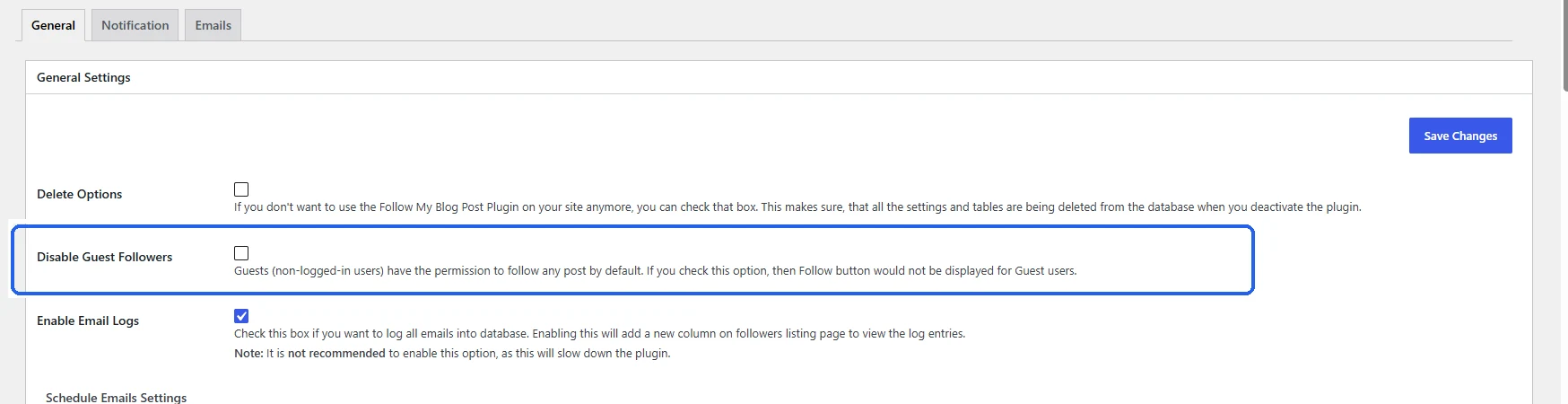
Allow Guest Visitors to Subscribe Without Registration
Visitors can follow content without creating a WordPress account. Guest users subscribe with their email address, while registered users manage their subscriptions directly from their accounts.
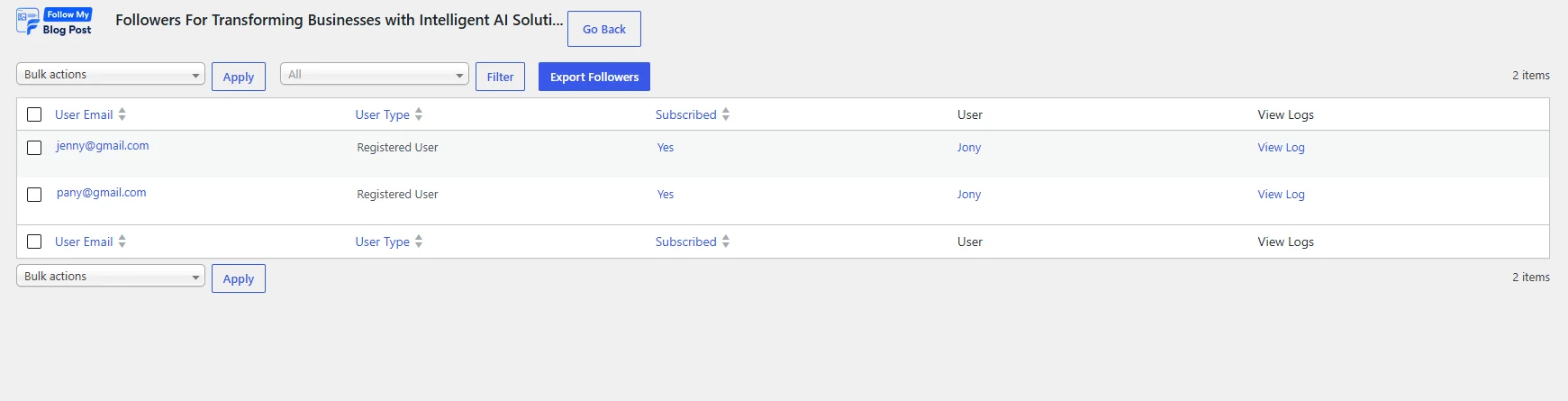
Manage Followers & Subscriptions From WordPress
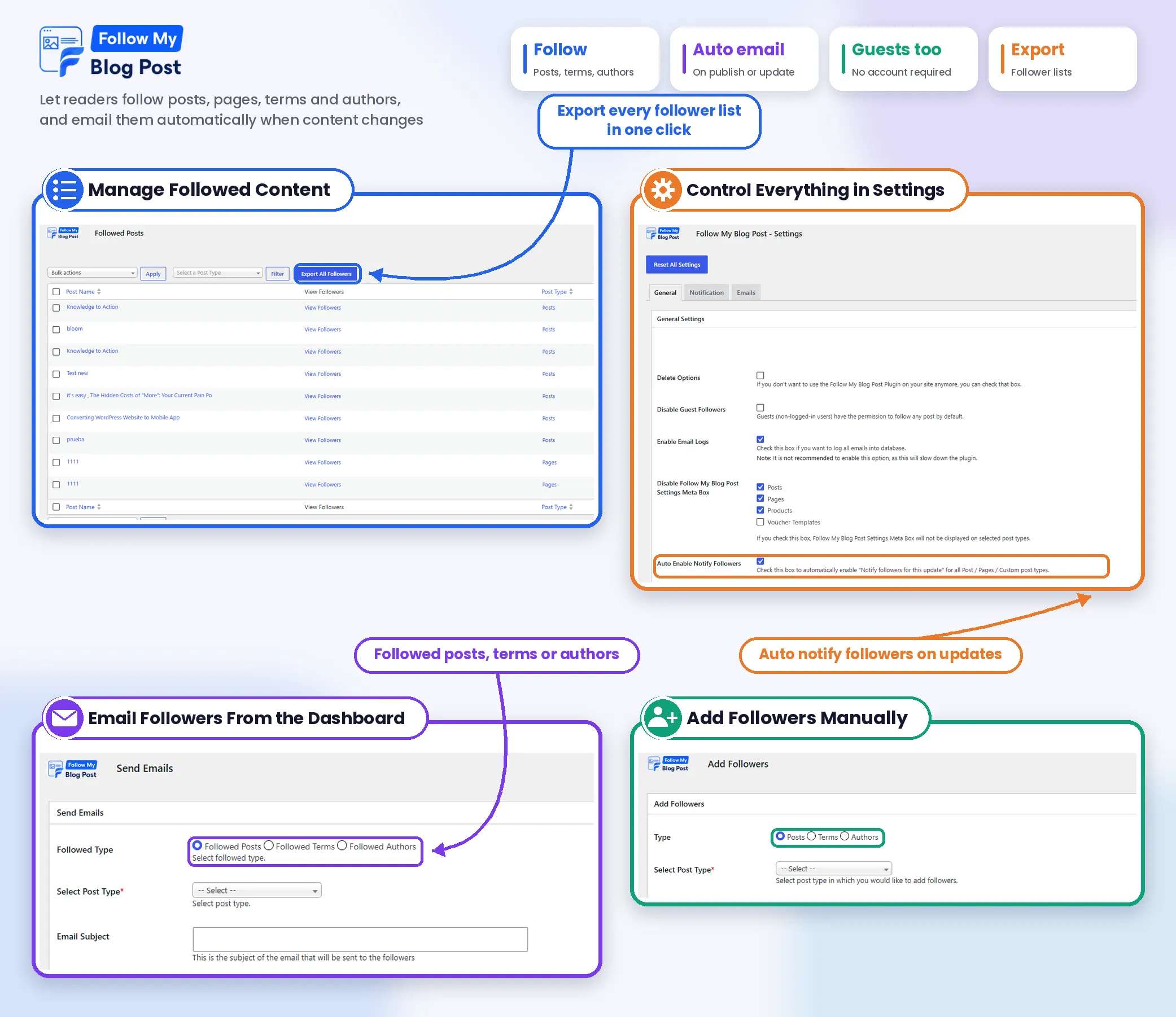
View and manage followers of individual posts, categories, tags, and authors from your WordPress dashboard. Check subscription details, manage follower status, and export follower lists whenever needed.
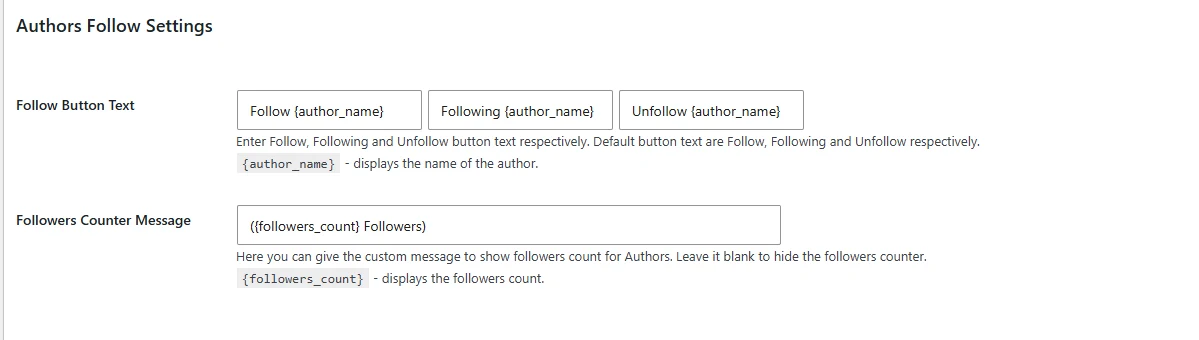
Let Readers Follow Their Favorite Authors
Visitors can follow specific blog authors and receive notifications when those authors publish new content. This suits multi-author blogs, publishing websites, and communities where readers want updates from particular contributors.
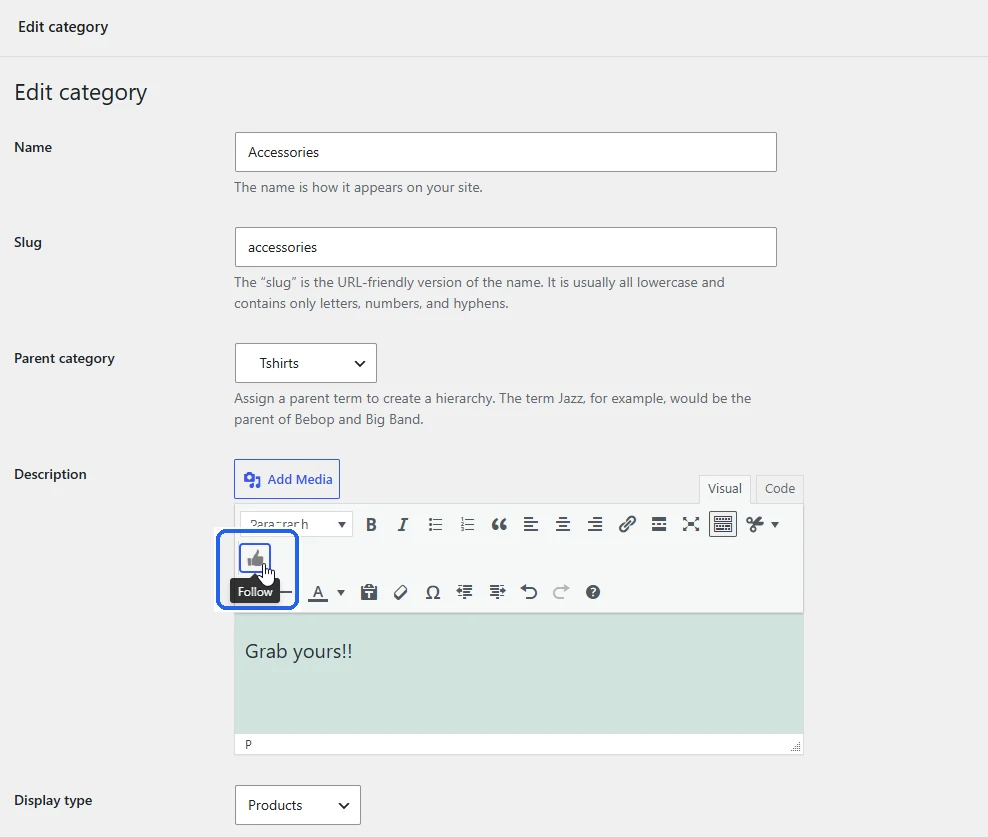
Enable Category & Tag Subscriptions
Users can subscribe to categories, tags, and custom taxonomies instead of individual articles. When new content is published under a followed category or tag, subscribers receive an email notification automatically.

Send Notifications for New Comments & Post Updates
Keep readers involved in ongoing discussions. Our plugin notifies followers when an existing post is updated or a new comment is approved, so they can return to the content and follow the conversation.
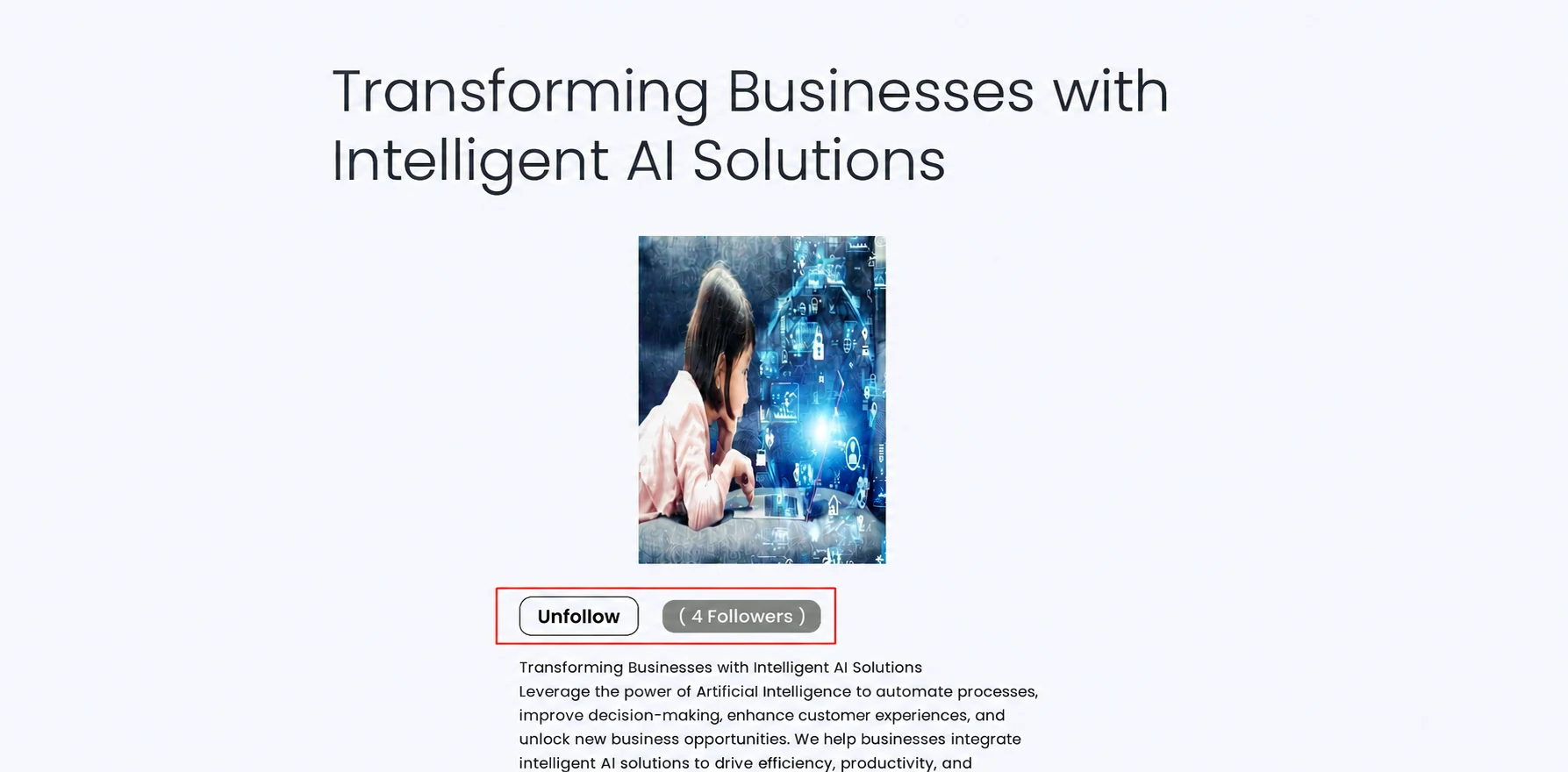
Let Users Unfollow Content Anytime
Give subscribers full control over their notifications. Visitors can unfollow posts, categories, tags, and authors with the Unfollow button or the unsubscribe links included in notification emails.
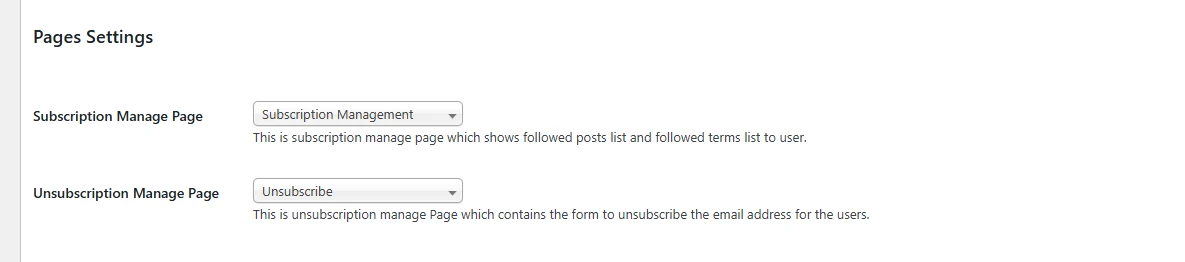
Provide a Dedicated Subscription Management Page
Registered users get one place to manage their followed content. They can view the posts, categories, tags, and authors they follow and unsubscribe from individual items whenever they want.
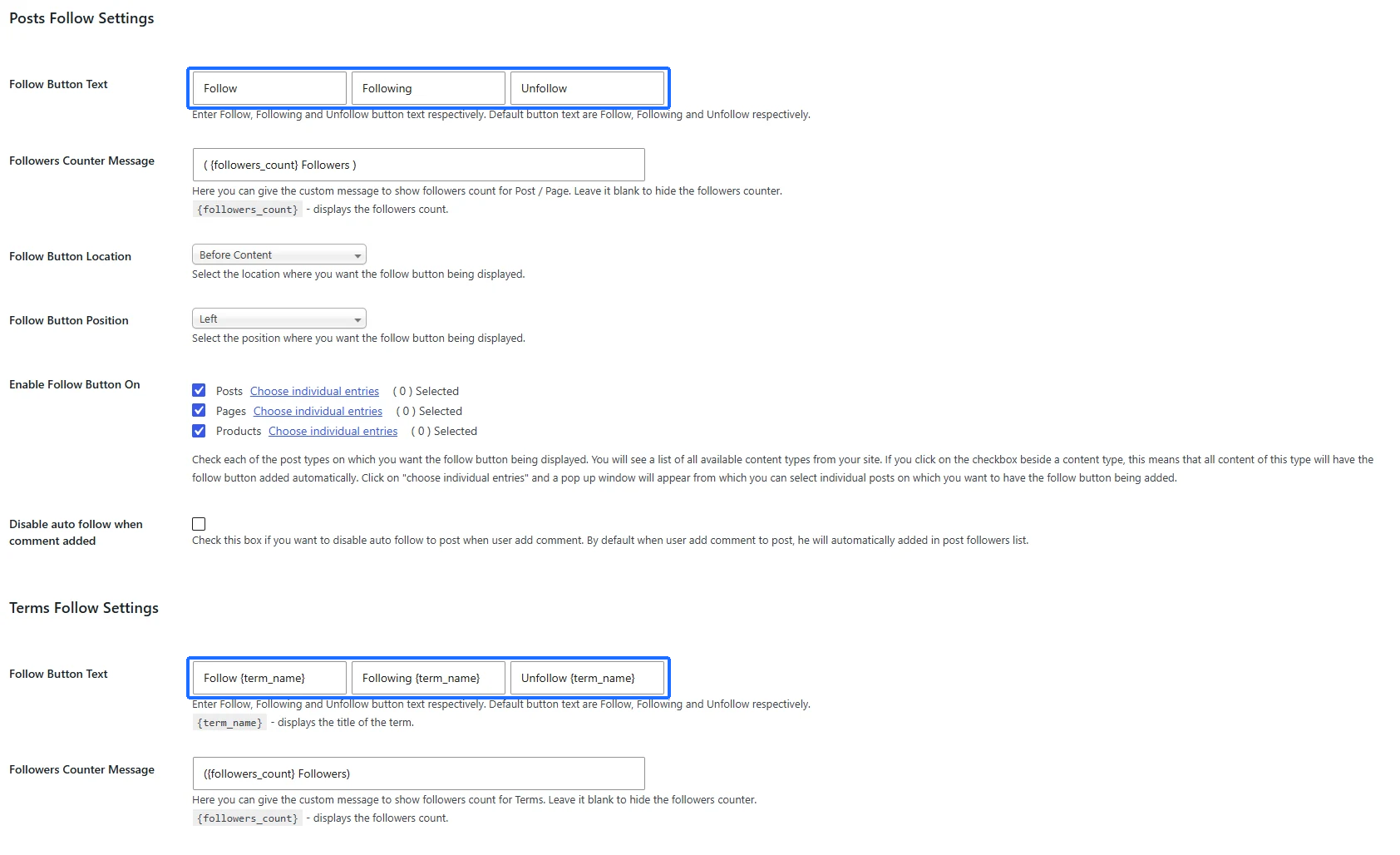
Customize Follow & Unfollow Buttons
Change the text of the Follow, Following, and Unfollow buttons to match your website. Control button alignment, placement, follower counters, and appearance using the plugin settings or custom CSS.
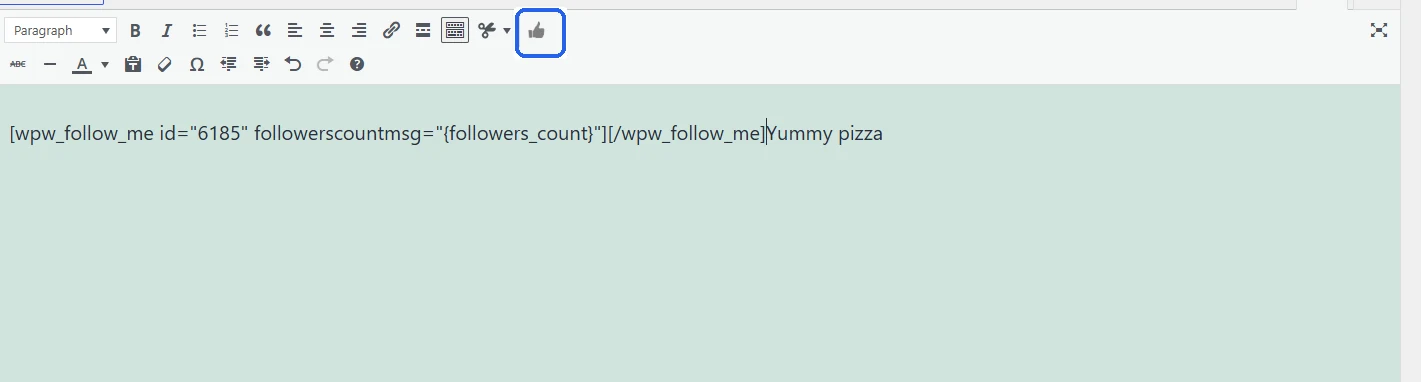
Display Follow Buttons Using Shortcodes & Widgets
Add Follow buttons to different areas of your website using shortcodes, WordPress widgets, or the Gutenberg editor. Place buttons for specific posts, taxonomy terms, or authors wherever you need them.
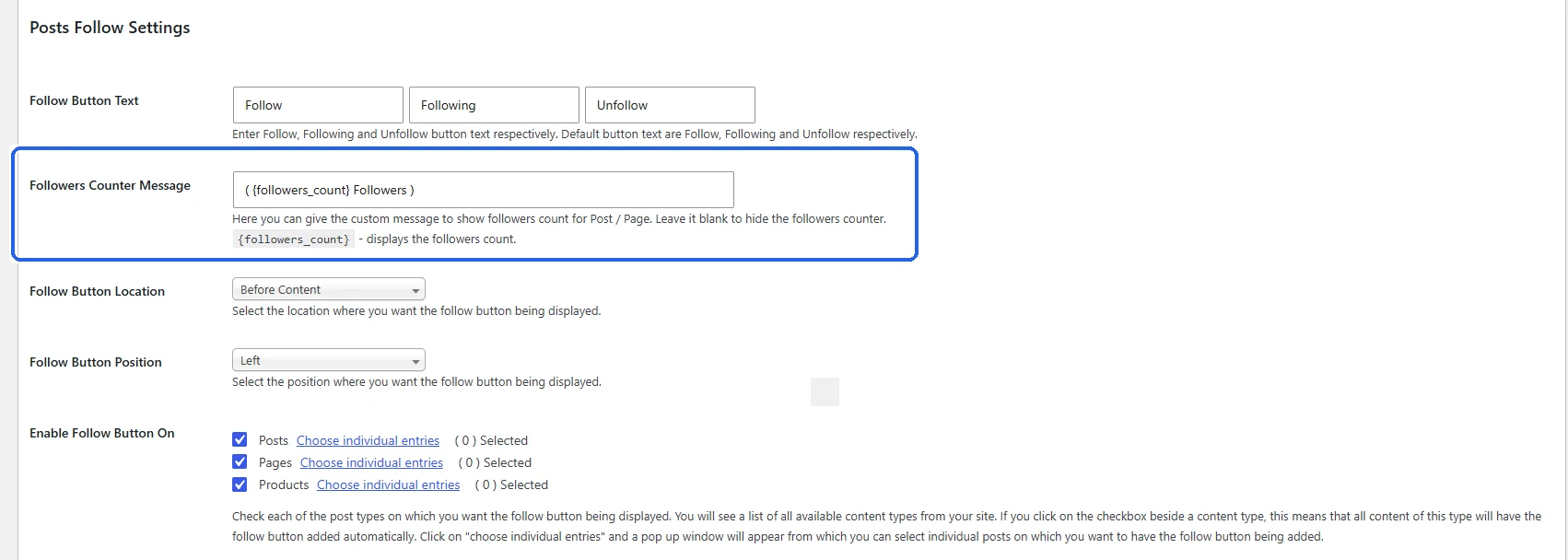
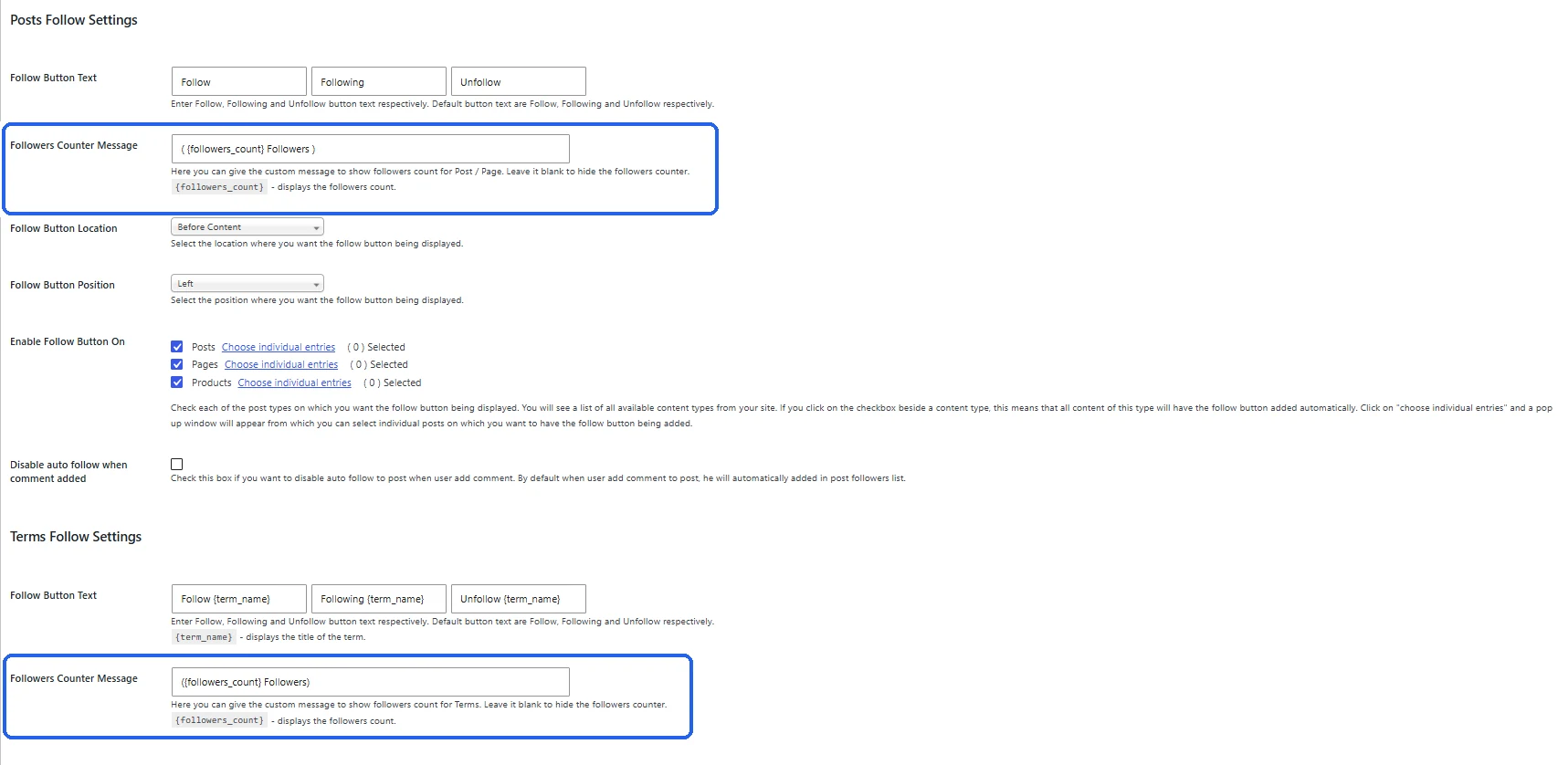
Show Follower Counts on Your Content
Display the number of unique visitors following a post, category, tag, or author. Customize the follower count message, or hide it when you prefer a cleaner layout.
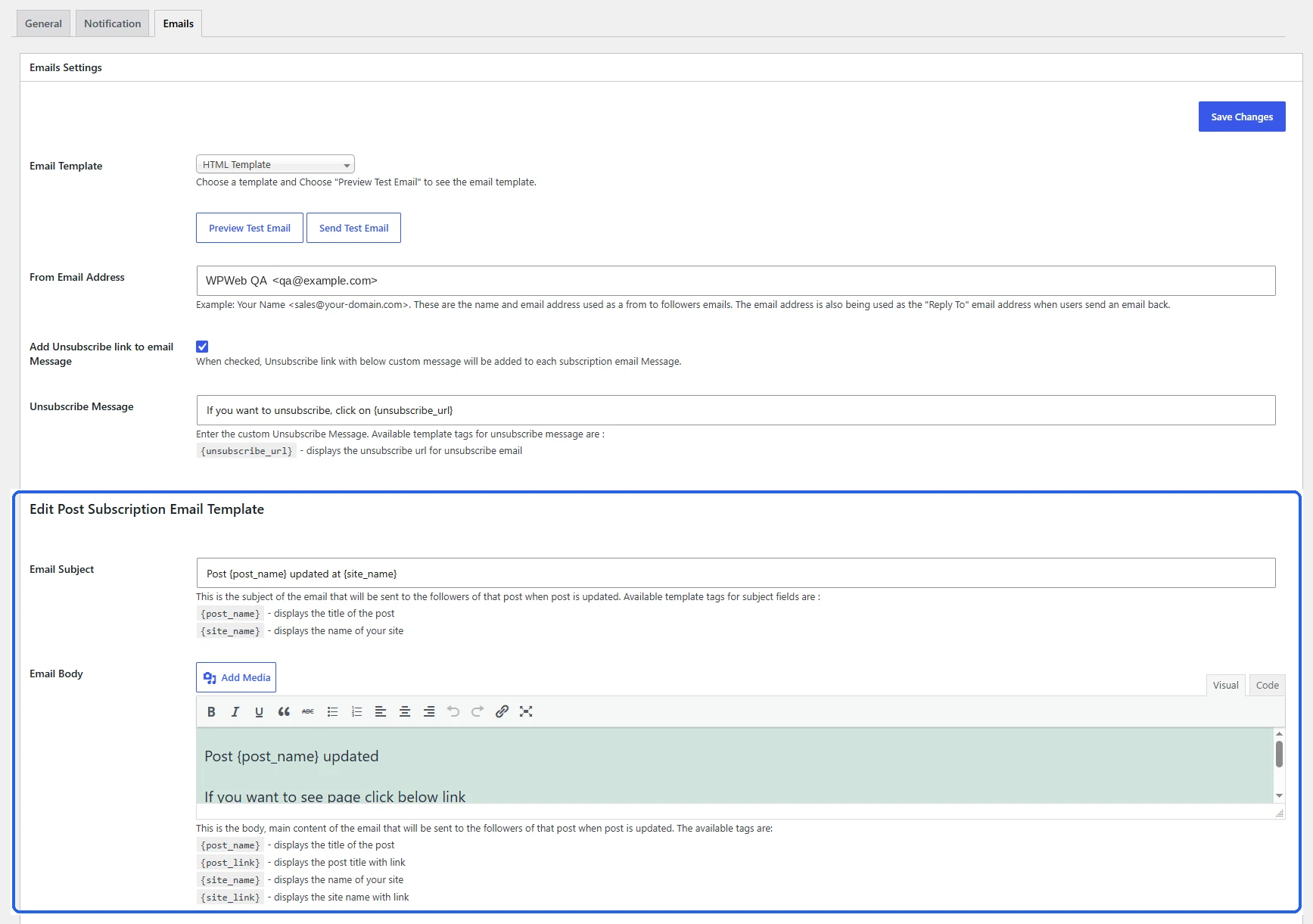
Customize Email Notification Templates
Create different email messages for new posts, content updates, comments, and subscription confirmations. Customize subject lines, email content, sender details, and dynamic information such as post titles and links.
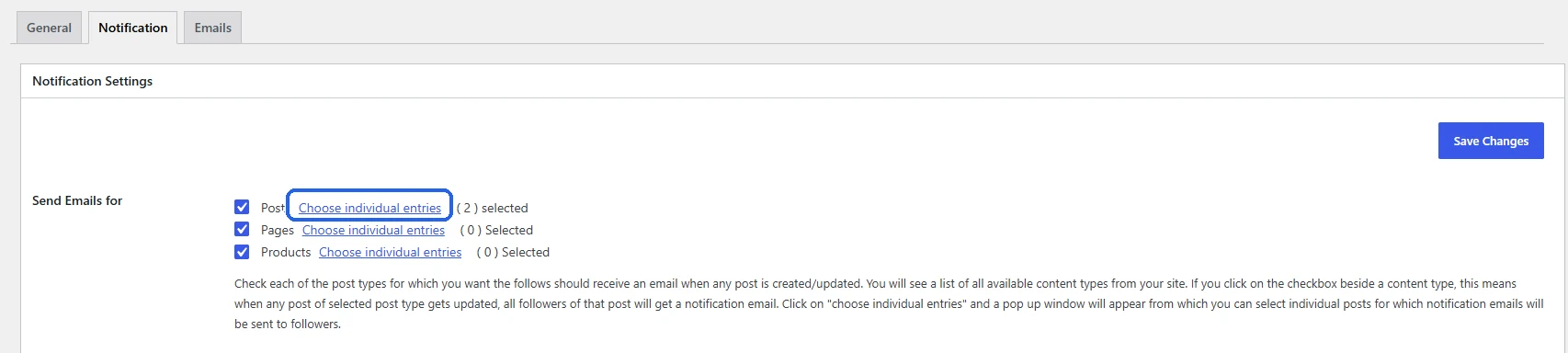
Control Notifications for Individual Posts
Manage follow options separately for each post, page, or custom post type. Disable Follow buttons, turn off email notifications, or override the default notification templates for specific content.
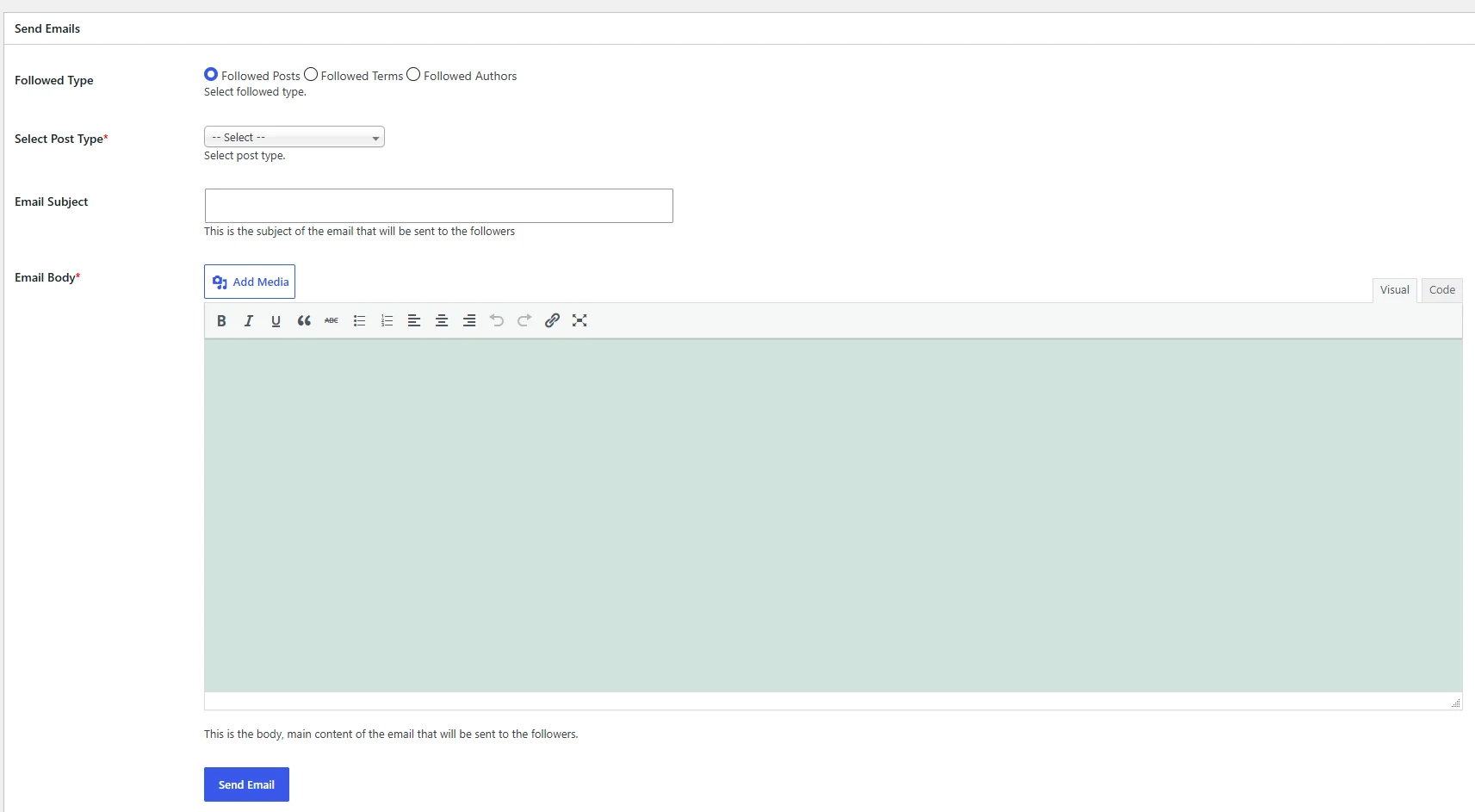
Send Custom Emails to Your Followers
Send messages directly to followers of selected posts, taxonomy terms, or authors from your WordPress dashboard. Use this option to share additional updates with subscribers beyond the standard notification events.
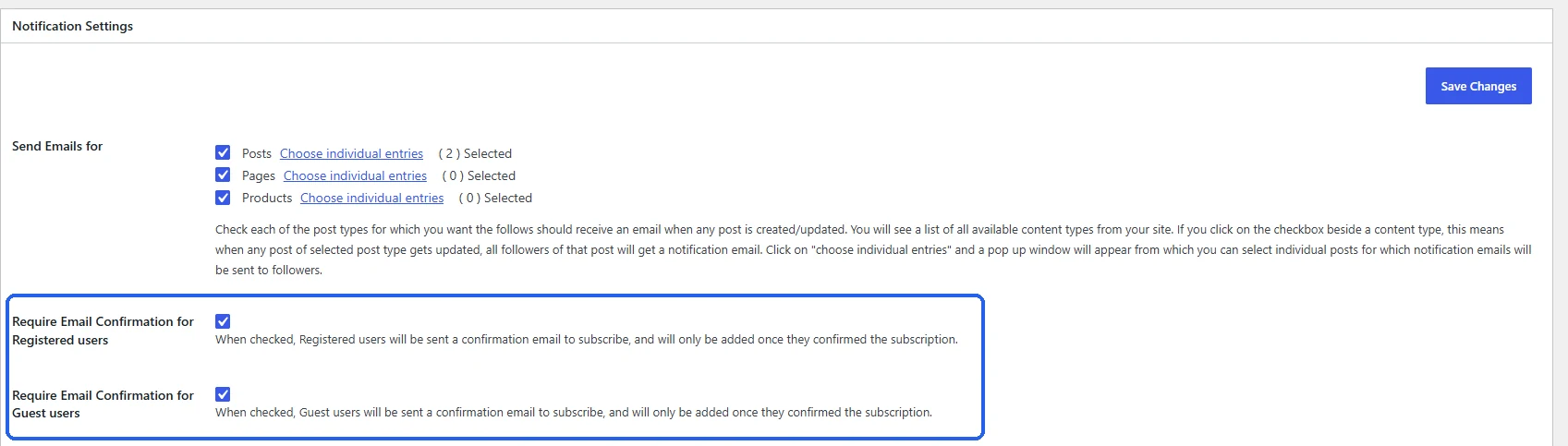
Require Email Confirmation for Subscriptions
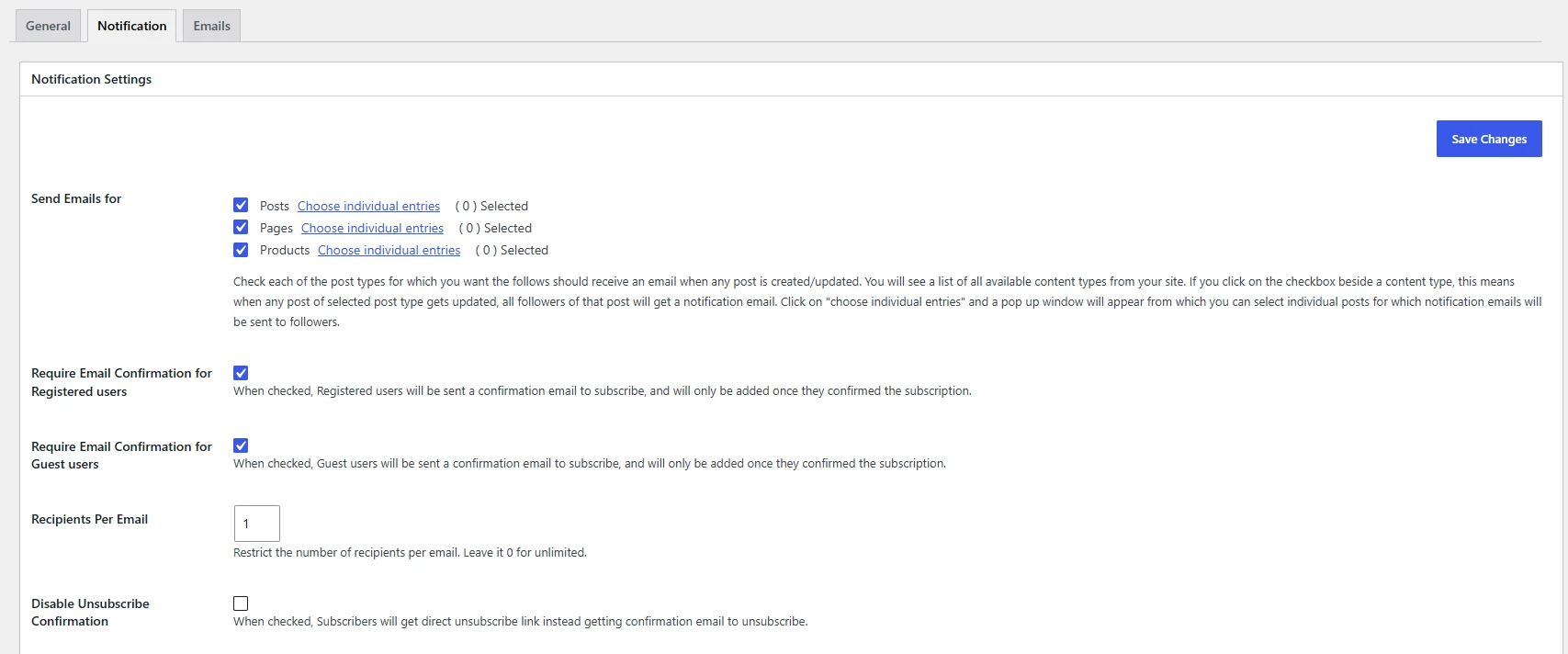
Enable email confirmation before adding subscribers to your follower lists. Configure confirmation requirements separately for registered users and guest visitors, and customize the confirmation email templates.
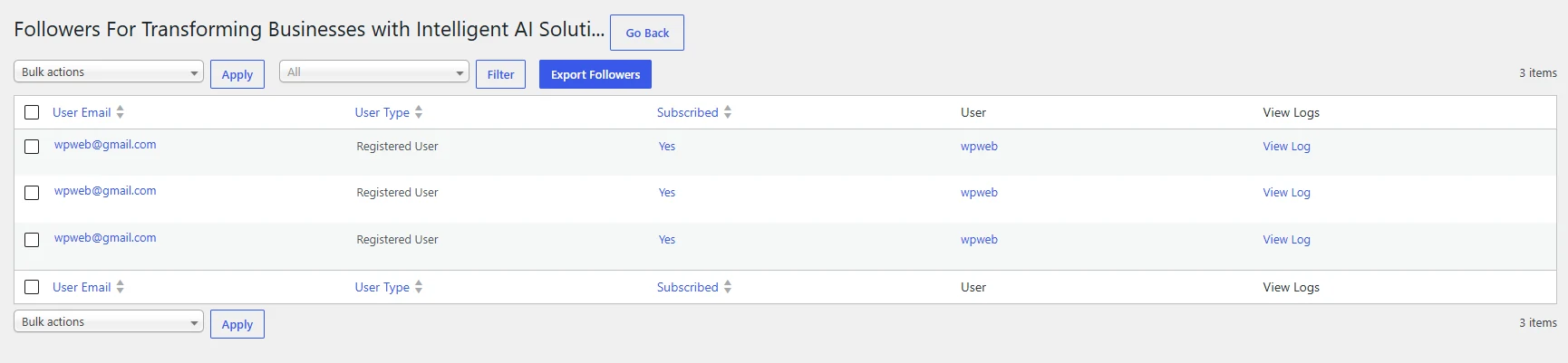
Export Followers & Manage Subscriber Lists
View followers by post, category, tag, or author and export subscriber lists when needed. You can also add followers manually and manage individual subscription statuses from the admin area.
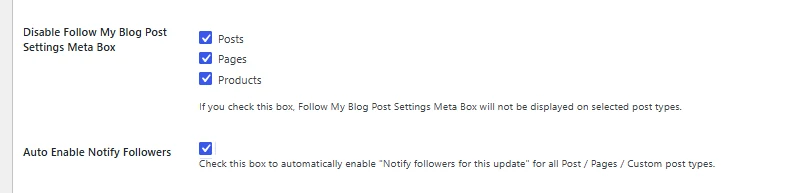
Support Custom Post Types & Taxonomies
Extend the Follow feature beyond standard blog posts. Visitors can follow supported custom post types and custom taxonomies, making the plugin suitable for directories, resource websites, and other content-driven platforms.
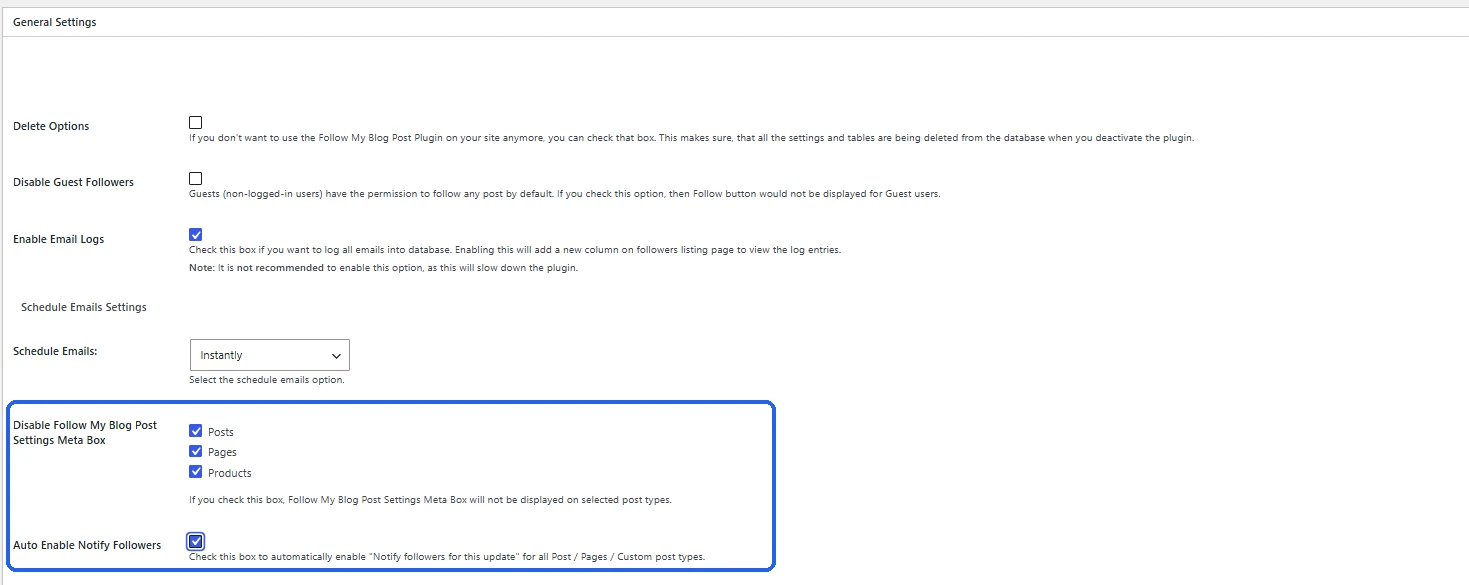
Integrate With WooCommerce, Easy Digital Downloads & More
Use our plugin with popular WordPress plugins such as WooCommerce, Easy Digital Downloads, BuddyPress, bbPress, and Elementor. Add follow functionality to supported content types and keep users informed about relevant updates.
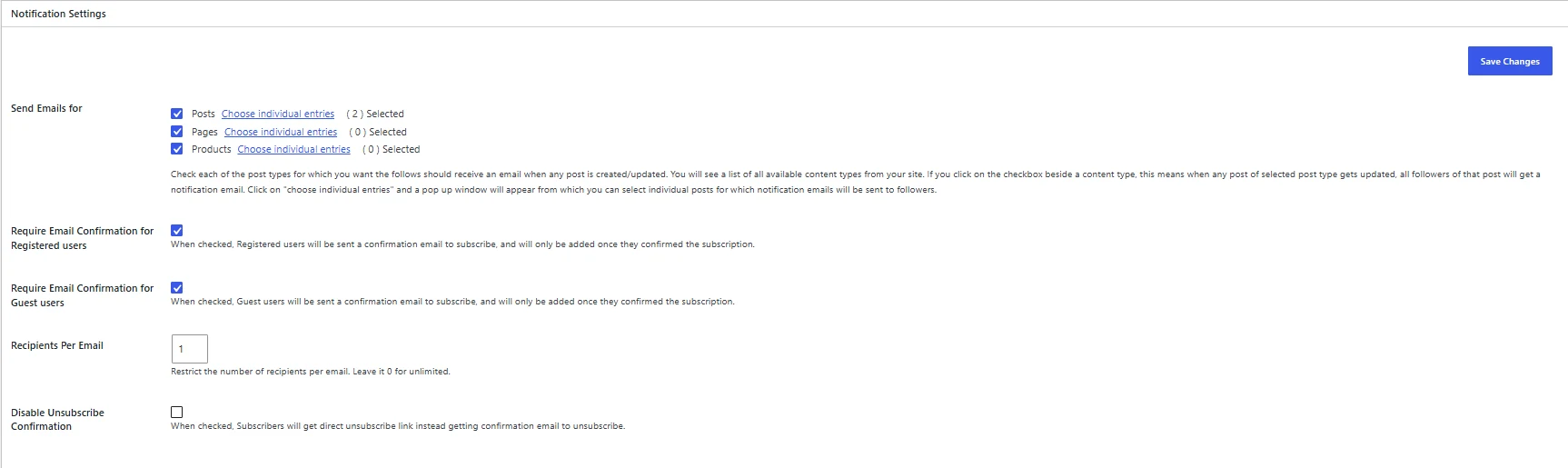
Manage Email Delivery & Notification Logs
Configure the number of recipients per notification email and enable email logs to review sent notifications. Manage which content types trigger emails and how subscription messages are delivered.
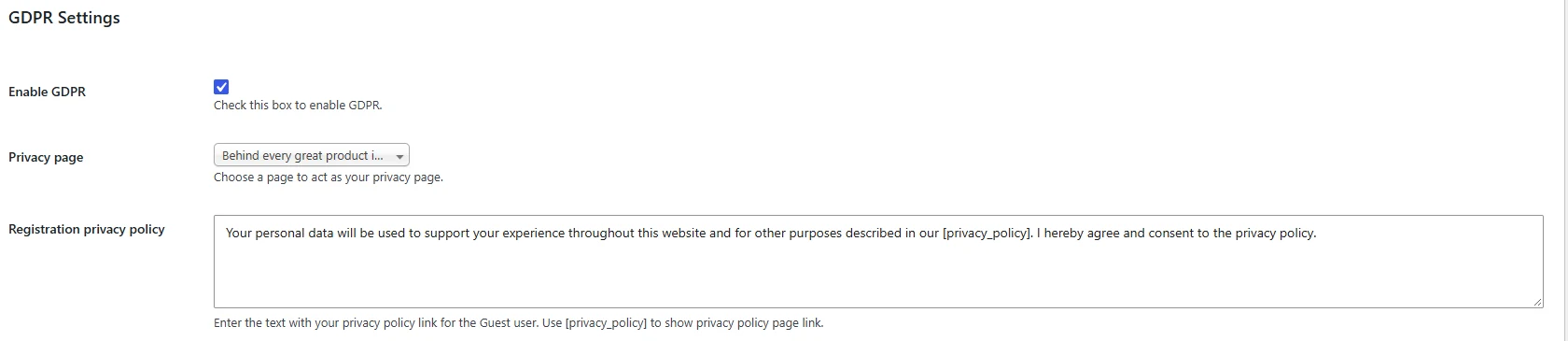
Add GDPR Consent to Follow Forms
Display a privacy consent notice before visitors subscribe to content. Link to your website’s privacy policy and customize the consent message for guest users.
Access Follower Data Through the WordPress REST API
Retrieve follower information and follower counts through supported WordPress REST API endpoints. Developers can also use the available functions to display follower counts for posts, taxonomy terms, and authors.
What Makes This Plugin So Good?
Follow My Blog Post plugin allows readers to follow their favorite content, receive email updates, and manage subscriptions without any hassle. Keep your audience engaged with Follow My Blog Post, right from your WordPress dashboard.

Follow Posts, Categories & Authors
It assists visitors in following posts, pages, categories, tags, and authors. Readers can choose the subscription they want instead of receiving every website update.

Automatic Email Notifications
Followers can receive automatic updates of every published piece of content, updates to existing blogs, and approved comments. You get to choose which events trigger email notifications.

Subscribe Without Registration
Visitors can follow content by registering their email address without creating a new account. Enable email confirmations to verify active subscriptions.

Customizable Follow Buttons
Our plugin allows you to add Follow and Unfollow buttons anywhere by utilizing shortcodes, widgets, or Gutenberg blocks. You can also customize button text, alignment, appearance, and follower counts.

Easy Subscription Management
You can give personalized pages to every registered user to view and manage followed posts, categories, and authors. Users can unfollow content whenever they want.

Manage Followers & Emails
View follower lists, export subscriber details, and send custom emails to selected followers. Customize notification templates and manage subscriptions from WordPress.
Turn Blog Visitors Into Subscribers and Keep Them Coming Back

Simple Transparent Pricing
Import and validate multiple WooCommerce PDF voucher codes in bulk using a CSV file, with support for single or separate orders and automated customer email notifications.
1 Website
Updates, all features and support during the term of your subscription.
3 Website
Updates, all features and support during the term of your subscription.
Unlimited Websites
Updates, all features and support during the term of your subscription.
You Will Get All the Following Features With Each Plan
Our Follow My Blog Post plugin gives you the tools to let visitors follow content, send email notifications, and manage subscribers directly from your WordPress dashboard.
- Follow Posts & Pages
- Follow Categories & Tags
- Follow Authors
- Custom Post Type Support
- Custom Taxonomy Support
- Automatic Email Notifications
- Post Update Notifications
- New Comment Notifications
- Guest Following Without Registration
- Email Confirmation for Followers
- Unfollow Anytime
- Customizable Email Templates
- Follower Count Display
- Multiple Shortcodes
- Frontend Follow Buttons
- Admin Follower Management
- Post-Wise Follower Lists
- Individual Follow Settings
- Enable or Disable Following Per Post
- WooCommerce Integration
- Easy Digital Downloads Integration
- bbPress & BuddyPress Compatibility
- Import & Export Follower Data
- 100% Multilingual Support
14-Day Money-Back Guarantee. No Questions Asked
Install the Follow My Blog Post plugin, and if it doesn't match your requirements, you can connect with our support team anytime within 14 days of purchase to request a refund, and we will ask no questions!
Discover what our customers have to say about their experience with our plugins. Read genuine reviews and see how our solutions help businesses simplify their workflow. 4.5/5
Are you a customer? Uselinks Unique plugin and great support that also responds to individual requests! Thumbs up Gaori Works perfectly Cezaro Great plugin. I was looking for a plugin that allows users to follow post and other user. Most of the available plugins only allow to follow the post. This plugin has functions: follow posts, follow authors, follow categories, and some other cool settings. zlato Extremely fast and responsive support. Thank you for everything, all the best guys Anafey Does all I was expecting, easy to install. Had an issue with php 7.1 though, but that was fixed quite quickly after raising a ticket with Support. All good, can recommend! Mustafa Gok Very useful and practical plug-in.All Ratings & Reviews
Submit your review
Customer Support
Feature Availability
Feature Availability
Code Quality
Customer Support
Flexibility
More Screenshots
01 General settings
02 Posts follow settings
03 GDPR and Misc Settings
04 Notification settings
05 Notification Events Trigger Emails
06 Emails settings
07 New Post Term Subscription Email Template
08 Followed posts
09 Follow Post Button Widget Settings
10 Follow Term Button Widget Settings
11 Follow Author Button Widget Settings
Extend Follow My Blog Post With Powerful Add-ons
Reach your subscribers in more ways with extensions for scheduled email notifications and SMS updates.

Schedule Emails
Our add-on lets you control when followers receive email notifications, with hourly, daily, twice-daily, or weekly delivery options. It also allows you to combine multiple updates into a single digest email and customize templates for scheduled notifications.

SMS Notifications
Want to keep your followers updated? Our add-on lets visitors follow content with their phone numbers, and you can send custom SMS notifications for every new post, content update, and comment. Configure SMS messages for posts, categories, tags, and authors from WordPress using Twilio.
Technical Information
Review the documented system requirements and compatibility details before installing Follow My Blog Post on your WordPress website.


Frequently Asked Questions
All features included on every plan. Pick the license that fits your store.

You can add Follow buttons to different archive pages by inserting the appropriate plugin code into your active WordPress theme. For example, the category Follow button can be added in category.php, the tag Follow button in tag.php, and the author Follow button in author.php.
plugin code into your active WordPress theme. For example, the category Follow button can be added in category.php, the tag Follow button in tag.php, and the author Follow button in author.php.
Hourly and daily emails depend on WordPress Cron functioning correctly. You can use the WP Crontrol plugin to verify that cron is enabled and confirm that the plugin’s scheduled cron event is running properly. Conflicting or stuck cron events from other plugins may also prevent the email schedule from executing.
By default, the plugin supports standard WordPress content types such as posts, pages, categories, tags, and users. Custom post types require additional custom code to extend the plugin’s REST API functionality.
All license plans for our WordPress Follow My Blog Post plugin, including Starter, Business, and Agency, include 1 year of plugin updates and support, ensuring you have access to the latest features, improvements, and assistance when needed.